Carvajaal15 wrote:
Hello, i tried to restore my mac, and when i erased the hard disk dsts i don't know what happened, but now, i can't create any partition on my disk and i haven't heard to install mac os on the current and only partition i have. Please, I need to solve this as soon as possible
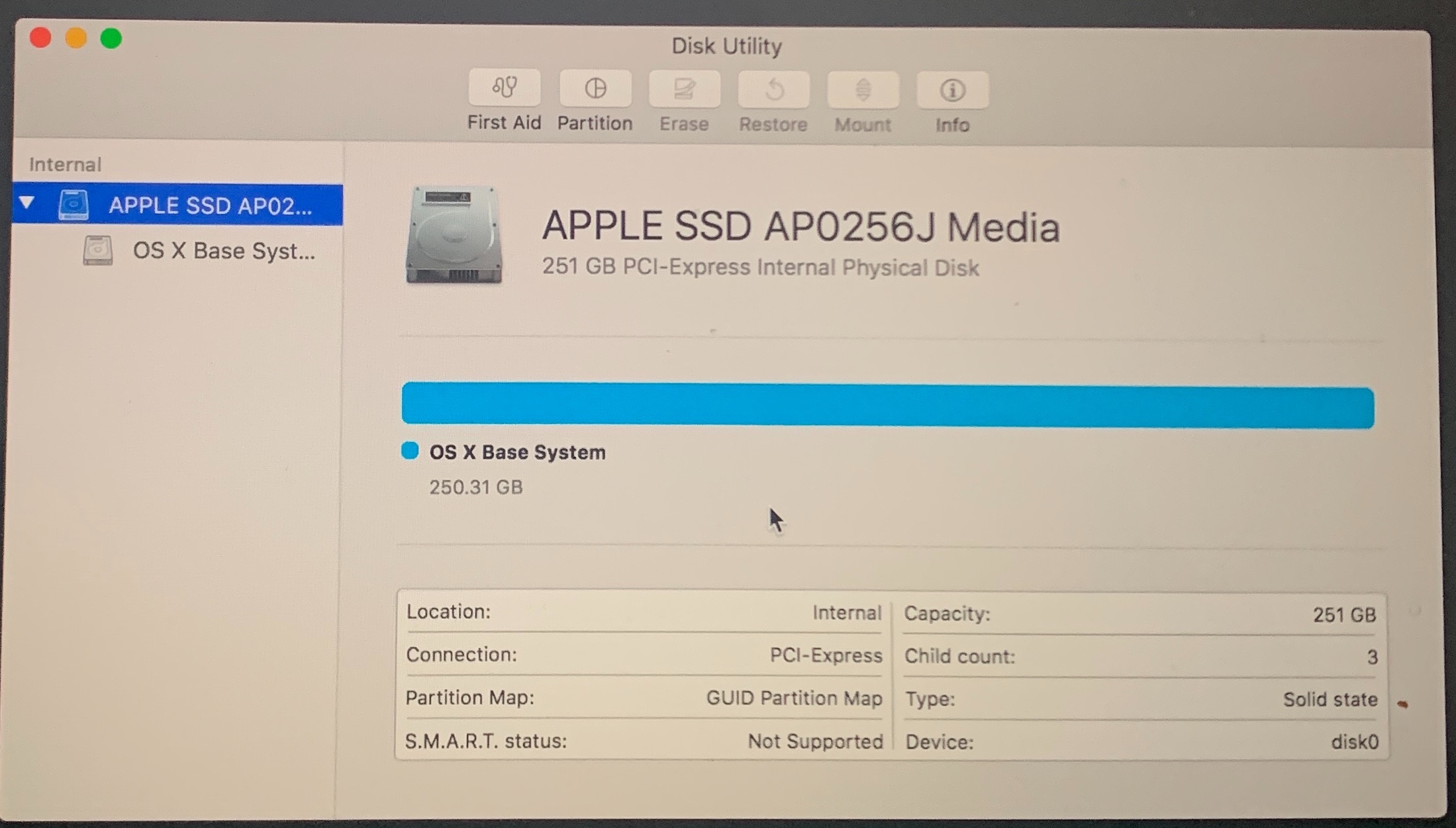

Unfortunately you do not say what exact Mac is this (& year,) or what macOS ( or OS X ) you are trying to reinstall(?)
I will say the "OS X Base System" is the Recovery partition...
Use macOS Recovery on an Intel-based Mac - Apple Support
In the contemporary macOS you can add or deleted Volumes within the same Container with no penalty.
Add, delete, or erase APFS volumes in Disk Utility on Mac
yes there is an option if necessary: Partition a physical disk in Disk Utility on Mac - Apple Support
Here for example only— what a default install looks like on a drive from Terminal.app w/ Ventura macOS 13.0.1 installed. (Notice all Volumes are in a single Container.)
diskutil list internal
MacBook-Pro ~ % diskutil list internal
/dev/disk0 (internal, physical):
#: TYPE NAME SIZE IDENTIFIER
0: GUID_partition_scheme *1.0 TB disk0
1: EFI EFI 314.6 MB disk0s1
2: Apple_APFS Container disk1 1.0 TB disk0s2
/dev/disk1 (synthesized):
#: TYPE NAME SIZE IDENTIFIER
0: APFS Container Scheme - +1.0 TB disk1
Physical Store disk0s2
1: APFS Volume Macintosh HD 8.8 GB disk1s1
2: APFS Snapshot com.apple.os.update-... 8.8 GB disk1s1s1
3: APFS Volume Macintosh HD - Data 412.3 GB disk1s2
4: APFS Volume Preboot 1.8 GB disk1s3
5: APFS Volume Recovery 1.1 GB disk1s4
6: APFS Volume VM 2.1 GB disk1s5
MacBook-Pro ~ %


