Accuracy of calorie calculations

I’m several months into my new Apple Watch. I’ve set a 900 calorie daily move goal. How does the Apple Watch assess calories? I’ve been clearing snow from the Buffalo storm these past three days. Today, I finished snowblowing and shoveling. I came in sweaty and exhausted. And I’m at 155 calories for the day. And that includes whatever I burned walking around the house before heading outside. How can that be? Yet, in order to reach my 900 calorie goal yesterday, i walked back and forth in my family room for 15 to 20 minutes while watching a football game late in the day. Hardly any exertion. No sweating. Hit my goal. During those 20 minutes, my watch showed I burned more calories than I did during almost an hour of strenuous snow removal. This has me questioning just how accurate the calorie function is. Can anyone enlighten me? As an aside, the heart rate indicator showed my heart was working hard. I actually stopped and rested yesterday when my heart rate began exceeding the 80% of maximum threshold.

Posted on Nov 20, 2022 7:33 AM

Reply
Question marked as Top-ranking reply

Posted on Nov 22, 2022 11:08 AM

Hello BuffaloMark,


Thanks for choosing the Apple Support Communities. We'd be happy to provide a bit more info about how calories burned are measured, and how to calibrate your Apple Watch to get the best results. Check out this info.


Get the most accurate measurements using your Apple Watch - Apple Support


"Keep your personal information up to date

Your Apple Watch uses your personal information — such as your height, weight, gender, and age — to calculate how many calories you burn and more. 

To update your personal information, open the Watch app on your iPhone. Tap the My Watch tab, then tap Health > Health Details. Tap Edit, then tap the item that you want to change.
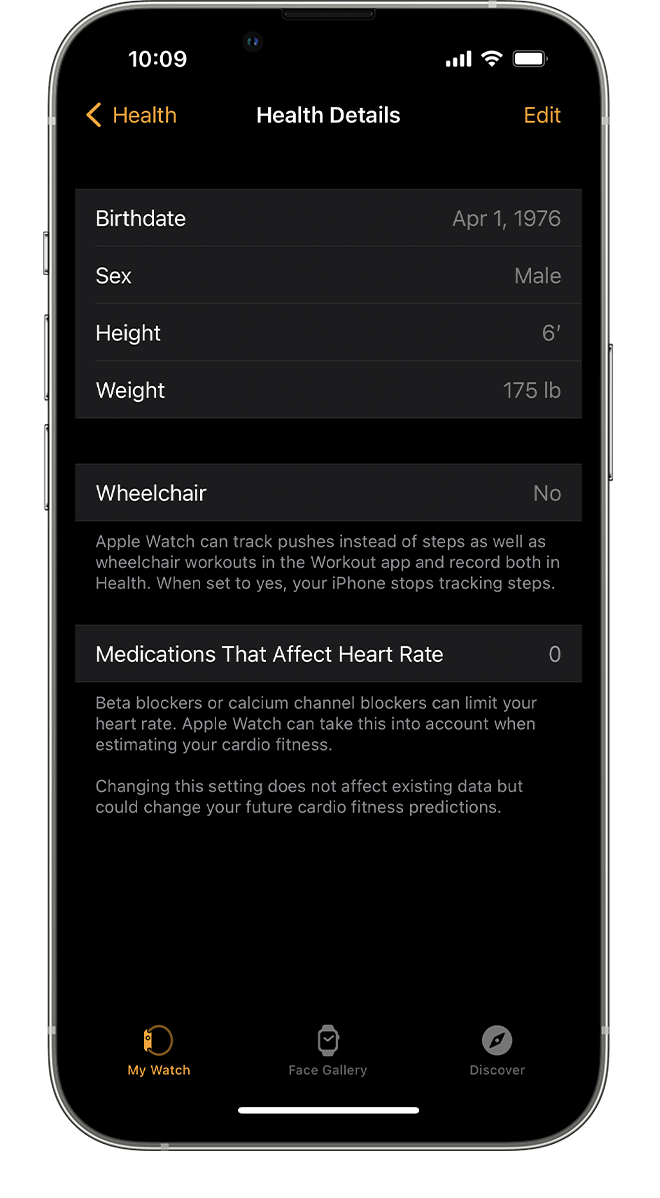

Health Profile on iPhone showing Birthdate, Height, and more.

Make sure that you earn Move and Exercise credit 

Every full minute of movement that equals or exceeds the intensity of a brisk walk counts toward your daily Exercise and Move goals. With Apple Watch Series 3 or later, your cardio fitness levels are used to determine what is brisk for you. For wheelchair users, this is measured in brisk pushes. Any activity below this level counts only toward your daily Move goal.

To make sure that you earn Exercise credit during walks, allow the arm with your Apple Watch to swing naturally. For example, while walking your pet, let the arm with your watch swing freely while the other holds the leash.

If you need both hands while walking, for example to push a stroller, you can still earn Exercise credit with the Workout app. Open the app on your Apple Watch and tap Outdoor Walk. The Activity app relies on arm motion and an accelerometer to track movement, but the Workout app can use the accelerometer, the heart rate sensor, and GPS.


Make sure that Wrist Detection is on

If Wrist Detection is off, you won't get Stand notifications, and your Apple Watch can't track your Stand progress. Background heart rate readings (like resting and walking rates) won't be taken if Wrist Detection is off. 

To check the setting, open the Watch app on your iPhone. Tap the My Watch tab, then tap Passcode. Make sure that Wrist Detection is on.

Resting and walking heart rates are available only on Apple Watch Series 1 or later.
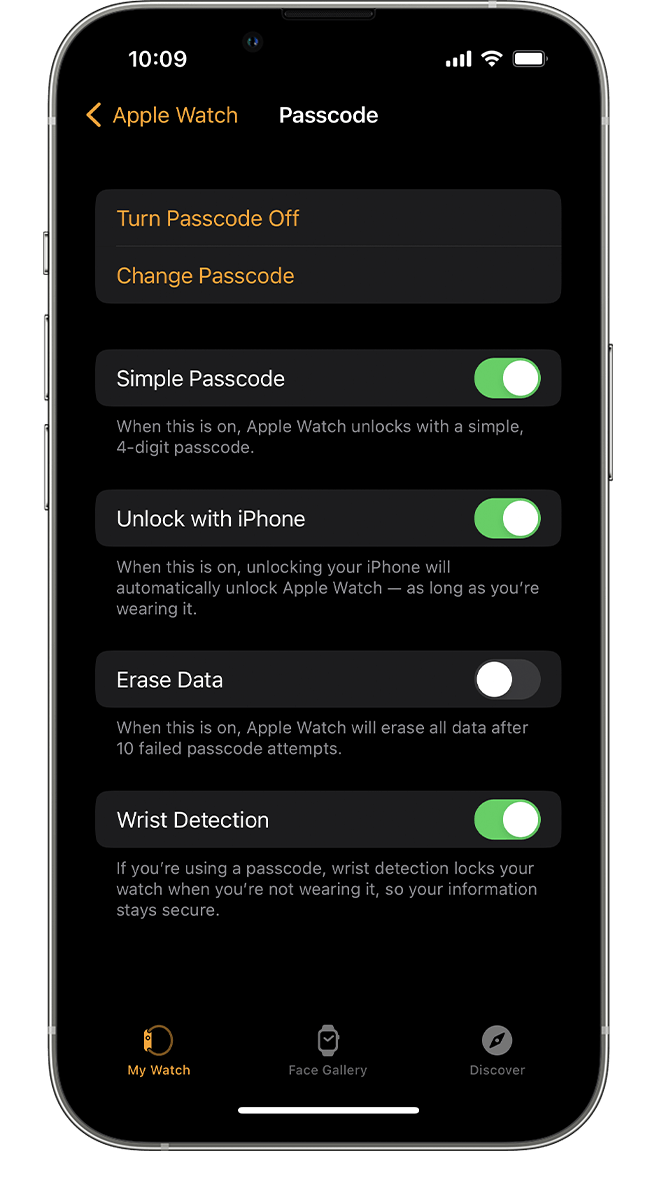
Passcode settings on iPhone

Check the fit

Wearing Apple Watch with the right fit — not too tight, not too loose, and with room for your skin to breathe — keeps you comfortable and lets the sensors do their job. 

You might want to tighten your Apple Watch band for workouts, then loosen it when you’re done. In addition, the sensors will work only if you wear your Apple Watch on the top of your wrist.

Learn more about wearing your Apple Watch


Get the most accurate heart rate measurement

To get the most accurate heart rate measurement when you use Workout, make sure your Apple Watch fits snugly on top of your wrist. The heart rate sensor should stay close to your skin. Learn about the accuracy and limitations of the heart rate sensor.

If you have an Apple Watch Series 3 or later, track your cardio fitness levels to measure how hard your heart is working during an outdoor walk, run, or hike in the Workout app.

If you turn off Heart Rate in Privacy settings, you also won't get a heart rate measurement. To see if Heart Rate is off or on, open the Watch app on your iPhone, then tap Privacy. 


Choose the best workout

When you use the Workout app, choose the option that best matches what you’re doing. For example, if you're running on a treadmill, choose Indoor Run. If you're doing a workout that isn't listed, tap Add Workout and choose the workout that best matches the activity you're doing.

Learn about each workout.
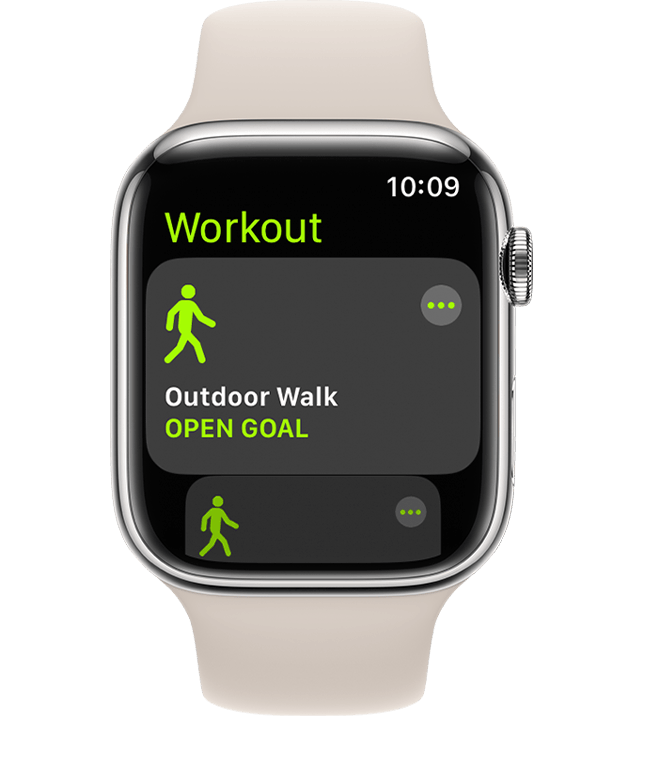
Indoor Run workout

Calibrate your Apple Watch

Calibrate your Apple Watch to improve the accuracy of your distance, pace, and calorie measurements. Calibrating your watch can also help it learn your fitness level and stride.

Learn how to calibrate your Apple Watch


What else affects your heart rate reading

Many factors can affect the performance of the Apple Watch heart rate sensor. Skin perfusion (or how much blood flows through your skin) is one factor. Skin perfusion varies significantly from person to person and can also be impacted by the environment. If you’re exercising in the cold, for example, the skin perfusion in your wrist might be too low for the heart rate sensor to get a reading.

Permanent or temporary changes to your skin, such as some tattoos, can also impact heart rate sensor performance. The ink, pattern, and saturation of some tattoos can block light from the sensor, making it difficult to get reliable readings.

Motion is another factor that can affect the heart rate sensor. Rhythmic movements, such as running or cycling, give better results compared to irregular movements, like tennis or boxing.

If you’re not able to get a consistent reading because of any of these factors, you can connect your Apple Watch wirelessly to external heart rate monitors such as Bluetooth chest straps. Learn how to pair Bluetooth accessories.

Heart rate is one of many factors that Apple Watch uses to measure your activity and exercise. Depending on your workout, it selects the most appropriate inputs for that activity. For example, when you’re running indoors, it also uses the accelerometer. Learn more about how your Apple Watch uses GPS and the heart rate sensor when you use the Workout app. "


We hope this helps.


Cheers!


2 replies
Question marked as Top-ranking reply

Nov 22, 2022 11:08 AM in response to BuffaloMark

Hello BuffaloMark,


Thanks for choosing the Apple Support Communities. We'd be happy to provide a bit more info about how calories burned are measured, and how to calibrate your Apple Watch to get the best results. Check out this info.


Get the most accurate measurements using your Apple Watch - Apple Support


"Keep your personal information up to date

Your Apple Watch uses your personal information — such as your height, weight, gender, and age — to calculate how many calories you burn and more. 

To update your personal information, open the Watch app on your iPhone. Tap the My Watch tab, then tap Health > Health Details. Tap Edit, then tap the item that you want to change.


Health Profile on iPhone showing Birthdate, Height, and more.

Make sure that you earn Move and Exercise credit 

Every full minute of movement that equals or exceeds the intensity of a brisk walk counts toward your daily Exercise and Move goals. With Apple Watch Series 3 or later, your cardio fitness levels are used to determine what is brisk for you. For wheelchair users, this is measured in brisk pushes. Any activity below this level counts only toward your daily Move goal.

To make sure that you earn Exercise credit during walks, allow the arm with your Apple Watch to swing naturally. For example, while walking your pet, let the arm with your watch swing freely while the other holds the leash.

If you need both hands while walking, for example to push a stroller, you can still earn Exercise credit with the Workout app. Open the app on your Apple Watch and tap Outdoor Walk. The Activity app relies on arm motion and an accelerometer to track movement, but the Workout app can use the accelerometer, the heart rate sensor, and GPS.


Make sure that Wrist Detection is on

If Wrist Detection is off, you won't get Stand notifications, and your Apple Watch can't track your Stand progress. Background heart rate readings (like resting and walking rates) won't be taken if Wrist Detection is off. 

To check the setting, open the Watch app on your iPhone. Tap the My Watch tab, then tap Passcode. Make sure that Wrist Detection is on.

Resting and walking heart rates are available only on Apple Watch Series 1 or later.

Passcode settings on iPhone

Check the fit

Wearing Apple Watch with the right fit — not too tight, not too loose, and with room for your skin to breathe — keeps you comfortable and lets the sensors do their job. 

You might want to tighten your Apple Watch band for workouts, then loosen it when you’re done. In addition, the sensors will work only if you wear your Apple Watch on the top of your wrist.

Learn more about wearing your Apple Watch


Get the most accurate heart rate measurement

To get the most accurate heart rate measurement when you use Workout, make sure your Apple Watch fits snugly on top of your wrist. The heart rate sensor should stay close to your skin. Learn about the accuracy and limitations of the heart rate sensor.

If you have an Apple Watch Series 3 or later, track your cardio fitness levels to measure how hard your heart is working during an outdoor walk, run, or hike in the Workout app.

If you turn off Heart Rate in Privacy settings, you also won't get a heart rate measurement. To see if Heart Rate is off or on, open the Watch app on your iPhone, then tap Privacy. 


Choose the best workout

When you use the Workout app, choose the option that best matches what you’re doing. For example, if you're running on a treadmill, choose Indoor Run. If you're doing a workout that isn't listed, tap Add Workout and choose the workout that best matches the activity you're doing.

Learn about each workout.

Indoor Run workout

Calibrate your Apple Watch

Calibrate your Apple Watch to improve the accuracy of your distance, pace, and calorie measurements. Calibrating your watch can also help it learn your fitness level and stride.

Learn how to calibrate your Apple Watch


What else affects your heart rate reading

Many factors can affect the performance of the Apple Watch heart rate sensor. Skin perfusion (or how much blood flows through your skin) is one factor. Skin perfusion varies significantly from person to person and can also be impacted by the environment. If you’re exercising in the cold, for example, the skin perfusion in your wrist might be too low for the heart rate sensor to get a reading.

Permanent or temporary changes to your skin, such as some tattoos, can also impact heart rate sensor performance. The ink, pattern, and saturation of some tattoos can block light from the sensor, making it difficult to get reliable readings.

Motion is another factor that can affect the heart rate sensor. Rhythmic movements, such as running or cycling, give better results compared to irregular movements, like tennis or boxing.

If you’re not able to get a consistent reading because of any of these factors, you can connect your Apple Watch wirelessly to external heart rate monitors such as Bluetooth chest straps. Learn how to pair Bluetooth accessories.

Heart rate is one of many factors that Apple Watch uses to measure your activity and exercise. Depending on your workout, it selects the most appropriate inputs for that activity. For example, when you’re running indoors, it also uses the accelerometer. Learn more about how your Apple Watch uses GPS and the heart rate sensor when you use the Workout app. "


We hope this helps.


Cheers!


Nov 22, 2022 11:50 AM in response to BuffaloMark

For comparison, 900 Calories is what you burn walking about 10 miles. Additionally you burn maybe 70 or 80 Calories an hour just living. (Obviously different people will be different.) As you have noticed, your numbers don't make sense. Are you reading these numbers on your phone or on your watch? How do they compare? How are the other measurements? Does your heart rate seem normal? Blood oxygen?


I spent a summer in Buffalo, once, but I'm sure it's just not the same.

This thread has been closed by the system or the community team. You may vote for any posts you find helpful, or search the Community for additional answers.

Accuracy of calorie calculations

Welcome to Apple Support Community
A forum where Apple customers help each other with their products. Get started with your Apple Account.