
Website pictures showing like negatives
Are there problems with 16.1.1 upgrade?
Are there problems with 16.1.1 upgrade?
Hi, PavTandon
If this is happening on a specific website, you'll need to reach out to the website owner for more information.
Aside from that, there is an iOS feature called Invert Colors. You may have that enabled:
"Turn on Invert Colors
If you benefit from viewing items against a dark background, you can use Invert Colors to change how content is displayed on your screen.
To use Invert Colors, open the Settings app, then tap Accessibility > Display & Text Size. Turn on Smart Invert or Classic Invert.
Smart Invert
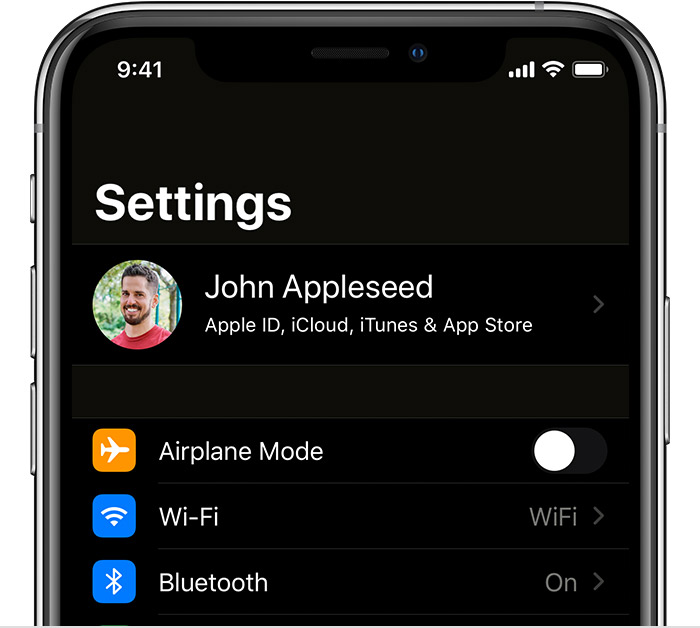
Smart Invert reverses the colors on the display, except for images, media, and some apps that use dark color styles.
Classic Invert
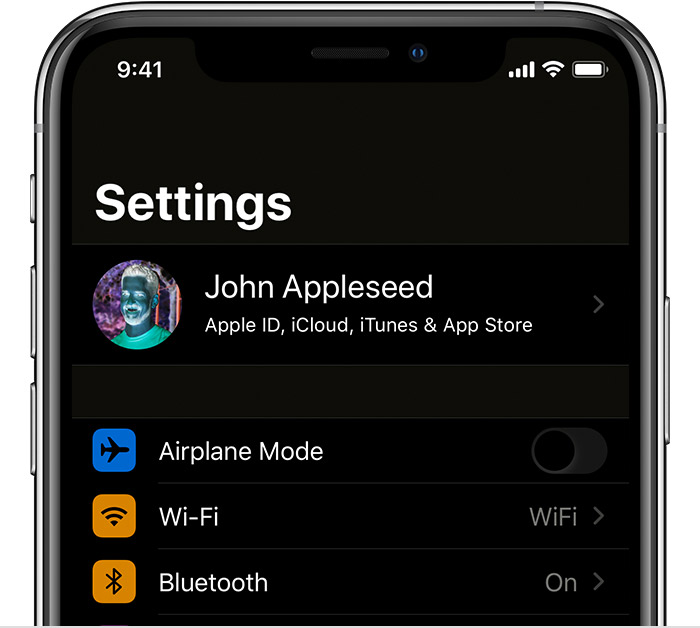
Classic Invert reverses all colors on the display."
Use display and text size preferences on your iPhone, iPad, and iPod touch - Apple Support
We hope this helps.
Cheers.
Hi, PavTandon
If this is happening on a specific website, you'll need to reach out to the website owner for more information.
Aside from that, there is an iOS feature called Invert Colors. You may have that enabled:
"Turn on Invert Colors
If you benefit from viewing items against a dark background, you can use Invert Colors to change how content is displayed on your screen.
To use Invert Colors, open the Settings app, then tap Accessibility > Display & Text Size. Turn on Smart Invert or Classic Invert.
Smart Invert
Smart Invert reverses the colors on the display, except for images, media, and some apps that use dark color styles.
Classic Invert
Classic Invert reverses all colors on the display."
Use display and text size preferences on your iPhone, iPad, and iPod touch - Apple Support
We hope this helps.
Cheers.
Or head off to another one of apples famous hidden duplicate settings:
settings/accessibility/
per-app settings/Home Screen/ smart invert.
Website pictures showing like negatives



