I have forgotten my apple iCloud ID

I thought I reset my apple iCloud ID password, but it is not being recognized when I type it in. I have the ID password in my Google account but it won’t allow me to see the password without typing it in. And I can’t reset my password without typing in the old one. What do I need to do?

MacBook Pro 13″, macOS 10.15

Posted on Nov 20, 2022 4:48 PM

Reply

Similar questions

1 reply

Nov 22, 2022 2:47 PM in response to GgoestoUU

Hello GgoestoUU,


Thank you for reaching out to Apple Support Communities.


Is this how you reset your password:


"Change your Apple ID password on your Mac

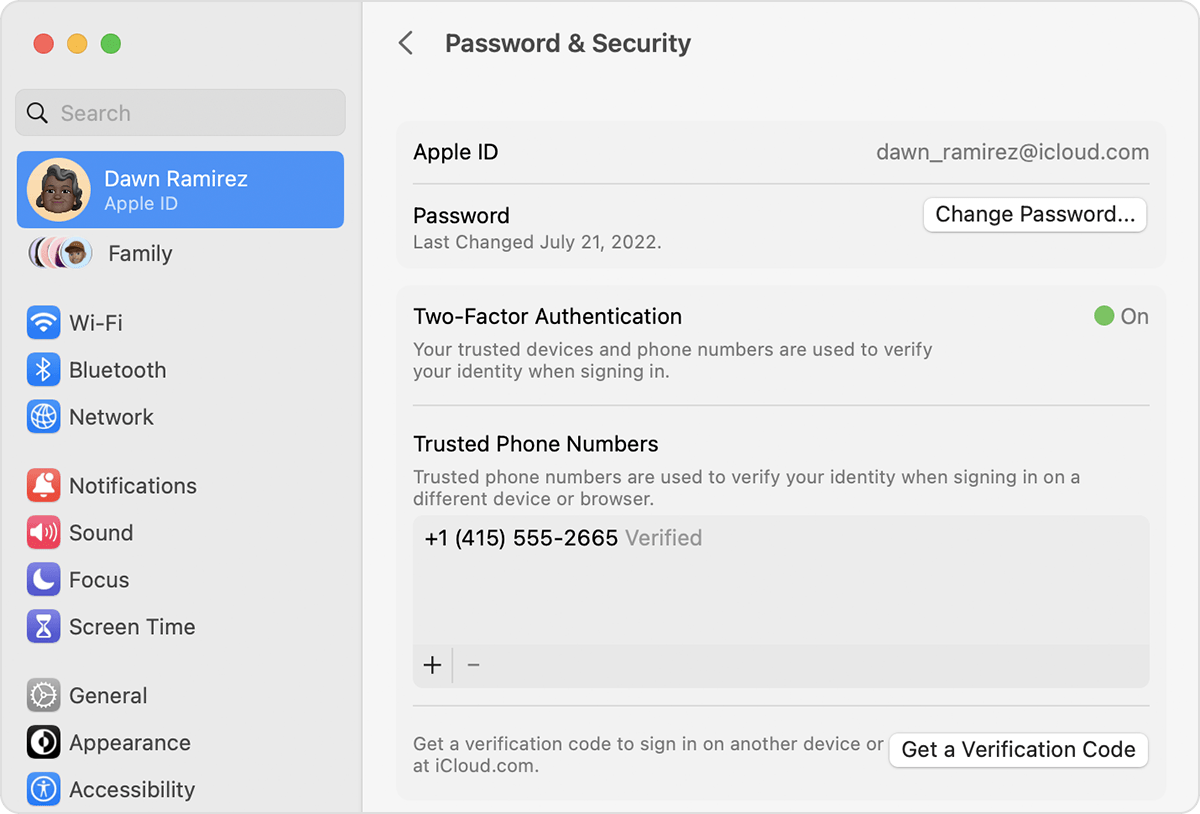
  1. Choose Apple menu  > System Settings (or System Preferences), then click your name (or Apple ID).
  2. Click Password & Security.
  3. Click Change Password. Before you can reset your Apple ID password, you'll be required to enter the password used to unlock your Mac. Change your Apple ID password on Mac"


More details can be found here: Change your Apple ID password


If so, are you able to log into the iCloud or Apple ID websites here:


Apple ID

iCloud


Let us know the results.


Cheers!

This thread has been closed by the system or the community team. You may vote for any posts you find helpful, or search the Community for additional answers.

I have forgotten my apple iCloud ID

Welcome to Apple Support Community
A forum where Apple customers help each other with their products. Get started with your Apple Account.