iCloud and iMessage accounts don’t match

I have only one iPad and I have not upgraded or gotten a new phone in 2 years. I have only 1 apple id, which I’ve had with every iPhone I’ve ever owned. I have been able to send and receive not only iMessages to and from my iPad but regular text messages also for almost a year until the beginning of November. I’ve tried signing out and back into iCloud, doesn’t fix it. I cannot turn on messages through Settings>Apple ID>iCloud, through Settings>Messages, or through Messages from my Home Screen. Each of those gives me the same error message, which I have captured and included

iPad, 15

Posted on Nov 23, 2022 12:55 AM

Reply
1 reply

Nov 24, 2022 1:46 PM in response to Cassie312

Greetings Cassie312,


Based on the message you are seeing, you will need to sign out of one of the Apple ID accounts, so that you can be signed in with the same Apple ID in both locations.


Sign out of iCloud on your iPhone, iPad, iPod touch, Apple TV, or Mac


Sign in with your Apple ID


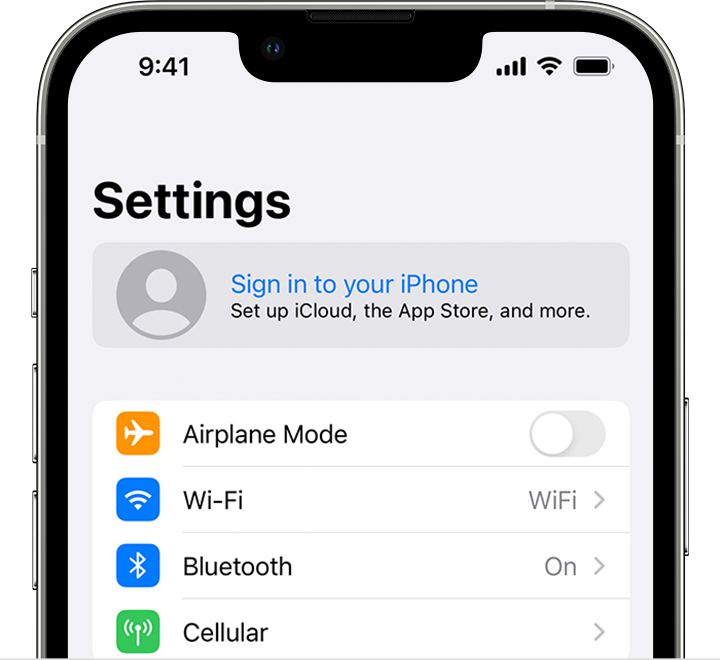
"Sign in on your iPhone, iPad, or iPod touch

  1. Open the Settings app.
  2. Tap Sign in to your [device].
  3. On iPhone, sign in to your Apple ID in the Settings app

  4. Enter your Apple ID and password.
  5. If prompted, enter the six-digit verification code sent to your trusted device or phone number and complete sign in.

If you're already signed in to iCloud on the iPhone paired with your Apple Watch, you will automatically be signed in to that Apple ID. Learn more about how to set up and sign in to your Apple Watch."


Take care.

This thread has been closed by the system or the community team. You may vote for any posts you find helpful, or search the Community for additional answers.

iCloud and iMessage accounts don’t match

Welcome to Apple Support Community
A forum where Apple customers help each other with their products. Get started with your Apple Account.