iPHONE12 to iphone12 STUCK ON PREPARING TO TRANSFER FOR 2 HOUR

with new iphone12 and older iphone12 transferring taking more time during the quick setup.


Posted on Nov 27, 2022 12:30 PM

Reply
Question marked as Top-ranking reply

Posted on Nov 29, 2022 1:03 PM

Hello balajimoorthy,


Thank you for reaching out to Apple Support Communities, and we'll be happy to help in any way we can. We understand you're having issues with transferring data to your new iPhone. Follow the steps listed here as you are using Quick Start: Use Quick Start to transfer data to a new iPhone or iPad - Apple Support


"Quick Start occupies both devices, so make sure that you choose a time when you won't need to use your current device for several minutes.
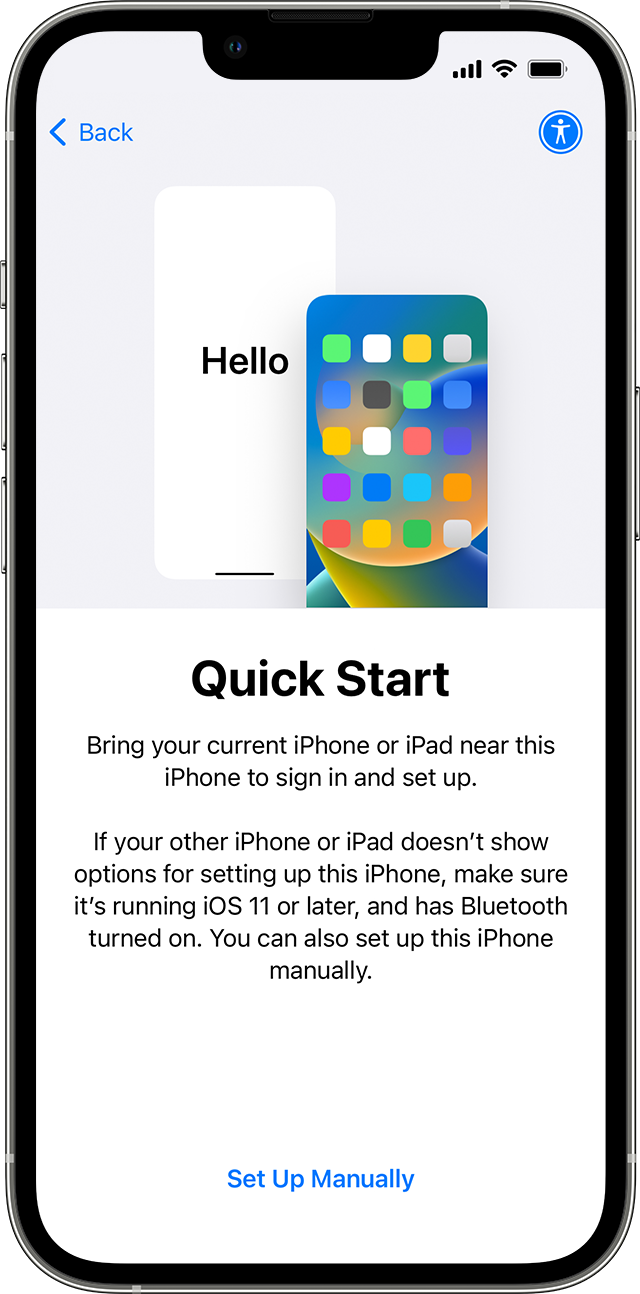
A new iPhone showing the Quick Start screen. The instructions ask you to put your old device near your new one. 

  1. Make sure that your current device is connected to Wi-Fi and Bluetooth is on. Turn on your new device and place it near your current device. Follow the onscreen instructions to get started. If the prompt to set up your new device disappears from your current device, restart both devices.
  2. Connect your device to Wi-Fi or your device's cellular network.
  3. You might be asked to activate your cellular service.
  4. Set up Face ID or Touch ID.
  5. Choose how you want to transfer your data.
    • If you download from iCloud, your apps and data download in the background so that you can start using your new device right away.
    • If you transfer directly from your previous device, you'll need to wait for the transfer to complete on both devices before you can use them.
  1. Keep your devices near each other and plugged in to power until the data migration process is complete. Transfer times can vary based on factors such as network conditions and the amount of data being transferred.


Still need help? Contact Apple Support."


We hope this helps.


Cheers!


1 reply
Question marked as Top-ranking reply

Nov 29, 2022 1:03 PM in response to balajimoorthy

Hello balajimoorthy,


Thank you for reaching out to Apple Support Communities, and we'll be happy to help in any way we can. We understand you're having issues with transferring data to your new iPhone. Follow the steps listed here as you are using Quick Start: Use Quick Start to transfer data to a new iPhone or iPad - Apple Support


"Quick Start occupies both devices, so make sure that you choose a time when you won't need to use your current device for several minutes.

A new iPhone showing the Quick Start screen. The instructions ask you to put your old device near your new one. 

  1. Make sure that your current device is connected to Wi-Fi and Bluetooth is on. Turn on your new device and place it near your current device. Follow the onscreen instructions to get started. If the prompt to set up your new device disappears from your current device, restart both devices.
  2. Connect your device to Wi-Fi or your device's cellular network.
  3. You might be asked to activate your cellular service.
  4. Set up Face ID or Touch ID.
  5. Choose how you want to transfer your data.
    • If you download from iCloud, your apps and data download in the background so that you can start using your new device right away.
    • If you transfer directly from your previous device, you'll need to wait for the transfer to complete on both devices before you can use them.
  1. Keep your devices near each other and plugged in to power until the data migration process is complete. Transfer times can vary based on factors such as network conditions and the amount of data being transferred.


Still need help? Contact Apple Support."


We hope this helps.


Cheers!


This thread has been closed by the system or the community team. You may vote for any posts you find helpful, or search the Community for additional answers.

iPHONE12 to iphone12 STUCK ON PREPARING TO TRANSFER FOR 2 HOUR

Welcome to Apple Support Community
A forum where Apple customers help each other with their products. Get started with your Apple Account.