Using Apple Watch
Why my Apple Watch cannot transfer screenshots to iPhone when
bluetooth is on?
Apple Watch Series 3, watchOS 8
Why my Apple Watch cannot transfer screenshots to iPhone when
bluetooth is on?
Apple Watch Series 3, watchOS 8
Thanks for posting in the Apple Support Communities hteong,
Screenshots captured on your Apple Watch, are automatically saved in the Camera roll on your iPhone.
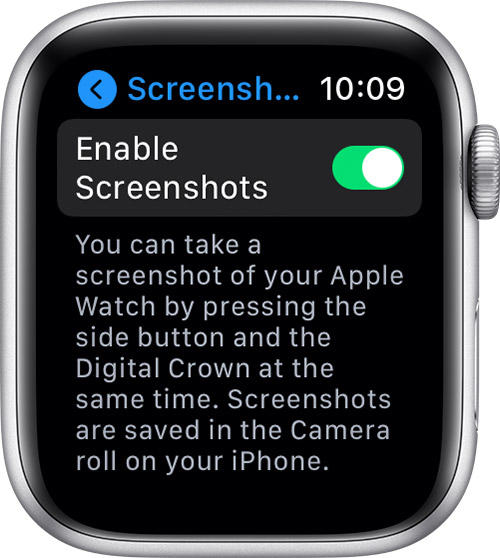
First, make sure screenshots are enabled:
1: Open the Settings app on your Apple Watch.
2: Tap General, then tap Screenshots.
3: Turn on Enable Screenshots.
You can find these steps, along with additional information that may help, here: Take a screenshot on Apple Watch
Cheers!
Thanks for posting in the Apple Support Communities hteong,
Screenshots captured on your Apple Watch, are automatically saved in the Camera roll on your iPhone.
First, make sure screenshots are enabled:
1: Open the Settings app on your Apple Watch.
2: Tap General, then tap Screenshots.
3: Turn on Enable Screenshots.
You can find these steps, along with additional information that may help, here: Take a screenshot on Apple Watch
Cheers!
Using Apple Watch