how to add a shortcut to finder Ventura

I'm a bit lost on how to add a shortcut in the keyboard settings. I always add a shortcut to 'combine all windows into one' (or something similar in English). I use it a lot to clean the view. But I can not find it in Ventura. Hope someone can help me to give an instruction. thank you!

Posted on Dec 1, 2022 8:18 AM

Reply

Similar questions

6 replies

Dec 1, 2022 12:48 PM in response to Doonald

Doonald wrote:

Thank you Leroy and Barney for your reply.
What Barney is showing is what I meant to say ;). 'Merge all windows' in the finder app. I know it is still their. But in former Ventura, Monterey and Big Sur etc. you could add an costum keyboard shortcut in Sytem preferences -> keyboard preferences. But in Ventura im lost in de new layout design. A lot is changed (I find it less clear). I just can not find a way to make costom keyboard shortcuts. Hope anybody know where it went. :)


Use the search feature if you are less clear—


ref

Create keyboard shortcuts for apps on Mac - Apple Support


Dec 1, 2022 11:30 AM in response to Doonald

Doonald wrote:

I'm a bit lost on how to add a shortcut in the keyboard settings. I always add a shortcut to 'combine all windows into one' (or something similar in English). I use it a lot to clean the view. But I can not find it in Ventura. Hope someone can help me to give an instruction. thank you!


'combine all windows into one'...?

All windows would imply all applications, and this does not sound feasible.


If you are asking about a single application with multiple windows open—the exposé feature is an option(?)
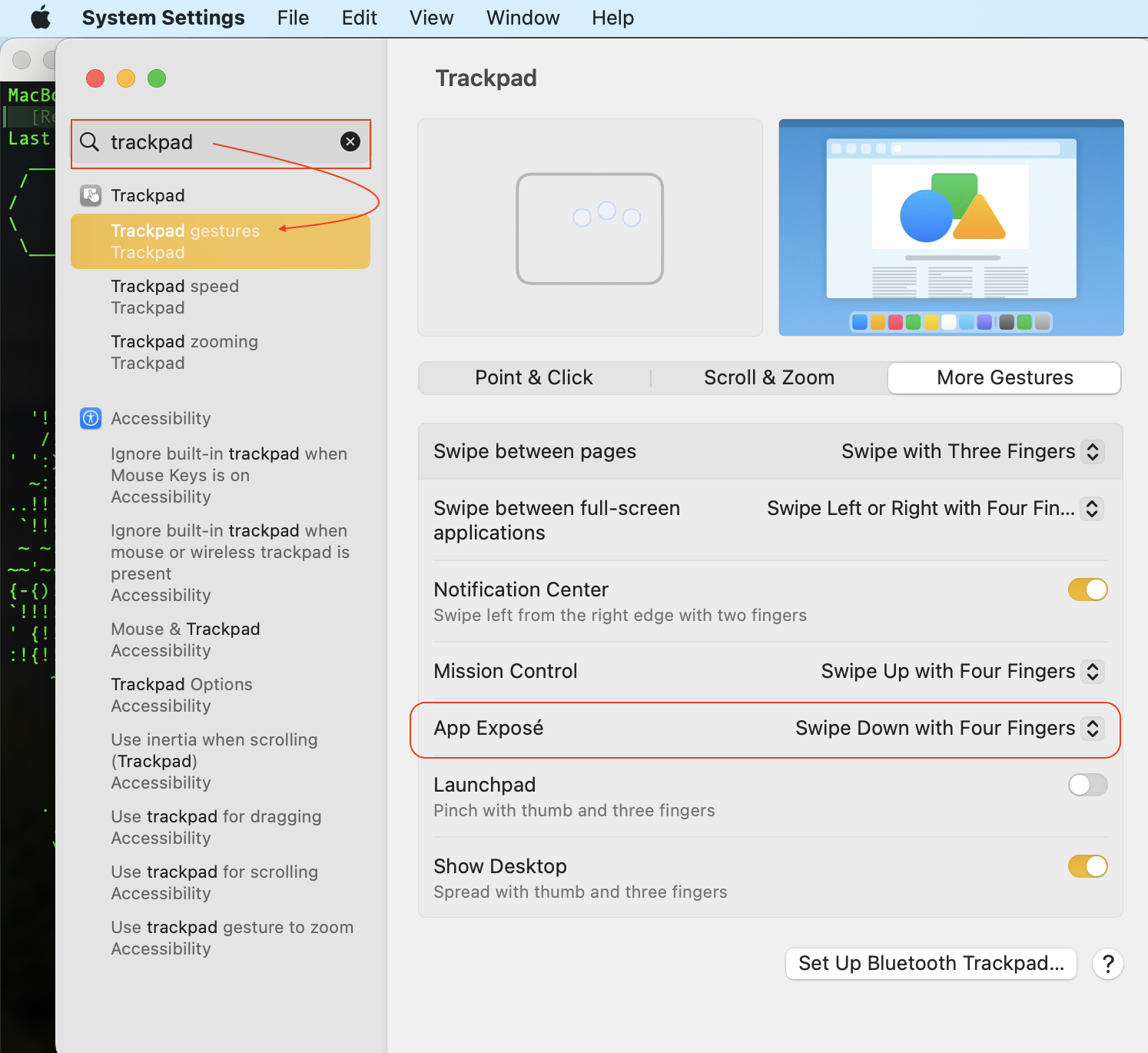


ex TextEdit.app
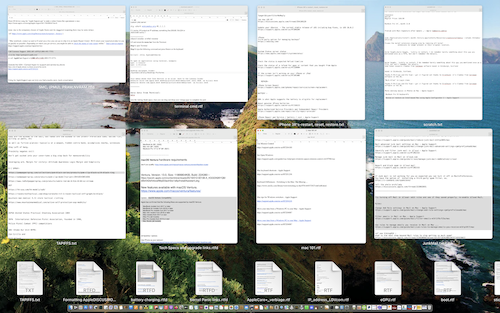


4 finger swipe up is the Mission Control to see all open windows all open applications— but this is not "combine" as I understand it..(?)
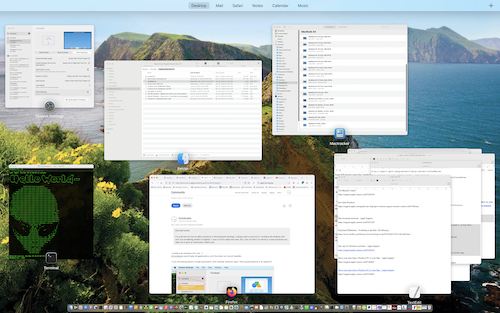


ref:

See open windows and spaces in Mission Control on Mac - Apple Support


Dec 1, 2022 12:40 PM in response to Barney-15E

Thank you Leroy and Barney for your reply.

What Barney is showing is what I meant to say ;). 'Merge all windows' in the finder app. I know it is still their. But in former Ventura, Monterey and Big Sur etc. you could add an costum keyboard shortcut in Sytem preferences -> keyboard preferences. But in Ventura im lost in de new layout design. A lot is changed (I find it less clear). I just can not find a way to make costom keyboard shortcuts. Hope anybody know where it went. :)

This thread has been closed by the system or the community team. You may vote for any posts you find helpful, or search the Community for additional answers.

how to add a shortcut to finder Ventura

Welcome to Apple Support Community
A forum where Apple customers help each other with their products. Get started with your Apple Account.

