sidecar resolution

Hi everybody,

since the last apple's update my eternal display from mackBook pro to my iPad pro resolution has changed. the external display resolution is too high and i get thick black bleeds in the bottom and the top of the external display.

I tried to find how to change the resolution but couldn't find any reference for this issue.

I would appreciate your help.

MacBook Pro

Posted on Dec 3, 2022 3:10 AM

Reply
Question marked as Top-ranking reply

Posted on Dec 5, 2022 5:48 PM

Hello yoni120,


Thank you for reaching out to Apple Support Communities.


These steps should help you adjust your resolution:


"Adjust the resolution

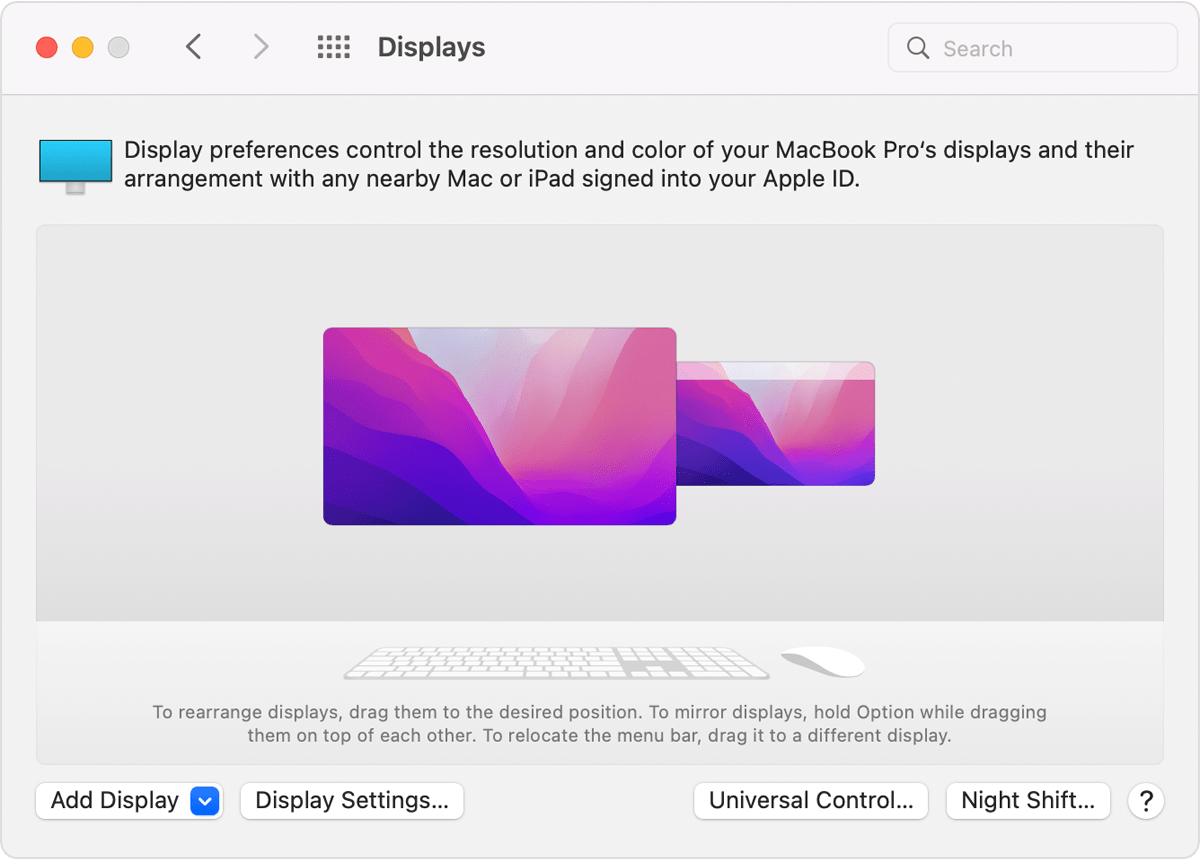
  1. From the Apple menu, choose System Preferences, then click Displays.macOS Displays System Preferences External Display Settings
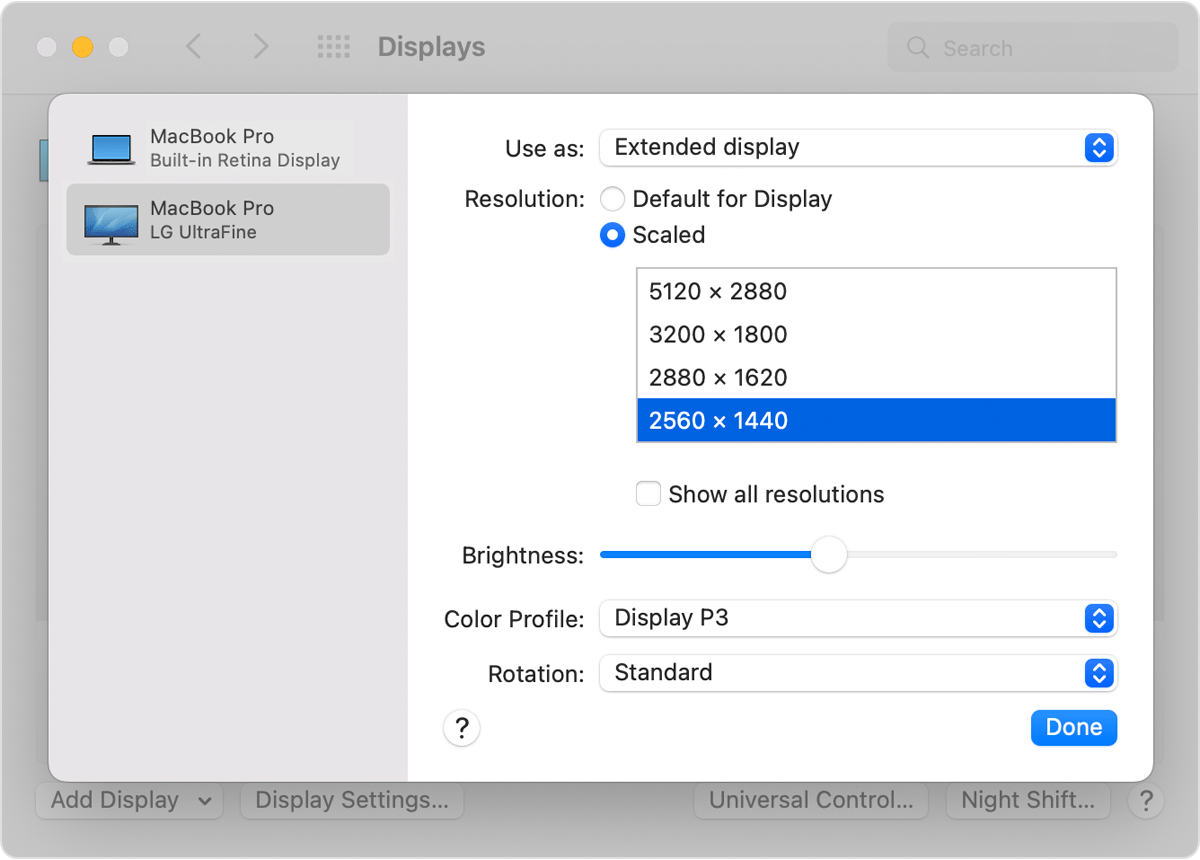
  2. In Display Settings, select the external display in the sidebar, then press and hold the Option key while you click Scaled to see additional resolutions.Extended display additional scaled resolutions window
  3. Select a resolution, then click Done.

If the expected resolution doesn't appear for your display, check the specifications page to see what display resolutions your Mac supports."


More details can be found here: If your external display isn't detected or appears blurry when connected to your Mac


If the issue persists, can you provide a few more details? When did you first notice this? What is your exact macOS version? Also, does the issue persist after adjusting your resolution?


Cheers!

Similar questions

4 replies
Question marked as Top-ranking reply

Dec 5, 2022 5:48 PM in response to yoni120

Hello yoni120,


Thank you for reaching out to Apple Support Communities.


These steps should help you adjust your resolution:


"Adjust the resolution

  1. From the Apple menu, choose System Preferences, then click Displays.macOS Displays System Preferences External Display Settings
  2. In Display Settings, select the external display in the sidebar, then press and hold the Option key while you click Scaled to see additional resolutions.Extended display additional scaled resolutions window
  3. Select a resolution, then click Done.

If the expected resolution doesn't appear for your display, check the specifications page to see what display resolutions your Mac supports."


More details can be found here: If your external display isn't detected or appears blurry when connected to your Mac


If the issue persists, can you provide a few more details? When did you first notice this? What is your exact macOS version? Also, does the issue persist after adjusting your resolution?


Cheers!

This thread has been closed by the system or the community team. You may vote for any posts you find helpful, or search the Community for additional answers.

sidecar resolution

Welcome to Apple Support Community
A forum where Apple customers help each other with their products. Get started with your Apple Account.