
ipad 6th gen video too bright to see but fine on iphone 13 pro max
I transferred a hockey video from my iphone 13 pro max to my ipad 6th gen and vid appears too bright on the ipad to view. I transferred the vid using airdrop.
iPad, iPadOS 16
I transferred a hockey video from my iphone 13 pro max to my ipad 6th gen and vid appears too bright on the ipad to view. I transferred the vid using airdrop.
iPad, iPadOS 16
Good afternoon GrumpyOldGuy27,
Have you tried editing the exposure / brightness settings on the video on your iPad? It might make the hockey pictures easier to see.
Edit photos and videos on iPad - iPad User Guide
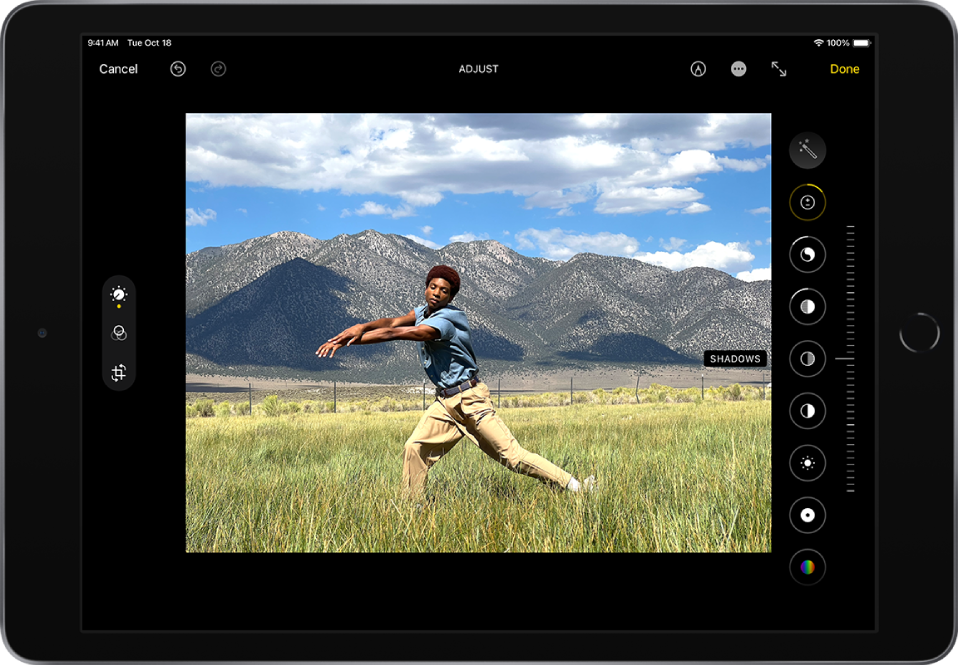
Adjust light and color
 on the left side of the screen.
Tip: Tap  to automatically edit your photos and videos with effects.
Let us know if this helps!
Update, when I turn off my HDR setting on my iPhone 13 and take a new video, (1080 30)the videos show fine on the 6th gen iPad. How do I get the iPad to view the HDR videos?
Hello GrumpyOldGuy27,
Are you seeing this issue with any other videos on your iPad? We ask because we want to make sure there is not an issue with the display or Photos app on your iPad.
If not, you may want to try to AirDrop the video again after restarting both devices to make sure there was not an issue with the transfer.
Restart your iPhone - Apple Support
Restart your iPad - Apple Support
If you still have questions, reach out to Apple Support directly, as this may require closer guidance: Get Support
Cheers!
I too am having the same problem. I Air dropped hdr videos for my iPhone 13 to my 6th gen iPad both using iOS 16.2. . Videos start out looking normal for about 1 sec, then become overexposed. The previews look normal as well. When I try to edit them I get the Unable to Edit Video, because it is unsupported dialogue as well. If I send this video file from the iPad to a third device, my iPhone 12, it looks normal again.
GrumpyOldGuy27,
Thanks for following up with us. To look into this further, we recommend using this link to reach us directly: Get Support
Take care.
This only has happened with videos of my granddaughter's hockey games with the white of the ice, the boards. The movies are fine on my Windows 11 laptop and my iphone 13 pro max. I believe I also transferred the video once from my iPhone to my laptop and had to convert it to import it back to the iPad and it still became too bright.
Thanks for getting back with us, GrumpyOldGuy27.
Since the issues only occurred with videos taken in that specific environment with lots of brightness, it's likely that the hardware is just fine. These articles might offer some helpful tips of shooting videos with your iOS and iPadOS devices:
Let us know if we can help with anything else at all or if this doesn't settle your issue so we can look into this further with you. Thanks and have a fabulous day!
Thank you for your timely response.
I wonder if my problem is the iphone 13 pro max with newer technology and my iPad 6th generation with older tech just don't work well together.
Thanks again for the reply. When I attempt to edit the video to adjust the exposure, I get a message box, "Unable to Edit Video", "This video cannot be edited because it is unsupported." My options are either "More Info" or "OK". When I press "More Info" I am taken to "https://support.apple.com/en-us/HT201290".
I thought that the iphone 13 Pro Max would be compatible with my iPad 6th generation but fear that the technology has changed since the iPad 6th generation came out so that I can no longer or should no longer transfer videos between the iPhone 13 Pro Max and My Ipad.
ipad 6th gen video too bright to see but fine on iphone 13 pro max




