Using spoken content/start speech with tracked changes in Pages

I have recently moved from Word to Pages and have come up against a brick wall when trying to use either of the text-to-speech options. I work as a copy-editor, and like to get my Mac to do a final read-through of a document I have edited before I finalise it. For this, I use the "final" option in tracked changes so that none of my changes are showing but, regardless of that, all the hidden changes are being read out, which defeats the object! Can anyone suggest a way round this? Thank you

MacBook Air 13″, macOS 12.5

Posted on Dec 6, 2022 9:04 AM

Reply

Similar questions

2 replies

Dec 8, 2022 12:39 PM in response to 20Candles

Hi 20Candles,


Thanks for posting in Apple Support Communities.


When using pages, you can disable the feature that will track your changes. You can do this from the tool bar.


  • Turn off tracking: Click the Change Tracking menu button, then choose Turn Off Tracking. You must either accept or reject all changes before you can turn tracking off.
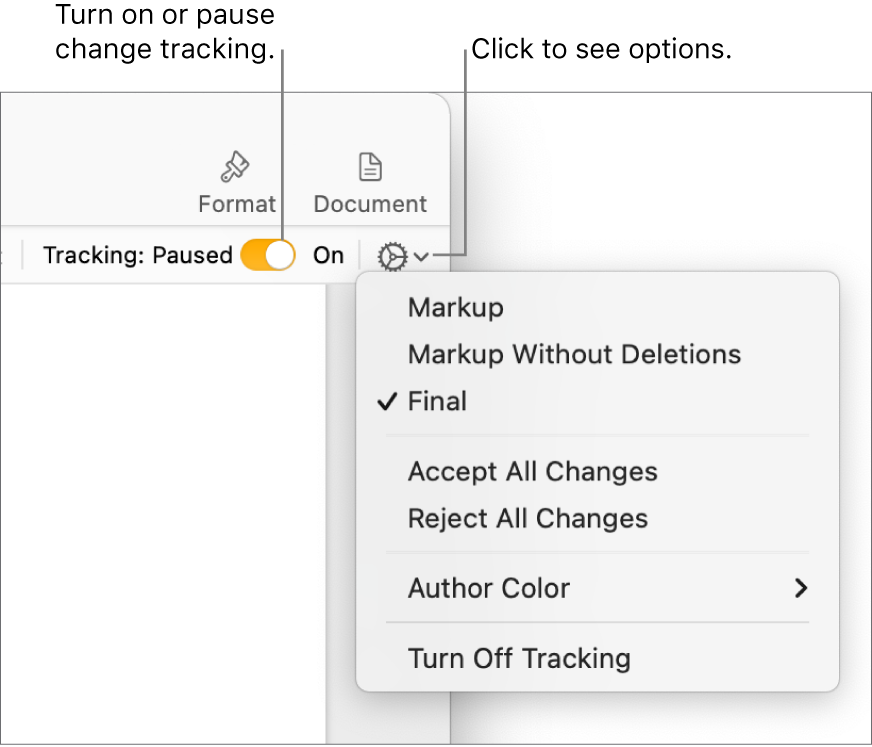
  • The tracking options menu showing Turn off Tracking at the bottom, and callouts to the Tracking On and Paused button.


Find these and additional steps in Track changes in Pages on Mac.


Regards.


Dec 19, 2022 4:43 AM in response to ASTRO24

Thank you for taking the time to respond, Astro24.


Unfortunately this will not work for me. I need to keep the tracked changes in the document - I send the edited text to my client who is the one to decide whether to accept or reject the changes. I need to find a way, if there is one, of having only the visible content read out to me while the changes are not displayed, using the "Final" view option. Any further ideas? Thanks again

This thread has been closed by the system or the community team. You may vote for any posts you find helpful, or search the Community for additional answers.

Using spoken content/start speech with tracked changes in Pages

Welcome to Apple Support Community
A forum where Apple customers help each other with their products. Get started with your Apple Account.