Find old notifications
I have to find an old notification that told me when my diabetes transmitter is going to expire. Does anyone know how? My notifications only go back so far.
iPhone 11 Pro, iOS 16
I have to find an old notification that told me when my diabetes transmitter is going to expire. Does anyone know how? My notifications only go back so far.
iPhone 11 Pro, iOS 16
Hello Hihuhhuh,
If the Notification isn't present in the Notification Center on the device, you may try checking any other devices that the notification may have been sent to, and see if it's present there.
If that hasn't helped then you may wish to try checking in the associated app for information, or reaching out to the app's developer for additional guidance pertaining to their app.
This page can help with reaching out to an app's developer: How to contact an app developer - Apple Support
1. Open the App Store on your iPhone or iPad.
2. Search for the app, then tap it. If you can't find it, tap the account buttonor your photo at the top of the screen, tap Purchased, tap "Not on this [device]," then tap the app.
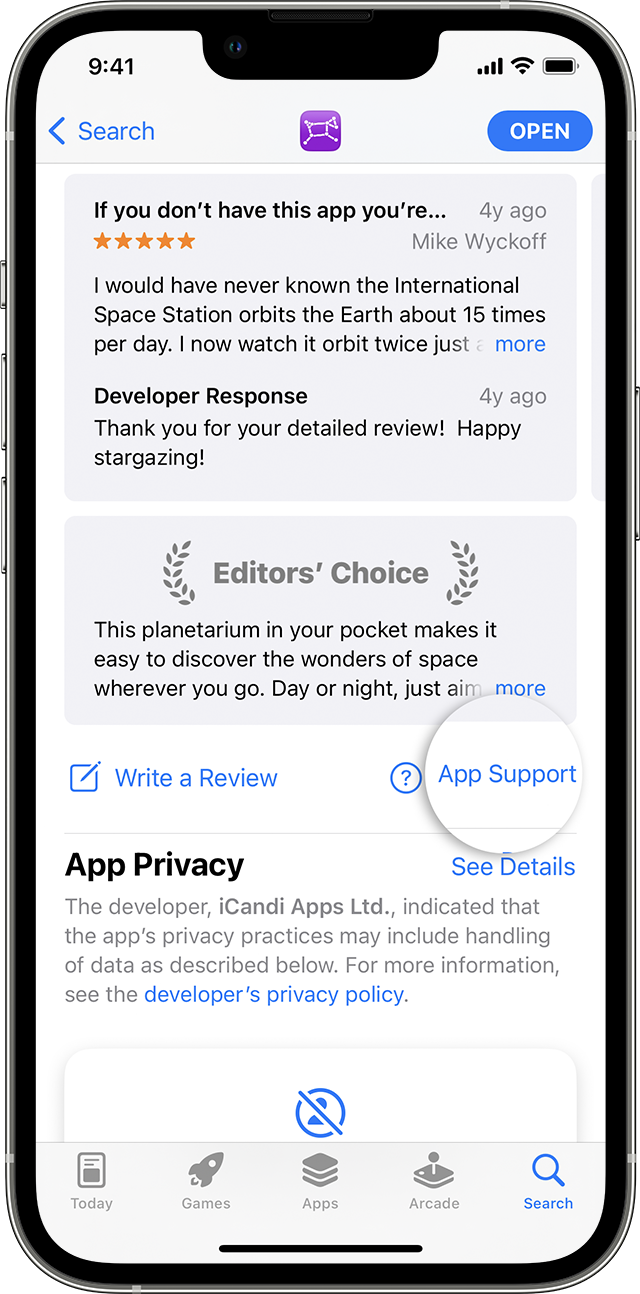
3. The app's product page appears. Scroll to the Ratings & Reviews section, then tap App Support. If you don't see App Support, make sure that you're signed in with the correct Apple ID.
Cheers.
Hello Hihuhhuh,
If the Notification isn't present in the Notification Center on the device, you may try checking any other devices that the notification may have been sent to, and see if it's present there.
If that hasn't helped then you may wish to try checking in the associated app for information, or reaching out to the app's developer for additional guidance pertaining to their app.
This page can help with reaching out to an app's developer: How to contact an app developer - Apple Support
1. Open the App Store on your iPhone or iPad.
2. Search for the app, then tap it. If you can't find it, tap the account button
3. The app's product page appears. Scroll to the Ratings & Reviews section, then tap App Support. If you don't see App Support, make sure that you're signed in with the correct Apple ID.
Cheers.
Find old notifications