Original iPad Bootlooping

I recently got a first-gen iPad. When I plugged it into the charger, the apple logo flashed on for a few seconds, then flashed off, over and over again. Realizing it was bootlooping, I plugged it into my Mac, but it didn't show up in Finder. When plugged into my laptop, it did not bootloop, but instead showed flickering on the screen. Is there any way I can fix this? (I don't care about losing data. Force reset doesn't work.)

iPad 3G

Posted on Dec 7, 2022 6:56 PM

Reply
Question marked as Top-ranking reply

Posted on Dec 11, 2022 8:48 AM

Hey TigerShark473,


Thanks for using Apple Support Communities. The steps under "If your iPad turns on but gets stuck during startup" should help to resolve this: If your iPad won't turn on or is frozen - Apple Support


If you see the Apple logo or a red or blue screen during startup, try these steps:

1. Connect your iPad to a computer. On a Mac with macOS Catalina, open the Finder. On a Mac with macOS Mojave or earlier, or on a PC, open iTunes. Find out which macOS your Mac is using.
2. Locate your device on your computer.
3. While your device is connected, follow the steps for your device:
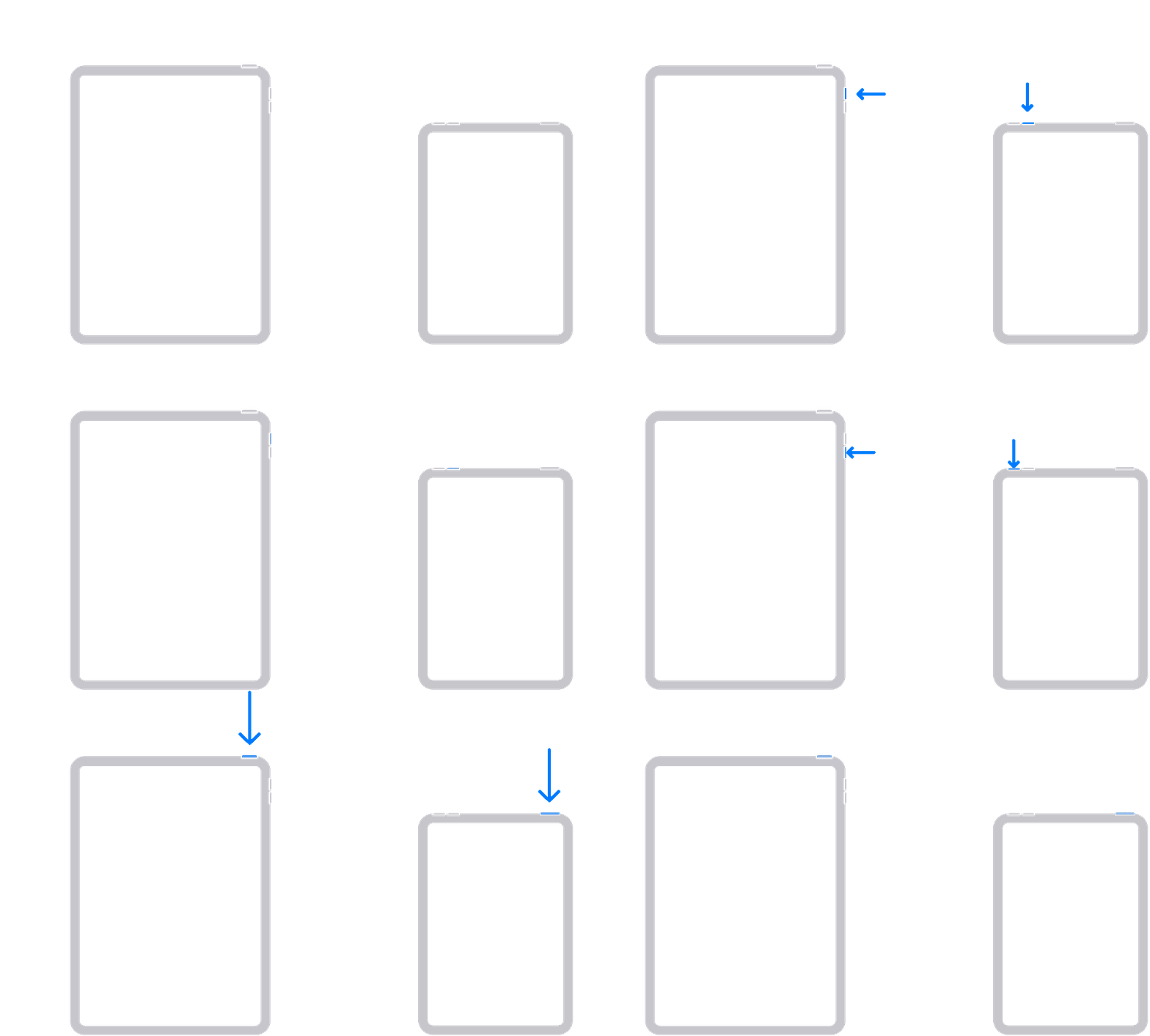
• On your iPad without a Home button: Press and quickly release the volume button closest to the top button. Press and quickly release the volume button farthest from the top button. Press and hold the top button until your device begins to restart. Keep holding the top button.

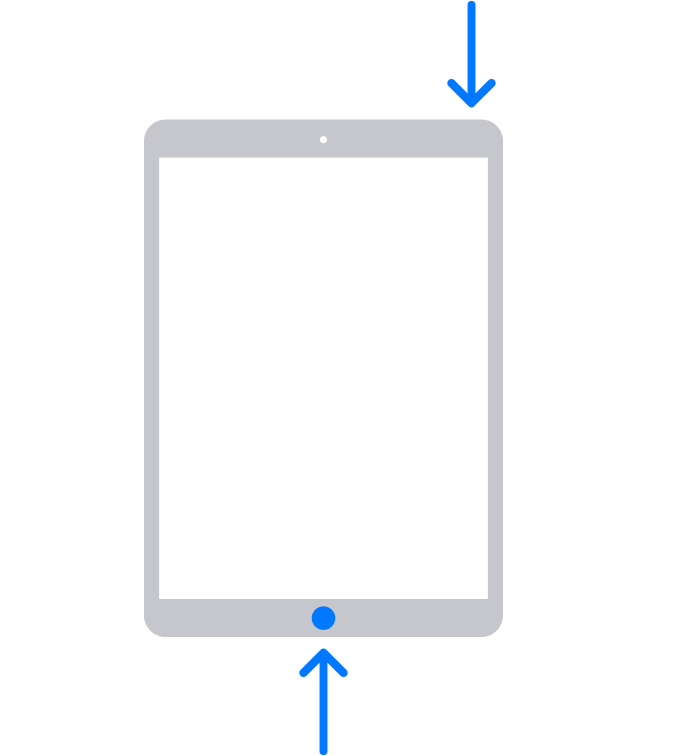
• On your iPad with a Home button: Press and hold both the Home button and the top button.
An iPad with arrows pointing to the Home button and the top button.
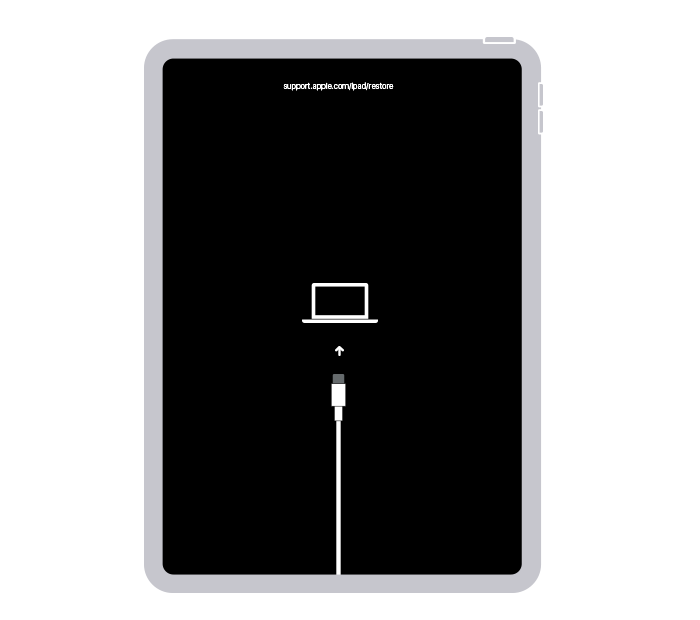
4. Keep holding the button (or buttons) until you see the recovery mode screen.
An iPad showing the restore screen.

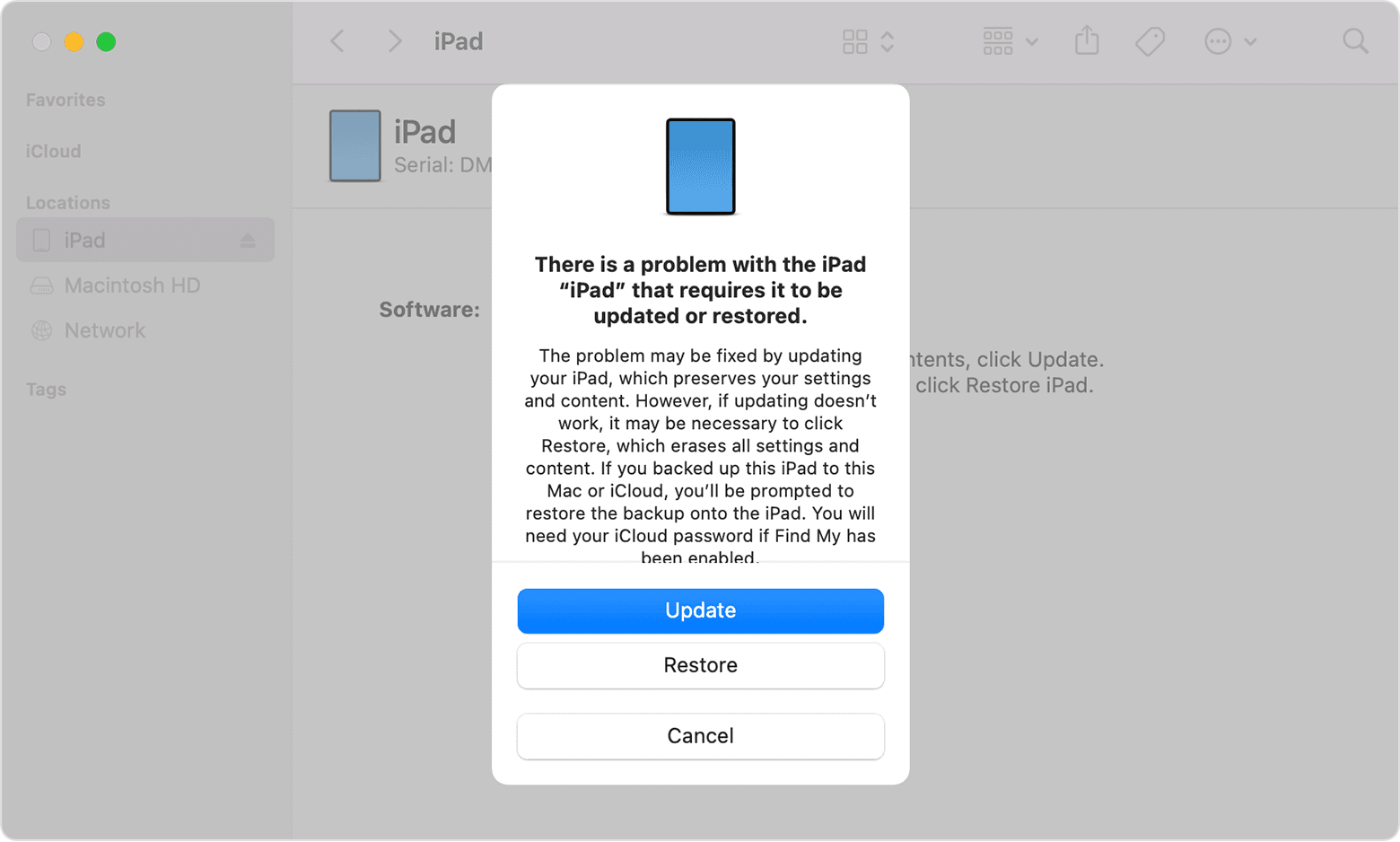
5. When you get the option to restore or update, choose Update.
A Finder window showing a prompt with the choice to update or restore your iPad. Update is selected.

6. Your computer will download the software for your device. If it takes more than 15 minutes, your iPad will exit recovery mode, and you'll need to repeat steps 2-4.


You mention your Mac not detecting your iPad, but your Windows PC does. The above steps work with both Mac and PC. If you'd like to troubleshoot it not appearing on your Mac, these steps should help: If your computer doesn't recognize your iPhone or iPad - Apple Support


Let us know how it goes.


Take care!


Similar questions

1 reply
Question marked as Top-ranking reply

Dec 11, 2022 8:48 AM in response to TigerShark473

Hey TigerShark473,


Thanks for using Apple Support Communities. The steps under "If your iPad turns on but gets stuck during startup" should help to resolve this: If your iPad won't turn on or is frozen - Apple Support


If you see the Apple logo or a red or blue screen during startup, try these steps:

1. Connect your iPad to a computer. On a Mac with macOS Catalina, open the Finder. On a Mac with macOS Mojave or earlier, or on a PC, open iTunes. Find out which macOS your Mac is using.
2. Locate your device on your computer.
3. While your device is connected, follow the steps for your device:
• On your iPad without a Home button: Press and quickly release the volume button closest to the top button. Press and quickly release the volume button farthest from the top button. Press and hold the top button until your device begins to restart. Keep holding the top button.

• On your iPad with a Home button: Press and hold both the Home button and the top button.
An iPad with arrows pointing to the Home button and the top button.
4. Keep holding the button (or buttons) until you see the recovery mode screen.
An iPad showing the restore screen.

5. When you get the option to restore or update, choose Update.
A Finder window showing a prompt with the choice to update or restore your iPad. Update is selected.

6. Your computer will download the software for your device. If it takes more than 15 minutes, your iPad will exit recovery mode, and you'll need to repeat steps 2-4.


You mention your Mac not detecting your iPad, but your Windows PC does. The above steps work with both Mac and PC. If you'd like to troubleshoot it not appearing on your Mac, these steps should help: If your computer doesn't recognize your iPhone or iPad - Apple Support


Let us know how it goes.


Take care!


This thread has been closed by the system or the community team. You may vote for any posts you find helpful, or search the Community for additional answers.

Original iPad Bootlooping

Welcome to Apple Support Community
A forum where Apple customers help each other with their products. Get started with your Apple Account.