
iphone notifications are silenced when I am near my computer?
Why are my iphone notifications are silenced when I am near my computer? How do I turn this off?
iPhone 13, iOS 16
Why are my iphone notifications are silenced when I am near my computer? How do I turn this off?
iPhone 13, iOS 16
Dawn Bronkema,
Do you receive notifications for the messages on your Mac instead? If you have messages set up across multiple devices, this is expected behavior. This article shows how to check: View app notifications on Mac - Apple Support
"View app notifications on Mac
Many apps on your Mac use notifications to let you know about upcoming events or reminders, incoming calls, and more. Notifications appear briefly in the top-right corner of the desktop or stay there until you close them.
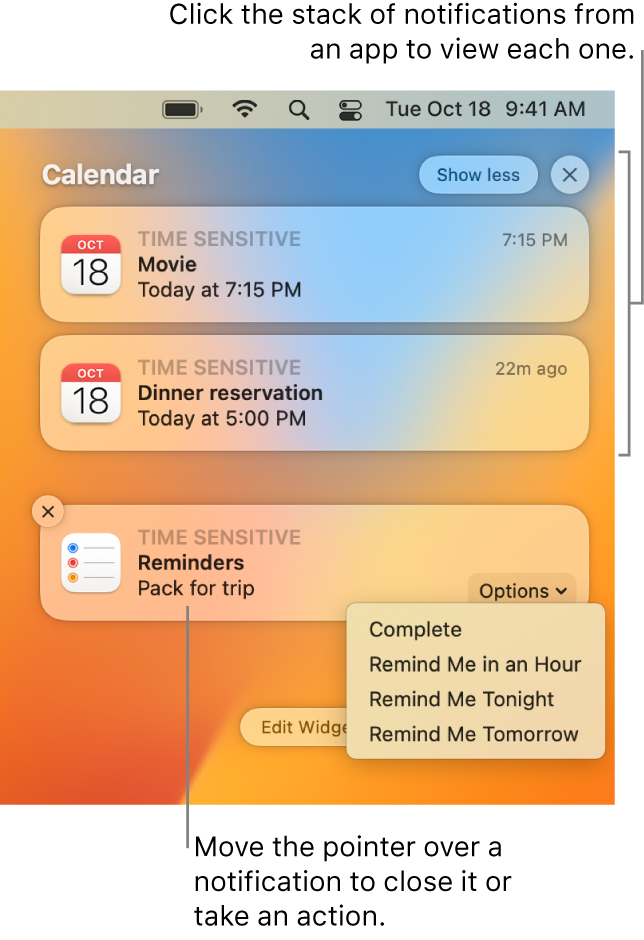
On your Mac, move the pointer over a notification, then do any of the following:
 is shown to the right of the app name, click the arrow to show details in the notification. is shown to the right of the app name, click the arrow, then click the More button
  .
. .
.In some apps, the first time you open it you’re asked to choose whether or not you want to receive notifications from it.
Notifications from some apps, such as Calendar or Reminders, can be time sensitive; for other apps, such as Home, they can be critical. The first time you receive a time-sensitive or critical notification, you’re asked to allow or not allow these notifications when a Focus is active.
Your choices are saved in Notifications settings, which you can change at any time. See Change Notifications settings.
Tip: If you need to minimize distractions by silencing all notifications—or allowing only certain notifications to appear—use a Focus, such as Do Not Disturb or Work. See Set up a Focus."
We hope this helps.
Cheers!
Thanks for posting in the Apple Support Communities Dawn Bronkema,
You can find guidance on managing how you receive notifications on your iPhone, here:
Change notification settings on iPhone
For your Mac, check out this page:
Change Notifications settings on Mac
If you need more help, providing additional details and context may increase the likelihood that you'll get a specifically relevant and helpful response from the community.
For example, what types of notifications are you expecting to see? Do you receive the notification on your Mac?
Take care!
Thanks.
Specifically, text message notifications when I am near my computer. There is no sound. yet the notification appears on my phone, just does not alert me with a sound.
When my phone is away from my computer,its perfectly fine.
iphone notifications are silenced when I am near my computer?


