
How do I receive calls?
I can’t receive calls of FaceTime
iPhone 12 Pro, iOS 16
I can’t receive calls of FaceTime
iPhone 12 Pro, iOS 16
Hi Saige292,
For help with receiving FaceTime calls first be sure you've set up FaceTime with the steps here: Set up FaceTime on iPhone
Once set up, check out the information below found in the article here: Make and receive FaceTime calls on iPhone
"With an internet connection and an Apple ID, you can make and receive calls in the FaceTime app.
Receive a FaceTime call
When a FaceTime call comes in, do any of the following:
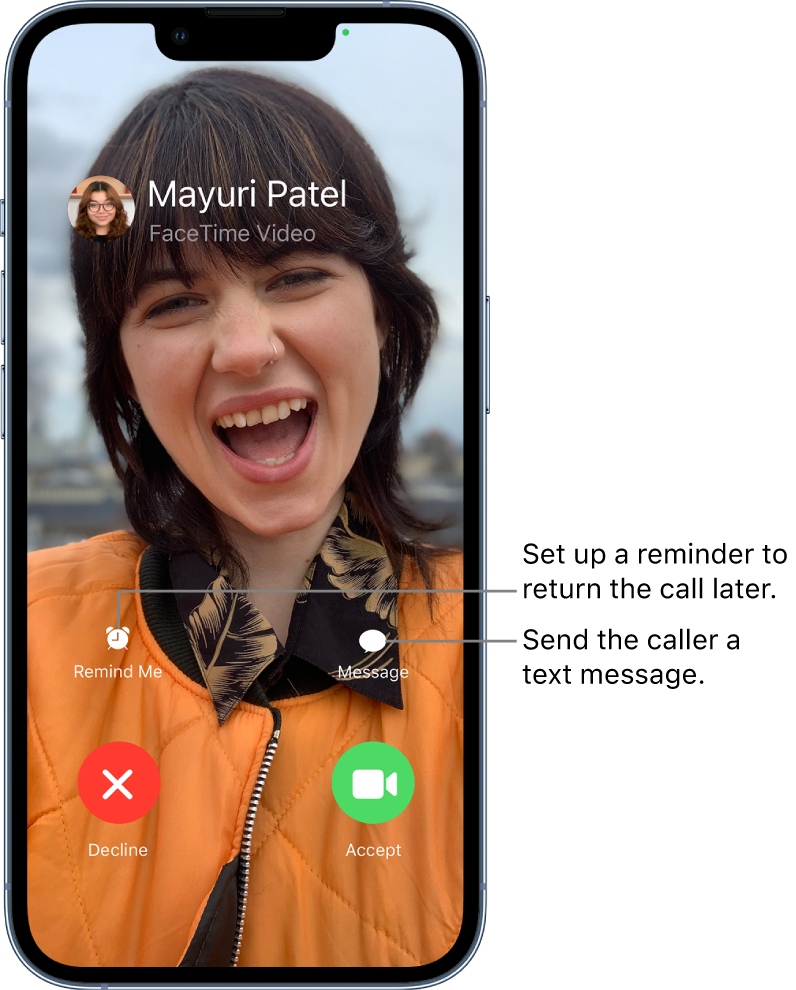
If you’re on another call when a FaceTime call comes in, instead of Accept, you see the End & Acceptoption, which terminates the previous call and connects you to the incoming call."
If you continue to have an issue check out and complete the steps here: If you can't make or receive a FaceTime call on your iPhone or iPad - Apple Support
Cheers.
Hi Saige292,
For help with receiving FaceTime calls first be sure you've set up FaceTime with the steps here: Set up FaceTime on iPhone
Once set up, check out the information below found in the article here: Make and receive FaceTime calls on iPhone
"With an internet connection and an Apple ID, you can make and receive calls in the FaceTime app.
Receive a FaceTime call
When a FaceTime call comes in, do any of the following:
If you’re on another call when a FaceTime call comes in, instead of Accept, you see the End & Acceptoption, which terminates the previous call and connects you to the incoming call."
If you continue to have an issue check out and complete the steps here: If you can't make or receive a FaceTime call on your iPhone or iPad - Apple Support
Cheers.
How do I receive calls?

