Macbook pro 14 base. switch desktop lag

When i connect monitor then switch desktop on screen macbook feel like 50hz. I tried change some monitor and update new version macOS but it's still the same.

So, how to fix this? Is the problem caused by the GPU?

Thank you.


This is video my issue:

[Link edited by Moderator]

Posted on Dec 10, 2022 11:48 PM

Reply
1 reply

Dec 13, 2022 12:29 PM in response to luunguyen8

Hello luunguyen8,


Thanks for posting in the Apple Support Communities. We're happy to look into this with you. It sound as though you're having issues with the resolution with the external monitor, you're connecting to your MacBook Pro. If you haven't done so yet, check out If your external display isn't detected or appears blurry when connected to your Mac - Apple Support. Below we've highlighted the section from this article that may be most helpful.


If your display appears blurry

If images or text on your display appear blurry or pixelated, check the resolution and brightness of your display.

Adjust the resolution

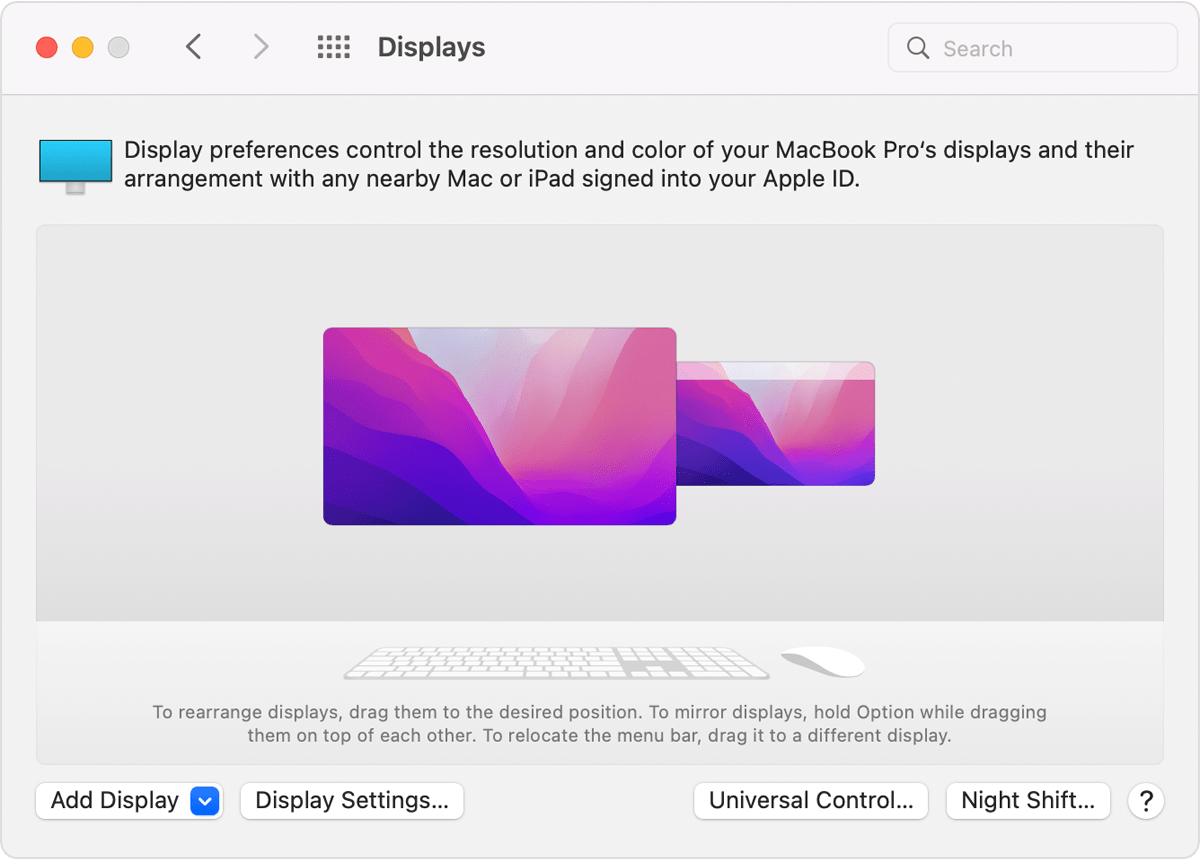
1. From the Apple menu, choose System Preferences, then click Displays.

macOS Displays System Preferences External Display Settings

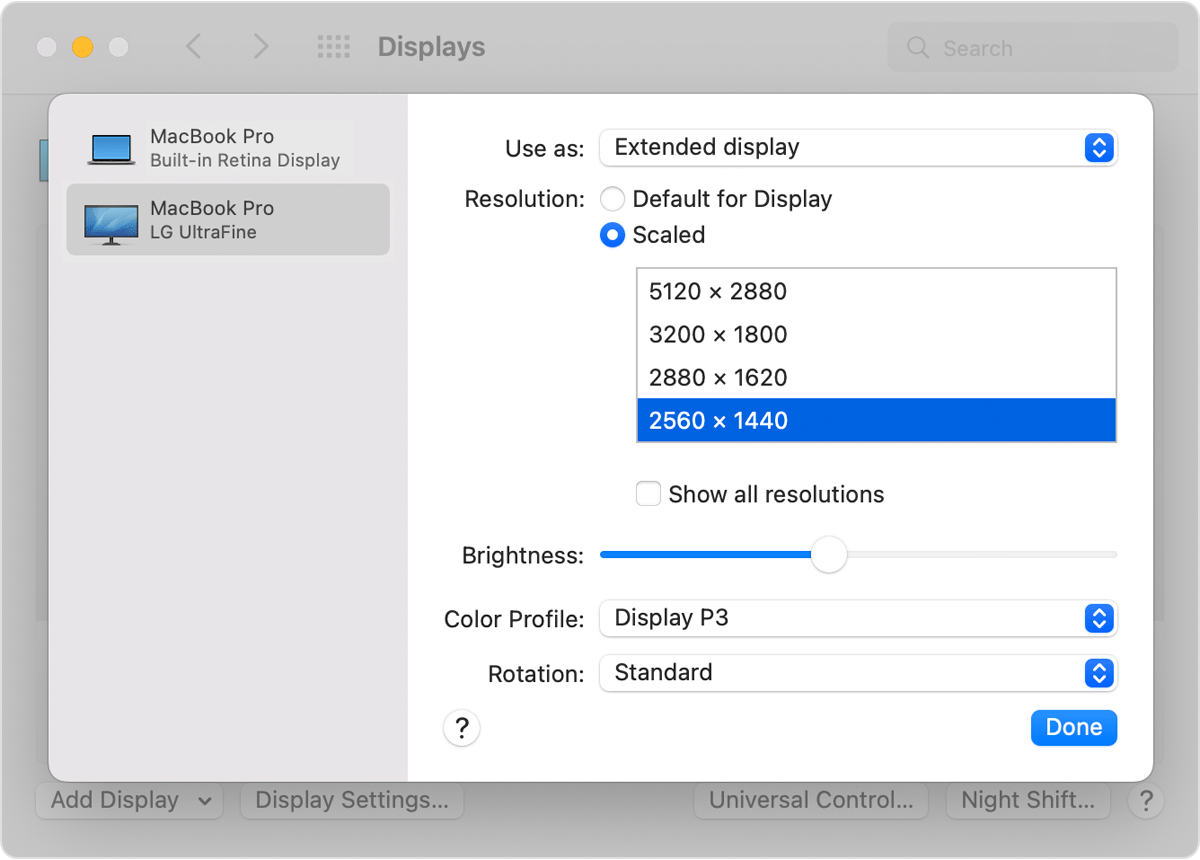
2. In Display Settings, select the external display in the sidebar, then press and hold the Option key while you click Scaled to see additional resolutions.

Extended display additional scaled resolutions window

3. Select a resolution, then click Done.

If the expected resolution doesn't appear for your display, check the specifications page to see what display resolutions your Mac supports.


Best regards.

This thread has been closed by the system or the community team. You may vote for any posts you find helpful, or search the Community for additional answers.

Macbook pro 14 base. switch desktop lag

Welcome to Apple Support Community
A forum where Apple customers help each other with their products. Get started with your Apple Account.