"Message Send Failure" in macOS Messages App

I see this question was asked before but remains unsolved.


There are certain contacts that I cannot reply to from the Messages app. The issue is only occurring in macOS – I can send and receive iMessages and SMS in iOS just fine.


The issue doesn't occur with most contacts. Most contacts work just fine.


In most cases, the person on the other end is using an iPhone and are logged into iMessage on their device.


My iPhone is updated to iOS 16.1.2 and my MacBook is on 13.0.1. I have logged in and out of iMessage on both devices multiple times to no avail. Text message forwarding to my MacBook Pro is turned on in my iPhone's Messages settings.


In the Messages app on macOS, I can receive replies from the other person sometimes. Sometimes I cannot. It seems to depend on which Mac I am looking at (my laptop or my desktop).


I can see the messages I've sent to them via iPhone, but any attempt to reply to them via the Messages app in macOS is met with a "Not Delivered" error.


This issue is only occurring with some contacts, most of whom are iMessage users.

MacBook Pro Apple Silicon

Posted on Dec 11, 2022 1:49 PM

Reply

Similar questions

3 replies

Dec 13, 2022 6:53 PM in response to nathan_h

Hi nathan_h,


Welcome to Apple Support Communities. We understand that you're having an issue with sending iMessages to other iPhone users from your Mac. We'd like to help.


Just to confirm, you're experiencing this issue on your MacBook Pro but do not have this same issue with your iPhone or other Mac. Is that correct?


If so, let's focus on your MacBook Pro. Have you closed Messages on your Mac and restarted it? If not, those steps can help in situations like this. Follow these steps to get that done:


Force an app to quit
How to force quit on Mac: Press Option-Command-Esc
1. Take either of these actions:
* Press these three keys together: Option (or Alt), Command, Esc (Escape).*
* Or choose Force Quit from the Apple menu  in the corner of your screen.
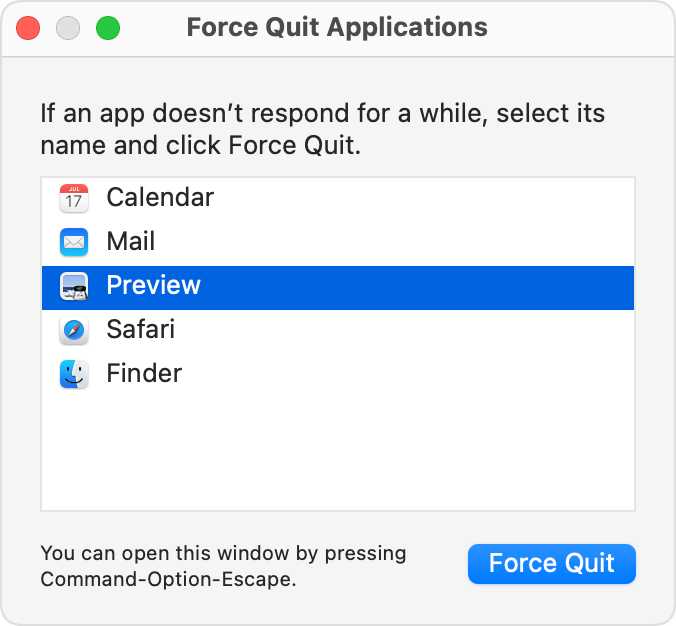
2. A Force Quit window opens. Select the app that you want to quit, then click Force Quit.
Force Quit Applications window
You can even force the Finder to quit, if it stops responding: Select Finder in the Force Quit window, then click Relaunch.


Then, go ahead and restart:


Manually restart
1. Press and hold the power button on your Mac until it shuts off.
2. After a moment, press the power button again to start your Mac. You may lose unsaved changes in open documents.

Hope that helps. Let us know.

Take care!


Dec 14, 2022 1:22 PM in response to nathan_h


Hello nathan_h,


Thanks. You might want to try turning off Text Message Forwarding, restarting all devices involved, and turning it back on.


Forward SMS/MMS text messages from your iPhone to your Mac or iPad


If that also doesn't help, and since your settings seem fine and the other troubleshooting didn't help, please contact Apple Support to have them dig more into this with you.


Contact Apple Support


Thanks.


This thread has been closed by the system or the community team. You may vote for any posts you find helpful, or search the Community for additional answers.

"Message Send Failure" in macOS Messages App

Welcome to Apple Support Community
A forum where Apple customers help each other with their products. Get started with your Apple Account.