RaviC01,
Thanks for verifying that for us. At the time, we suggest you update to macOS Ventura 13.1. If this issue is related to the software, completing this step could correct the behavior:
Use Software Update
Before installing new software, it's a good idea to back up your Mac.
- From the Apple menu in the corner of your screen:
- Choose System Settings. Then click General in the sidebar, and Software Update on the right.
- Or choose System Preferences. Then click Software Update.
2. If Software Update finds new software, click the Update Now or Upgrade Now button to install it.
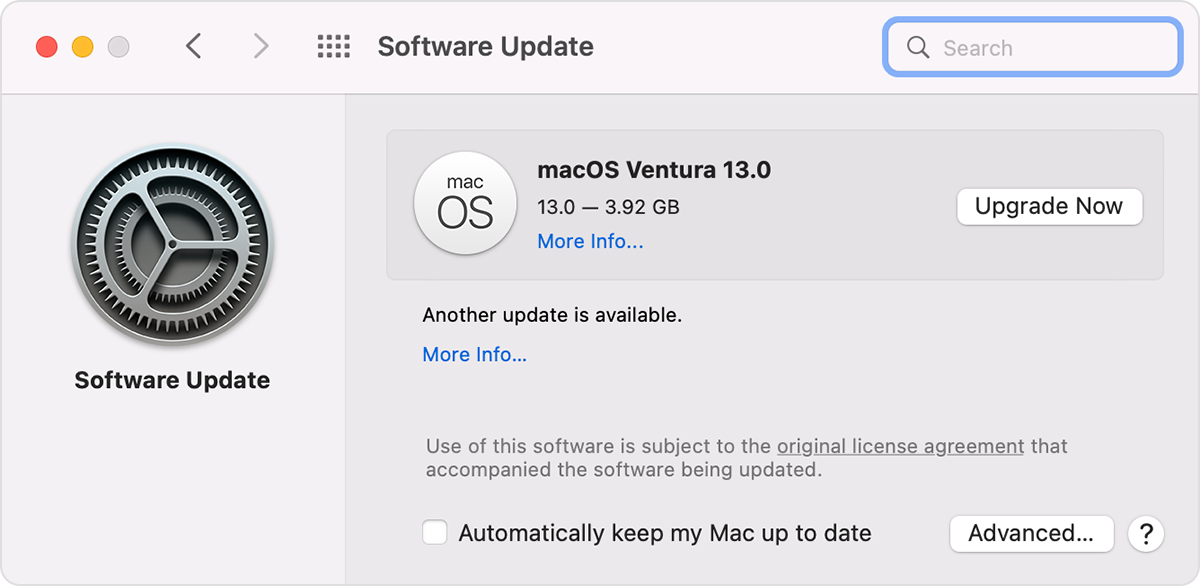
3. Enter your administrator password, if asked. During installation, your Mac might restart, and you might see a progress bar or blank screen several times.
If Software Update says that your Mac is up to date, then no new software is currently available for your Mac model. Software Update shows only updates and upgrades that are compatible with your Mac.
More details here: Update macOS on Mac
If you need further assistance, we suggest that you reach out to Apple Support directly. You can follow this link to connect with them: Get Support
Best regards.




