Hello srg.62,
You can find information on the process for purchasing music here, which may help: Buy music from the iTunes Store
Buy music from the iTunes Store app on your iPhone or iPad
1. Open the iTunes Store app.
2. At the bottom of the screen, tap Music.
3. Find the song or album that you want to buy.
4. Tap the price next to the song or album to buy it.
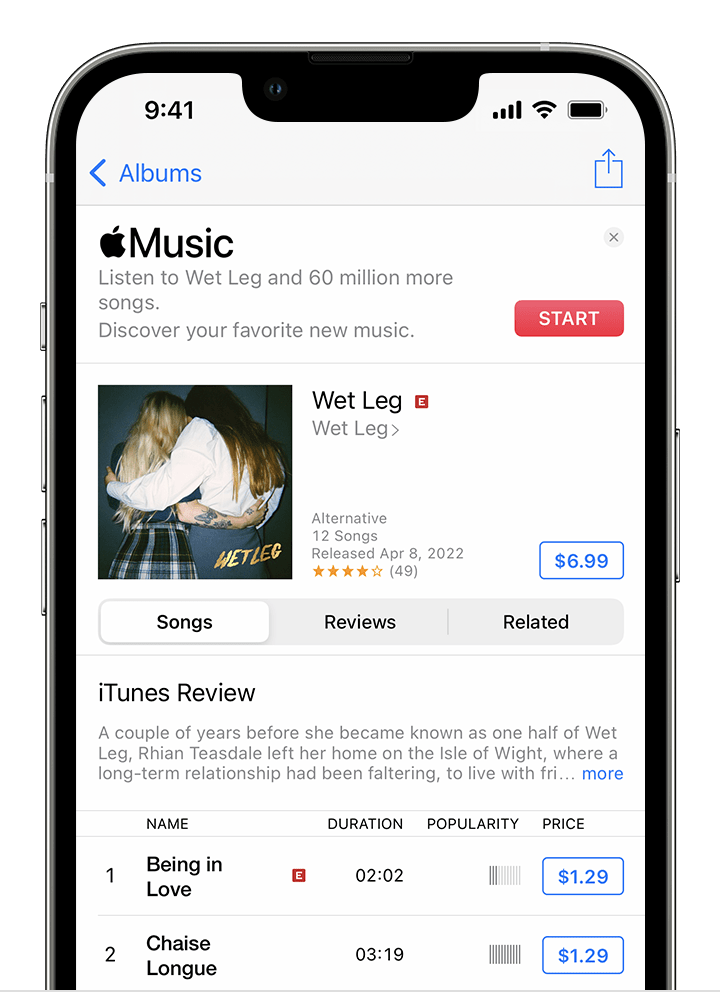
5. Sign in with your Apple ID and password to complete the purchase. Need help?
To find the music that you purchased, open the Apple Music app and tap the Library tab.
To download music to listen to offline, tap the Download button  next to a song or album.
If you're unable to use that process to purchase music, we'd like to ask a few questions to help isolate the issue.
1. Are you able to purchase music with the same account on other devices?
2. Does the issue only happen with music? In other words, are you able to download or purchase other content on your device, such as apps?
3. Are any restrictions enabled on the device to prevent content purchases? This link explains how to check for, and manage restrictions, and may be helpful: Use parental controls on your child's iPhone, iPad, and iPod touch
Thanks!


