Speed control of my podcasts
The speed of my podcasts has slowed right down. How can I fix it.
The speed of my podcasts has slowed right down. How can I fix it.
Hello Anthonyjenk,
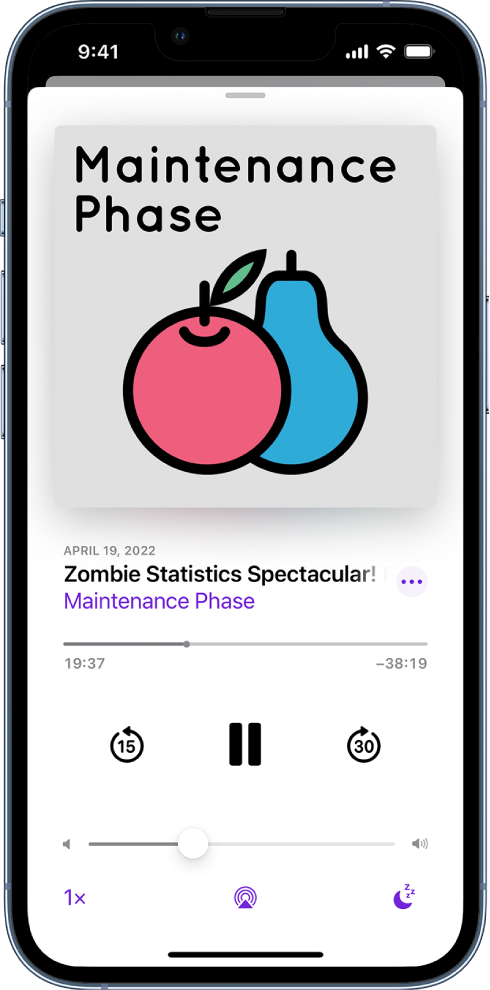
To change the speed of your Podcasts app playback, tap on the 1x on the bottom left side and change it to your preferred playback speed: Listen to podcasts on iPhone
Listen to podcasts on iPhone
In the Podcasts app, you can play an episode, listen to an episode when you’re offline, set a sleep timer, and use the playback controls.
Play a podcast
- Tap an episode.
To pick up where you left off in a show or resume playing a previous episode, tap Listen Now, then scroll to the bottom of the screen and tap an episode below Recently Played.
Tip: To jump to a specific time in the episode, drag the slider below the show’s artwork.
Use the playback controls
Open the Now Playing screen, then use any of the following controls.
- Choose a faster or slower playback speed
You'll have a lot of options to select from here. The higher the number selected, the faster it will playback, default playback speed is set to 1x.
Let us know if that helps out, take care.
Hello Anthonyjenk,
To change the speed of your Podcasts app playback, tap on the 1x on the bottom left side and change it to your preferred playback speed: Listen to podcasts on iPhone
Listen to podcasts on iPhone
In the Podcasts app
Play a podcast
- Tap an episode.
To pick up where you left off in a show or resume playing a previous episode, tap Listen Now, then scroll to the bottom of the screen and tap an episode below Recently Played.
Tip: To jump to a specific time in the episode, drag the slider below the show’s artwork.
Use the playback controls
Open the Now Playing screen, then use any of the following controls.
You'll have a lot of options to select from here. The higher the number selected, the faster it will playback, default playback speed is set to 1x.
Let us know if that helps out, take care.
Speed control of my podcasts