Albinus wrote:
I received an email from my internet services provider telling me that my mailbox on the server was full. I thought I had no need of the messages on the server because they were stored in Mail on my computer. I went to the webmail page of my ISP and deleted all the messages in my inbox on the server. But now I find that they have also been deleted from Mail on my computer.
Why did this happen? Can it be fixed? (I also deleted the trash folder on the server.)
?
You deleted your email. Gone.
Thinning the GB stored mail on the server is one thing— deleting ALL is quite different.
Typically you would Select the oldest chunks of emails and move those to "On my Mac" or manually delete those to free up space—you can see your storage itemized in Account Info.
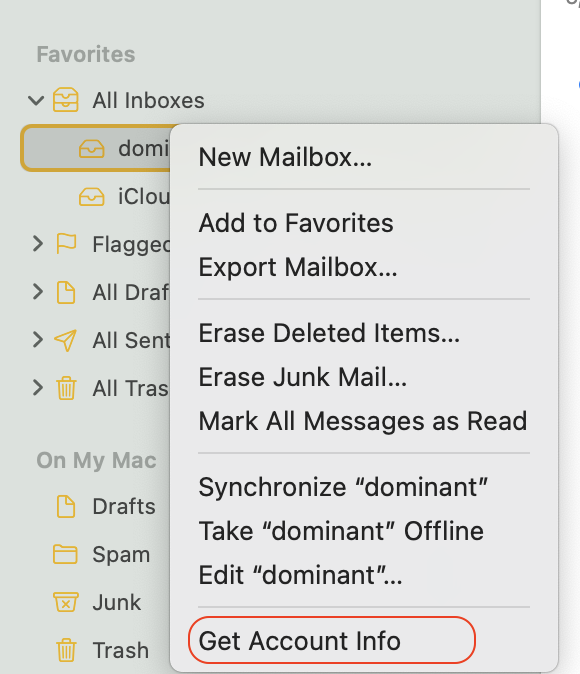
From your Mail.app side bar select an Account > Control click will give you server information "Account Info"
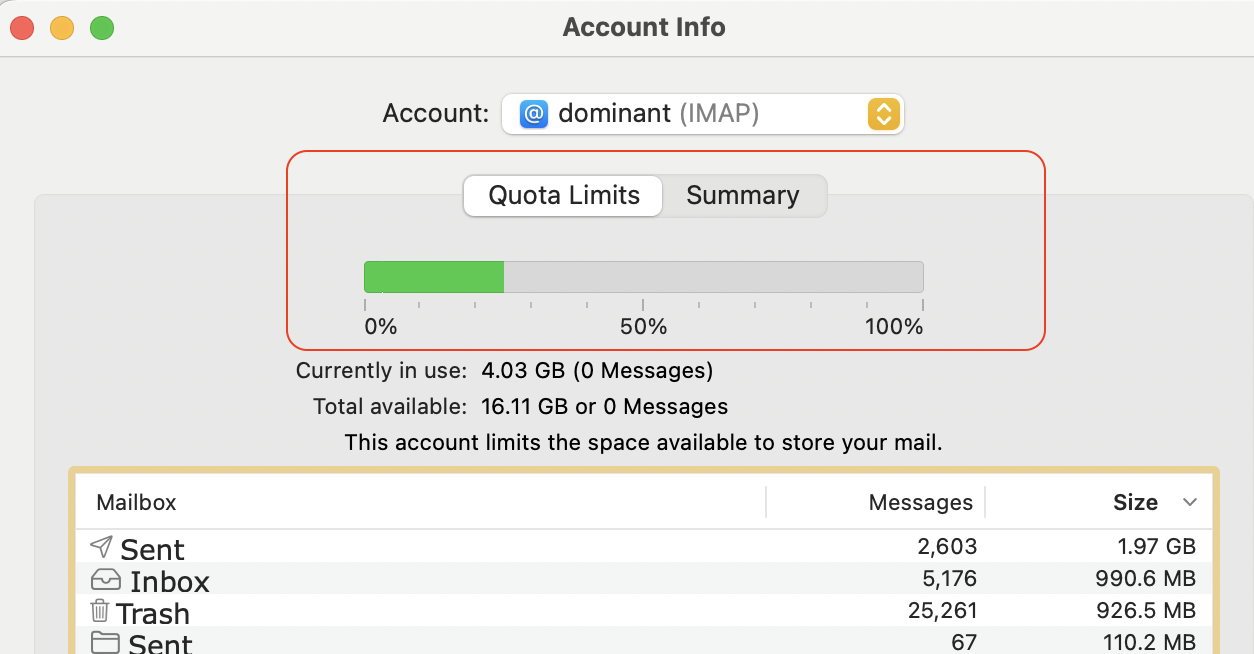
IMAP is the default most common— for sync across all devices
Note—
- IMAP accounts stay on the server accessible across Devices— so no local loss, if/when you re-sync
- POP accounts download and remove from the server—therefor saved locally inbox/sent box
- On My Mac" is just that, local folders you created and moved mail into. So no loss
ref: Mail User Guide for Mac - Apple Support


