
I dont see the mic icon on up to date apple tv 4k 3rd gen, on songs from apple music sing playlist (same song that i do see the icon on iphone)
Any idea how to fix? Thank you!
Apple TV 4K, tvOS 16
Any idea how to fix? Thank you!
Apple TV 4K, tvOS 16
Hello EIZEI,
Thanks for choosing the Apple Support Communities. We see you are not seeing an option to use a mic using Apple Sing.
First let's check compatibility. This feature works on the newest Apple TV 4K. Here is a resource that may help.
Apple introduces Apple Music Sing - Apple
See lyrics and sing in Apple Music on your Apple TV - Apple Support
"See lyrics and sing in Apple Music on your Apple TV
Follow along as you listen to your favorite songs with perfectly timed lyrics that appear line-by-line and beat-by-beat. Adjust the vocals so that you can sing along to the music you love. All with your Apple Music subscription.
How to see lyrics on your Apple TV
 at the bottom of the screen. Don't see the Lyrics button?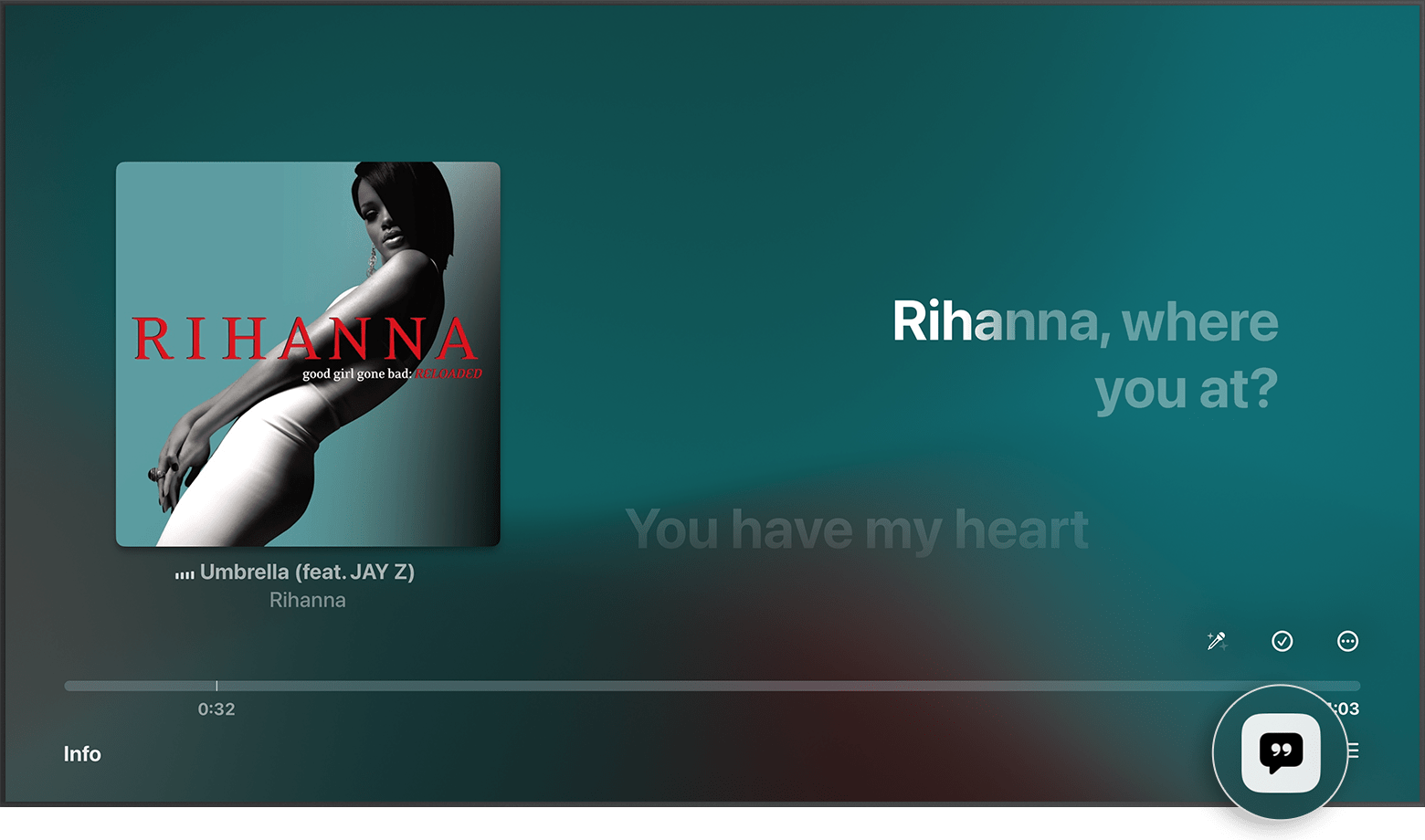

If you don't see lyrics on your Apple TV
If you don't see the Lyrics button , time-synced lyrics aren't available for that song.
If time-synced lyrics aren’t available, you might be able to see the full lyrics.
 .
.
How to use Apple Music Sing on your Apple TV 4K (3rd generation)
at the bottom of the screen. . Don’t see the Mic button?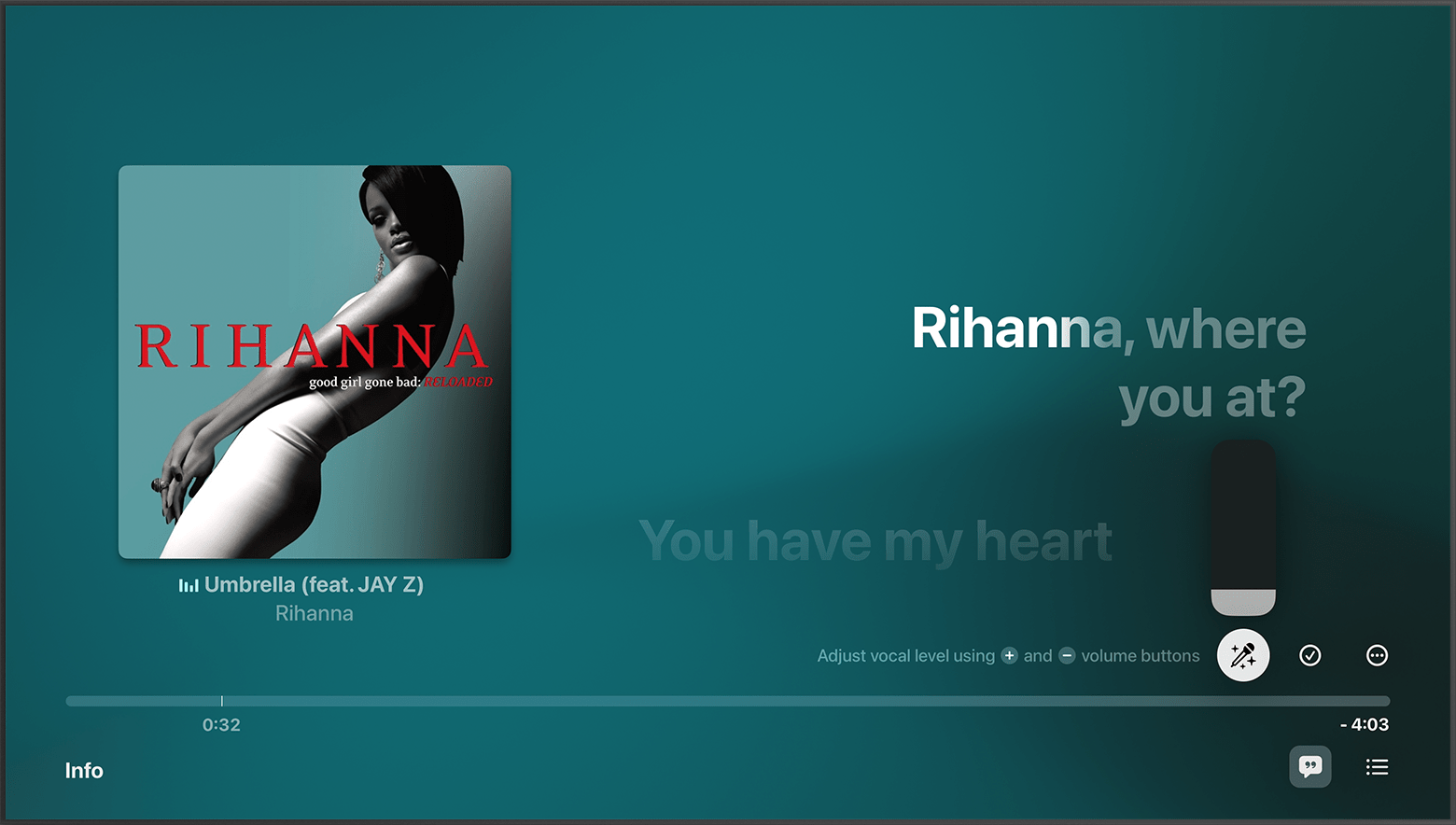
If you don't see the Mic button
If lyrics are wrong or unavailable for a song
You can report missing or incorrect lyrics by going to www.apple.com/feedback/apple-music.html.
Learn how to see lyrics on other devices
Apple Music availability might vary by country or region. Learn what's available in your country or region."
We hope this helps.
Cheers!
I have the latest Apple TV 4K. I have updated it to the latest OS. The sing volume control, for the lyrics simply does not exist. I am playing songs from the sing playlist.
I dont see the mic icon on up to date apple tv 4k 3rd gen, on songs from apple music sing playlist (same song that i do see the icon on iphone)

