
No longer able to stream movies with iPhone Lightning cable to Apple TV.
Why am I no longer able to stream my movie and television apps, - Paramount Netflix, Apple TV through my lightening?
[Re-Titled by Moderator]
iPhone 12
Why am I no longer able to stream my movie and television apps, - Paramount Netflix, Apple TV through my lightening?
[Re-Titled by Moderator]
iPhone 12
Hello Agatsea,
Thanks for the info. Let's try to resolve the issue for one of the apps at this time by deleting the app using the steps listed here: Delete apps on your iPhone, iPad, and iPod touch that are also listed below.
"How to delete an app
 .
.Keep in mind that some built-in Apple apps can't be deleted from your device, so you might not see the option to delete an app. Here’s a list of built-in Apple apps you can delete from your device. If you can't delete an app that's not made by Apple, disable parental controls, then try deleting the app again."
Once done, please download the app again by completing the steps listed here: Download apps and games on your iPhone or iPad that are also listed below.
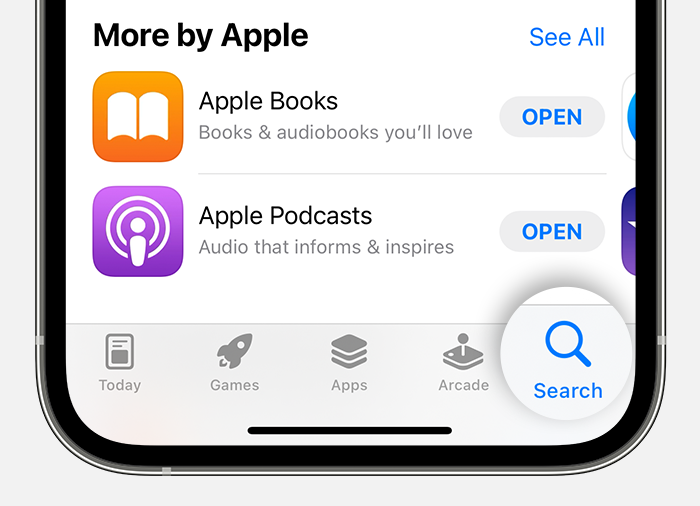
3. Tap or click the price or Get button. If you see the Open button instead of a price or Get button, you already bought or downloaded that app."
After redownloading the app, please try to stream content from it using your cable again.
Hope this helps!
Thank you for the reply Agatsea!
Let's make sure your device is up-to-date to the latest available version. If it is updated, let's restart your device. Restarting your device and making sure it is updated can resolve many unexpected issues.
Take a look here on how to restart your iPhone: Restart your iPhone
Take a look here on how you can update your iPhone: Update your iPhone, iPad, or iPod touch
Cheers!
Hey there Agatsea,
Thanks for reaching out to Apple Support Communities. We're happy to provide some assistance.
To clarify, are you connected to an external display as outlined here?:
Connect iPhone to a display with a cable
If so, what happens when you try to use those apps when connected to an external display? Are you getting an error message? If so, what does that error message say? This will help us determine how to proceed.
Keep us posted.
Have a great day!
Agatsea,
If you're still having issues after trying all the steps, reach out to Apple directly so they can look into this issue further with you: Get Support
Take care.
I’m using the same HDMI cables I’ve always been able to use. Disney is the only application I’m able to connect to and use. Paramount will play the ads perfectly, but when you go to watch the actual show, there’s no sound. Netflix just spins trying to connect. Apple TV tells you the content can’t be loaded. I have two lightening and neither are working as the are supposed to. I was at T mobile checking to see if my phone was the problem, and it seems to be a common problem since the recent updates.
Thanks for the suggestion, and I followed your advice, but it didn’t help. The weirdest thing is Paramount plays the advertising but not the content. Apple has a scrabbled static looking picture and Netflix responds with the message pictured below. What other solutions have you got for my products that are no longer performing as advertised?
My phone is all updated, I had
T mobile check it, while I was getting my internet. Yes, my device has been restarted. The lightenings no longer seem to be able to work as they were supposed to.
It appears I am no the only one experiencing this problem. What is Apple doing to address this problem other than pretending this problem doesn’t exists? I
No longer able to stream movies with iPhone Lightning cable to Apple TV.



