Hi herrewa,
Thanks for clarifying that for us.
Since the Home app is working as expected on your iOS devices, let's make sure that you're signed into the same Apple ID on your Mac as you are on those other devices.
You can check if you're signed into the same account by following these steps:
Find where you're signed in
Follow these steps to find the devices that you're currently signed in to with your Apple ID.
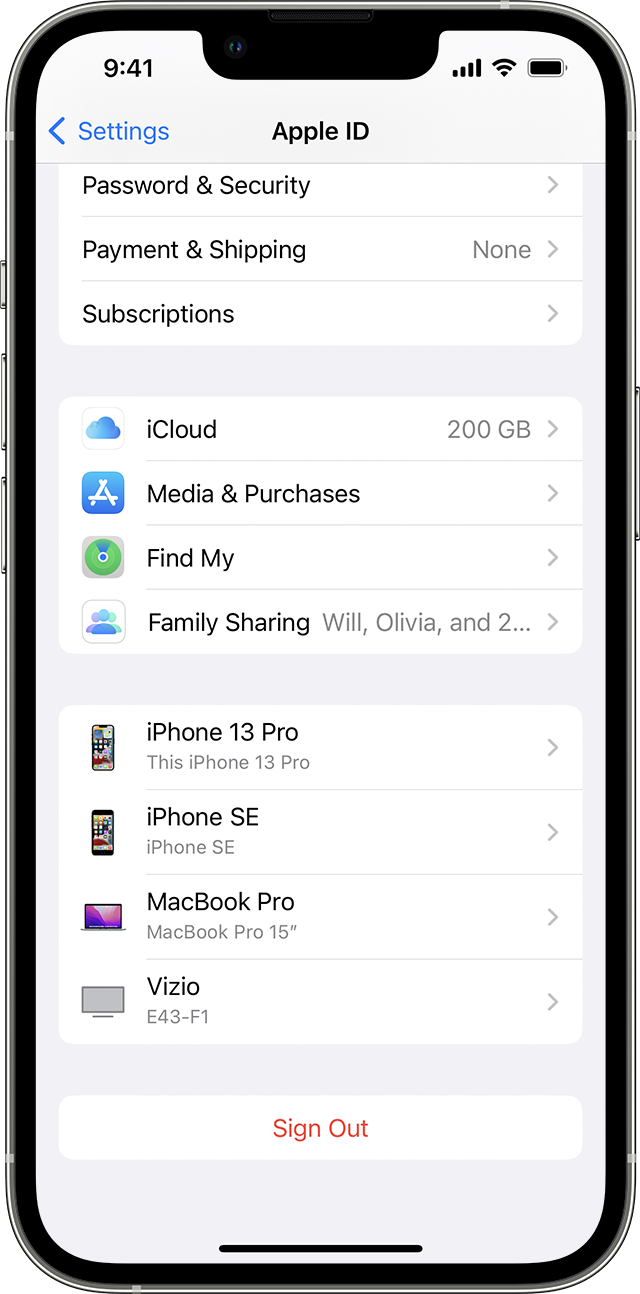
Use your iPhone, iPad, iPod touch, or Apple Watch to find where you're signed in
1. Tap Settings > [your name], then scroll down.
2. Tap any device name to view that device's information, such as the device model, serial number, OS version, and whether it's a trusted device that can be used to receive Apple ID verification codes.
The information might vary depending on the device type. You might need to answer your security questions to view device details.

Use your Mac to find where you're signed in
1. Choose Apple menu > System Settings. In macOS Monterey or earlier, choose Apple menu > System Preferences.
2. Click your name. In macOS Montery or earlier, click Apple ID.
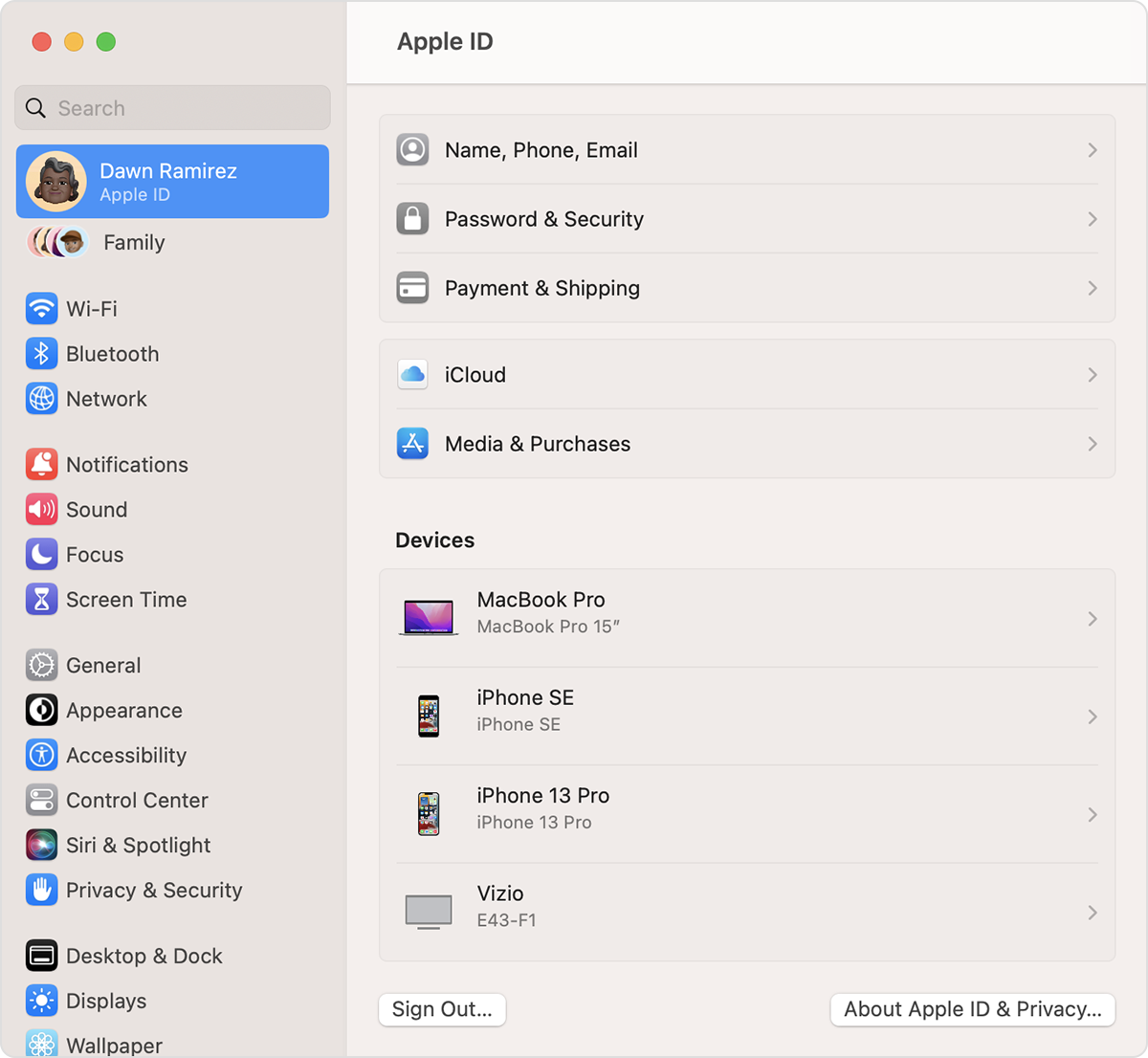
3. Click any device name to view that device's information, such as the device model, serial number, and OS version. The information might vary depending on the device type. You might need to answer your security questions to view device details.
Check your Apple ID device list to find where you're signed in
If you're signed into the same Apple ID already, it may be best to contact Apple Support to have them look into this further.
Have a great day!




