cancel the request for recovery friend??
I asked someone to be my recovery person for my account, but he’s having trouble and now cannot get out of it.
How can he or I cancel this request??
I asked someone to be my recovery person for my account, but he’s having trouble and now cannot get out of it.
How can he or I cancel this request??
Hello CN-1234,
That person can use these steps found at Help a friend or family member as their account recovery contact - Apple Support to remove themselves:
How to remove yourself as a recovery contact
If you don't want to be someone's recovery contact, follow these steps on your iPhone, iPad, iPod touch, or Mac.
On your iPhone, iPad, or iPod touch with iOS 15 or iPadOS 15 or later
1. Go to Settings, then tap your name.
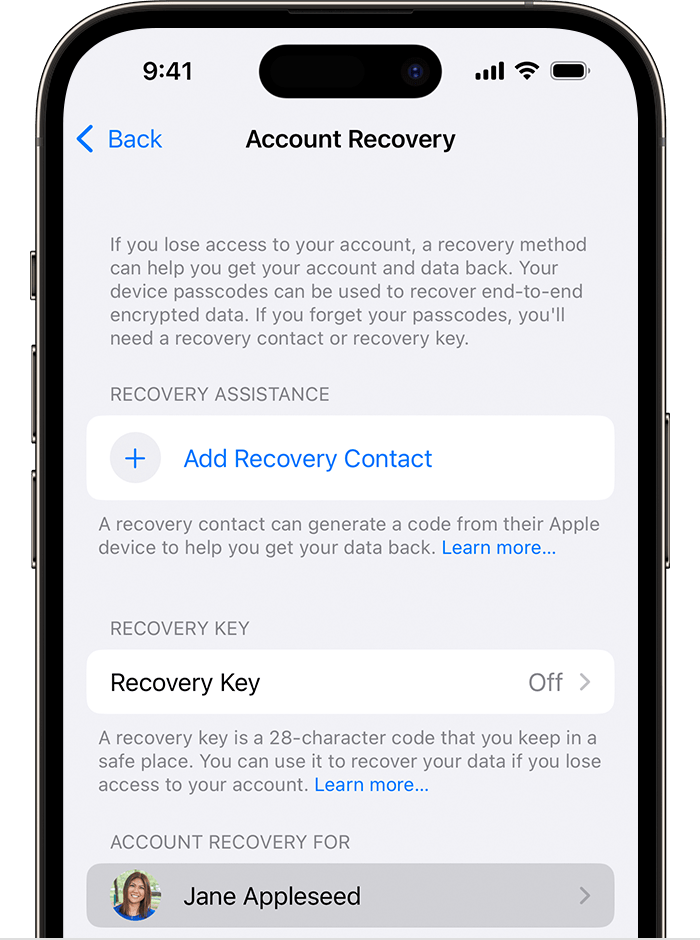
2. Tap Password & Security, then tap Account Recovery.
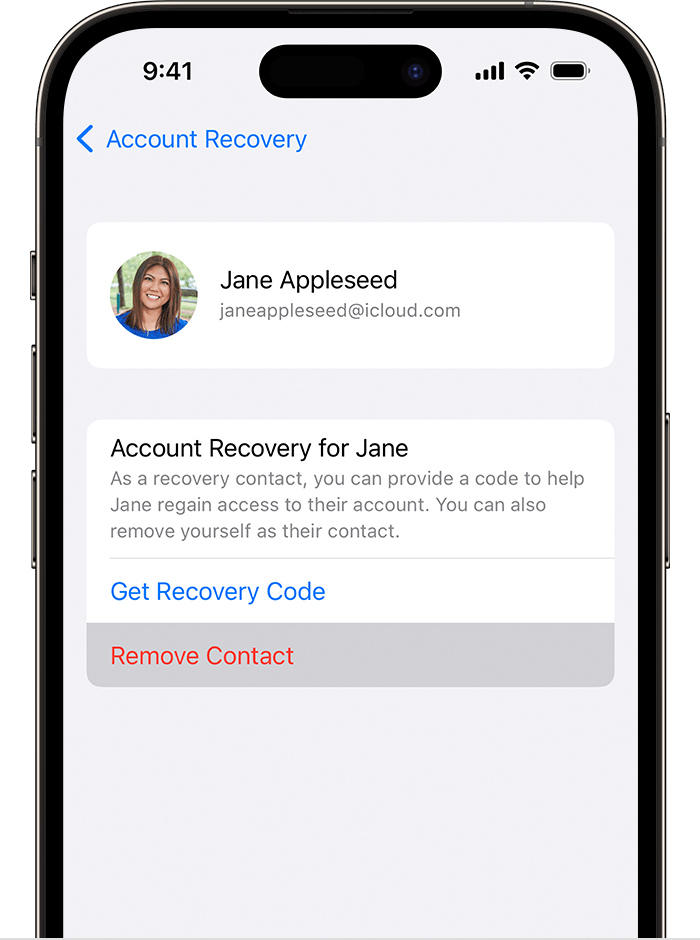
3. Under Account Recovery For, tap the person's name.
4. Tap Remove Contact.
The contact sees a message that you're no longer their account recovery contact.
On your Mac with macOS Monterey or later
1. Choose Apple menu > System Settings (or System Preferences), then click your name (or Apple ID).
2. Click Password & Security.
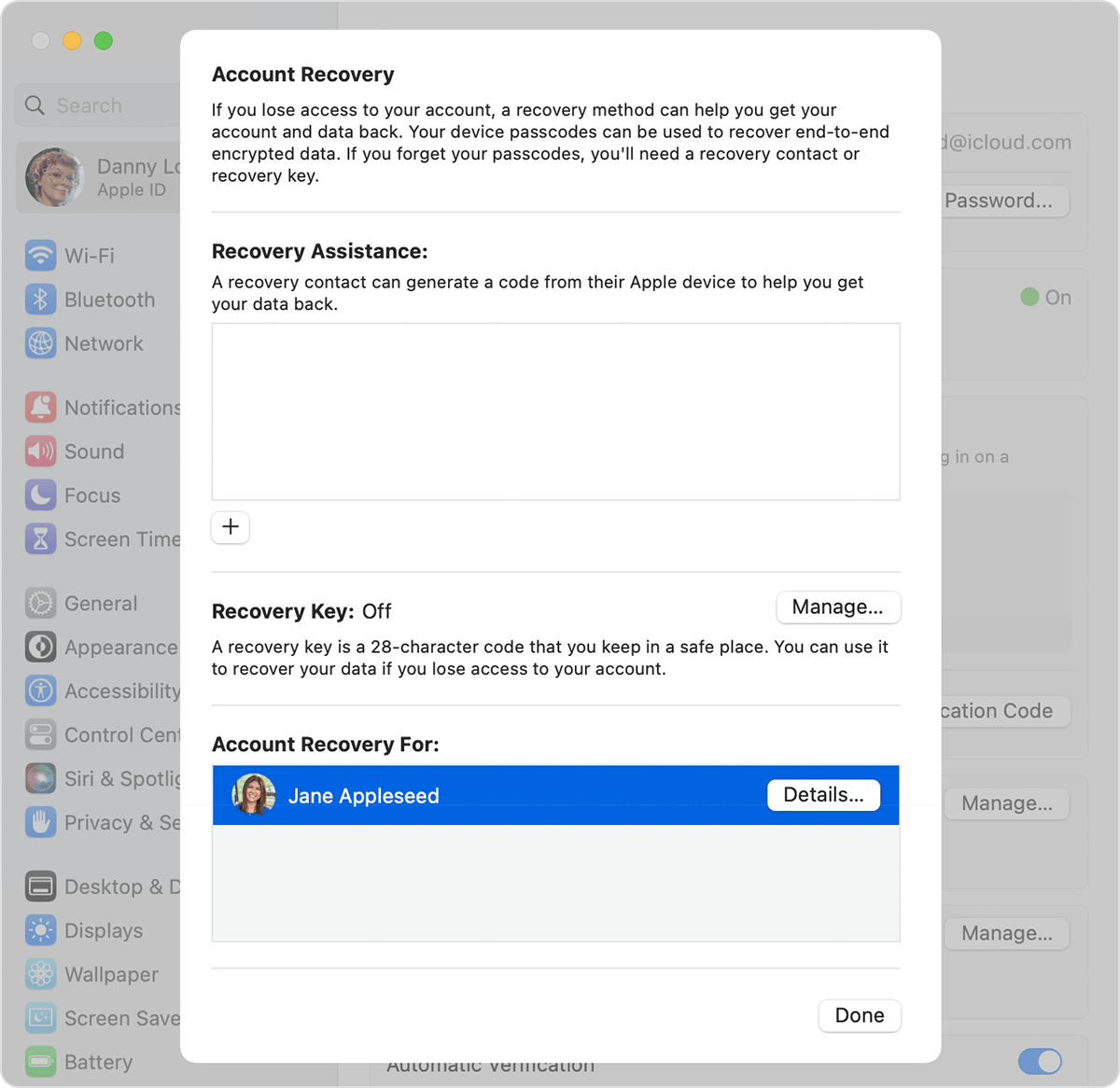
3. Next to Account Recovery, click Manage.
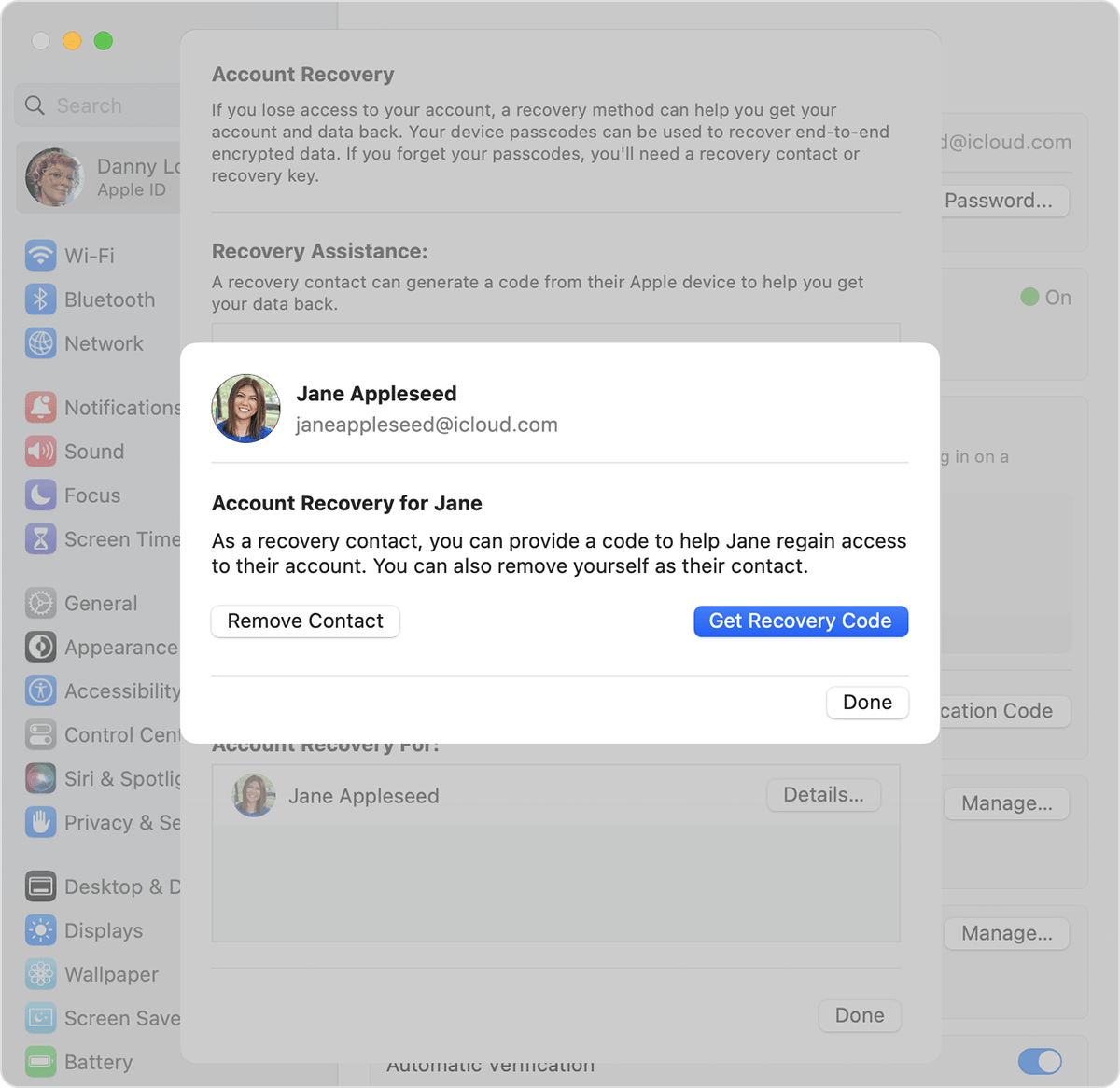
4. In the Account Recovery For section, find your contact's name, then click Details.
5. Click Remove Contact.
The contact sees a message that you're no longer their account recovery contact.
These steps should allow the removal of the recovery contact.
Have a good day.
Hello CN-1234,
That person can use these steps found at Help a friend or family member as their account recovery contact - Apple Support to remove themselves:
How to remove yourself as a recovery contact
If you don't want to be someone's recovery contact, follow these steps on your iPhone, iPad, iPod touch, or Mac.
On your iPhone, iPad, or iPod touch with iOS 15 or iPadOS 15 or later
1. Go to Settings, then tap your name.
2. Tap Password & Security, then tap Account Recovery.
3. Under Account Recovery For, tap the person's name.
4. Tap Remove Contact.
The contact sees a message that you're no longer their account recovery contact.
On your Mac with macOS Monterey or later
1. Choose Apple menu > System Settings (or System Preferences), then click your name (or Apple ID).
2. Click Password & Security.
3. Next to Account Recovery, click Manage.
4. In the Account Recovery For section, find your contact's name, then click Details.
5. Click Remove Contact.
The contact sees a message that you're no longer their account recovery contact.
These steps should allow the removal of the recovery contact.
Have a good day.
cancel the request for recovery friend??