Hello mikecaputo,
You've completed some great troubleshooting steps to get your Mac to start up as expected. To clarify, did you use
the First Aid feature of Disk Utility to find and repair disk errors? If not, lets access macOS Recovery and complete the following steps:
"Select your disk in Disk Utility
Choose View > Show All Devices (if available) from the menu bar or toolbar in Disk Utility.
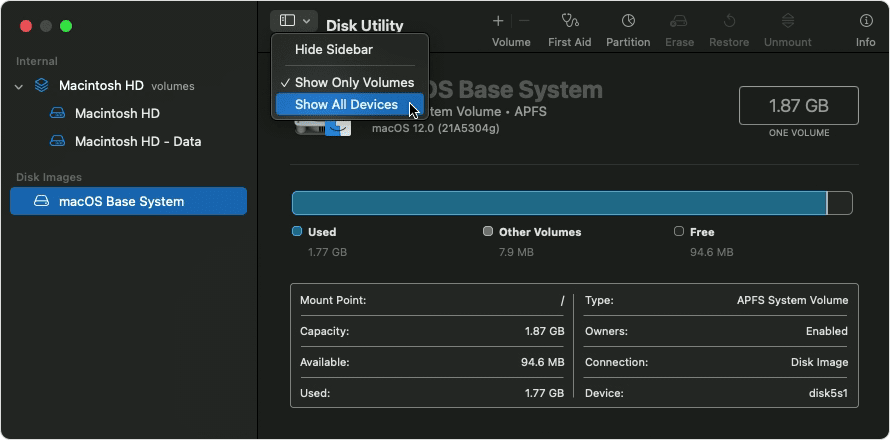
The sidebar in Disk Utility should now show each available disk or other storage device, beginning with your startup disk. And beneath each disk you should see any containers and volumes on that disk. Don't see your disk?
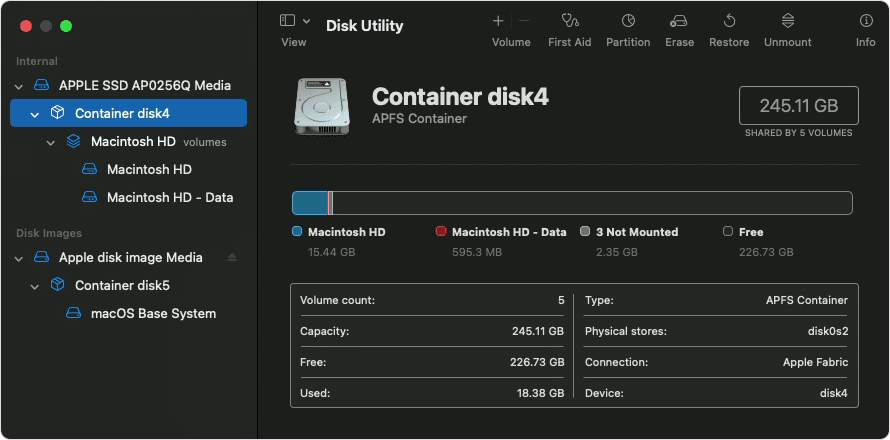
In this example, the startup disk (APPLE SSD) has one container and two volumes (Macintosh HD, Macintosh HD - Data). Your disk might not have a container, and it might have a different number of volumes.
Repair volumes, then containers, then disks
For each disk that you're repairing, start by selecting the last volume on that disk, then click the First Aid button  or tab.
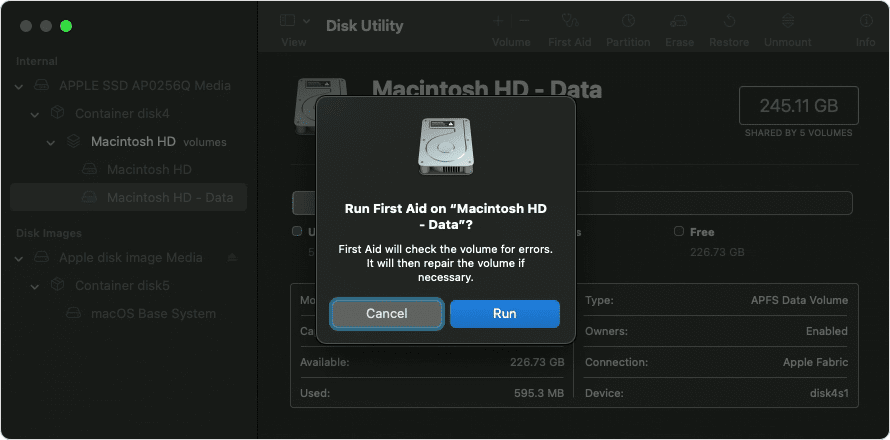
In this example, the last volume on the disk is Macintosh HD - Data.
Click Run to begin checking the selected volume for errors.
- If there is no Run button, click the Repair Disk button instead.
- If the button is dimmed and you can't click it, skip this step for the disk, container, or volume you selected.
- If you're asked for a password to unlock the disk, enter your administrator password.
After Disk Utility is done checking the volume, select the next item above it in the sidebar, then run First Aid again. Keep moving up the list, running First Aid for each volume on the disk, then each container on the disk, then finally the disk itself.
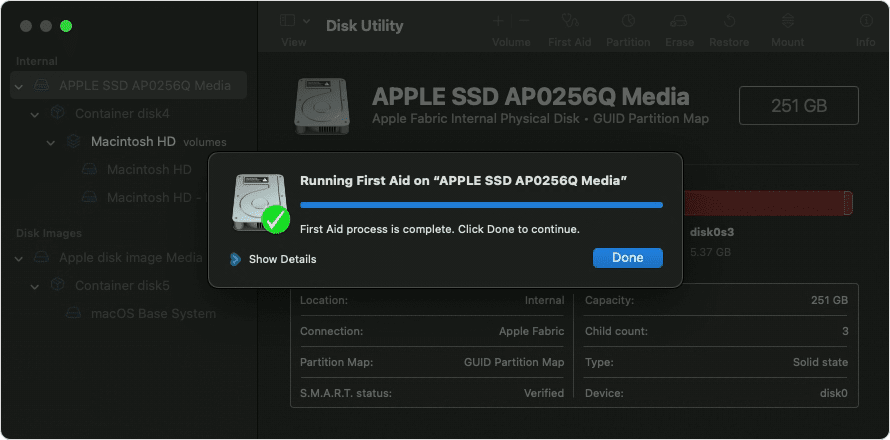
The order of repair in this example was Macintosh HD - Data, then Macintosh HD, then Container disk4, then APPLE SSD.
When done, quit Disk Utility. If you used Disk Utility from macOS Recovery, you can now restart your Mac: choose Apple menu > Restart.
If Disk Utility found errors that it can't repair
If Disk Utility found errors that it could not repair, use Disk Utility to erase (format) your disk.
If your disk doesn't appear in Disk Utility
If Disk Utility can't see your disk, it also can't see any containers or volumes on that disk. In that case, follow these steps:
- Shut down your Mac, then unplug all nonessential devices from your Mac.
- If you're repairing an external drive, make sure that it's connected directly to your Mac using a cable that you know is good. Then turn the drive off and back on."
More details here: How to repair a Mac disk with Disk Utility
Let us know if this helps.
Take care.


