
I loss my airdrop
I loss my AirPods
iPhone 14 Pro Max, iOS 16
I loss my AirPods
iPhone 14 Pro Max, iOS 16
Hello armanul64,
Thank you for reaching out to Apple Support Communities, and we'll be happy to help in any way we can. We understand you're having issues with locating your AirPods. Follow the steps listed ehre to see if they help you find them: Find your lost AirPods
"About Find My
Find My is the only way that you can track or locate a lost or missing device. There is no other Apple service that can find, track, or otherwise flag your device for you.
To find your AirPods, you need to set up Find My with your iPhone, iPad, or iPod touch that you use with your AirPods. Before you try to find your AirPods, you should update to the latest version of iOS or iPadOS, or macOS.
You can also find your AirPods on the web at iCloud.com. With some AirPods models, the experience on the web might be different and some functionality might not be available.
If you didn't turn on Find My before your AirPods went missing, you can't use Find My to locate them.
Locate your AirPods on a map
If you've lost or misplaced your AirPods, you might be able to find them if you use the Find My app on your iPhone, iPad, iPod touch, or Mac that you're signed in to with the same Apple ID. With AirPods Pro (2nd generation), you can also locate the charging case on the map if it's separated from your AirPods.
Locate your AirPods in the Find My app
If you can't locate your AirPods on the map
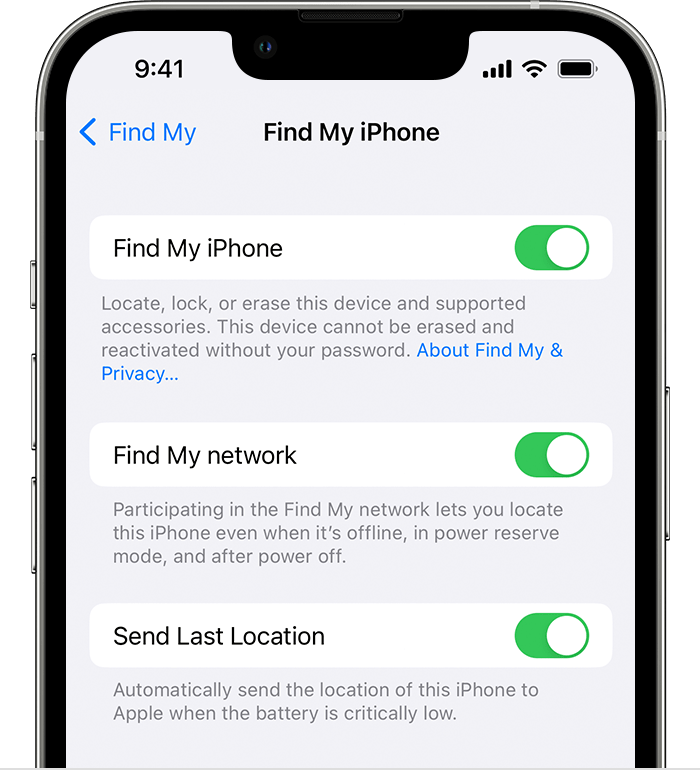
Turn on the Find My network
If you turn on the Find My network, you might be able to see the location of your AirPods (3rd generation), AirPods Pro and AirPods Pro (2nd generation), or AirPods Max even if your iPhone, iPad, or iPod touch isn't connected to a Wi-Fi or cellular network.
Play a sound on your AirPods
If your AirPods are near any of your Apple devices and connected to Bluetooth, you can play a sound to help you find them. With AirPods Pro (2nd generation), you can also play a sound to help find your charging case.
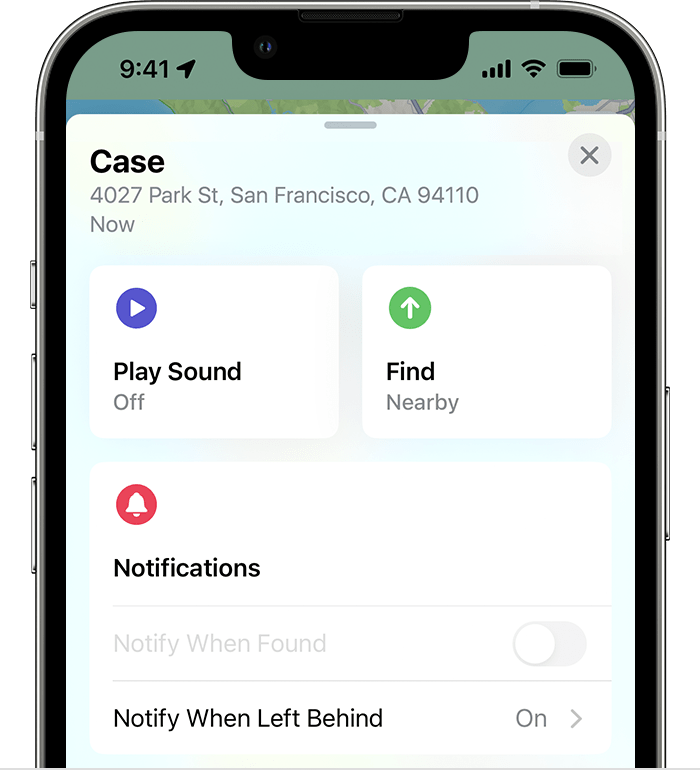
Make sure that your AirPods are not in or on your ears before you play a sound.
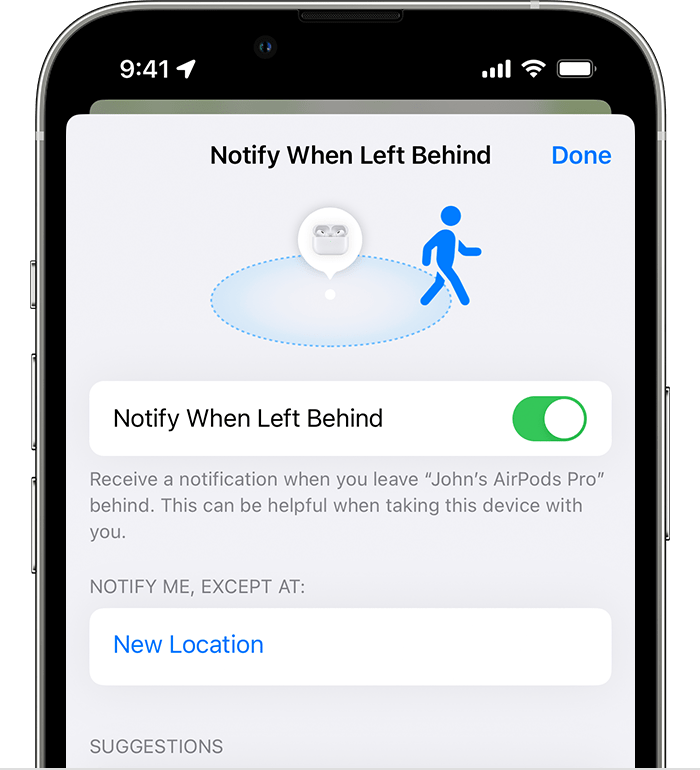
Get an alert if you leave your AirPods behind
If you have iPhone 12 or later, you can set up separation alerts so that you don't leave your AirPods (3rd generation), AirPods Pro and AirPods Pro (2nd generation), or AirPods Max at an unknown location.
Turn on Lost Mode for your AirPods
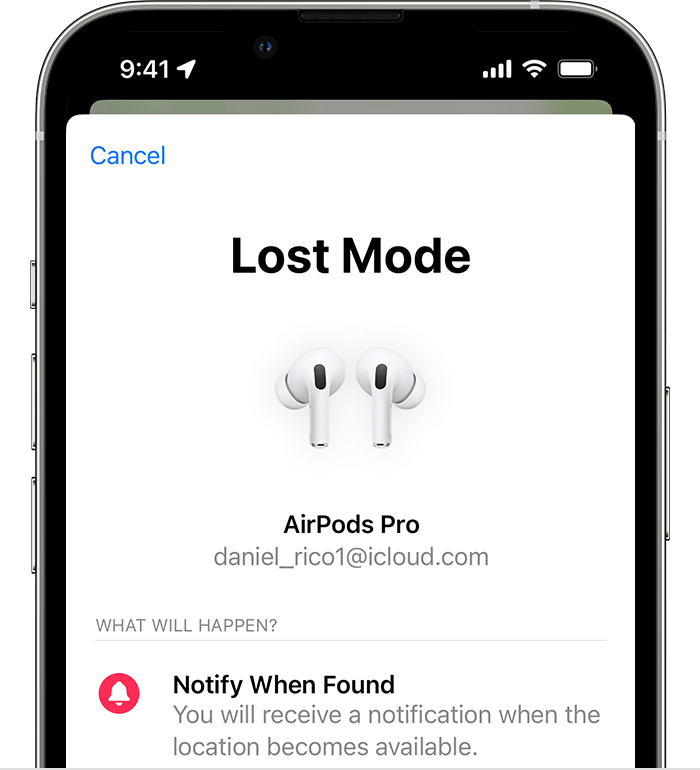
When you turn on Lost Mode for your AirPods (3rd generation), AirPods Pro and AirPods Pro (2nd generation), or AirPods Max, you can share a message with your phone number or email address. If someone finds your AirPods, the message appears on their iPhone.
Turn on Lost Mode:
If your AirPods are offline
If your AirPods are out of range or need to charge, you might see their last known location, "No location found," or "Offline."
You can't play a sound to find them, but you might be able to get directions to the location where they were last connected. If they do come back online, you get a notification on the iPhone, iPad, iPod touch, or Mac that you use with them.
Replace a missing AirPod or charging case
If you still can't find your AirPod or charging case, or if something is damaged, get the serial number and then contact Apple Support for a replacement. Then learn how to set up your replacement.
Learn more about AirPods pricing and service options"
We hope this helps.
Cheers!
Hello armanul64,
Thank you for reaching out to Apple Support Communities, and we'll be happy to help in any way we can. We understand you're having issues with locating your AirPods. Follow the steps listed ehre to see if they help you find them: Find your lost AirPods
"About Find My
Find My is the only way that you can track or locate a lost or missing device. There is no other Apple service that can find, track, or otherwise flag your device for you.
To find your AirPods, you need to set up Find My with your iPhone, iPad, or iPod touch that you use with your AirPods. Before you try to find your AirPods, you should update to the latest version of iOS or iPadOS, or macOS.
You can also find your AirPods on the web at iCloud.com. With some AirPods models, the experience on the web might be different and some functionality might not be available.
If you didn't turn on Find My before your AirPods went missing, you can't use Find My to locate them.
Locate your AirPods on a map
If you've lost or misplaced your AirPods, you might be able to find them if you use the Find My app on your iPhone, iPad, iPod touch, or Mac that you're signed in to with the same Apple ID. With AirPods Pro (2nd generation), you can also locate the charging case on the map if it's separated from your AirPods.
Locate your AirPods in the Find My app
If you can't locate your AirPods on the map
Turn on the Find My network
If you turn on the Find My network, you might be able to see the location of your AirPods (3rd generation), AirPods Pro and AirPods Pro (2nd generation), or AirPods Max even if your iPhone, iPad, or iPod touch isn't connected to a Wi-Fi or cellular network.
Play a sound on your AirPods
If your AirPods are near any of your Apple devices and connected to Bluetooth, you can play a sound to help you find them. With AirPods Pro (2nd generation), you can also play a sound to help find your charging case.
Make sure that your AirPods are not in or on your ears before you play a sound.
Get an alert if you leave your AirPods behind
If you have iPhone 12 or later, you can set up separation alerts so that you don't leave your AirPods (3rd generation), AirPods Pro and AirPods Pro (2nd generation), or AirPods Max at an unknown location.
Turn on Lost Mode for your AirPods
When you turn on Lost Mode for your AirPods (3rd generation), AirPods Pro and AirPods Pro (2nd generation), or AirPods Max, you can share a message with your phone number or email address. If someone finds your AirPods, the message appears on their iPhone.
Turn on Lost Mode:
If your AirPods are offline
If your AirPods are out of range or need to charge, you might see their last known location, "No location found," or "Offline."
You can't play a sound to find them, but you might be able to get directions to the location where they were last connected. If they do come back online, you get a notification on the iPhone, iPad, iPod touch, or Mac that you use with them.
Replace a missing AirPod or charging case
If you still can't find your AirPod or charging case, or if something is damaged, get the serial number and then contact Apple Support for a replacement. Then learn how to set up your replacement.
Learn more about AirPods pricing and service options"
We hope this helps.
Cheers!
I loss my airdrop

