Hello Rhi-1,
We'd like to help.
Have you tried restarting your phone when this happened? If not, let's give that a go because this simple step can resolve issues like these.
Restart your iPhone
Also, the article you came from provides the best troubleshooting steps for this issue.
Add an email account to your iPhone, iPad, or iPod touch
"How to set up your email account manually
If you need to set up your email account manually, make sure that you know the email settings for your account. If you don’t know them, you can look them up or contact your email provider. Then follow these steps:
- Go to Settings > Mail, then tap Accounts.
- Tap Add Account, tap Other, then tap Add Mail Account.
- Enter your name, email address, password, and a description for your account.
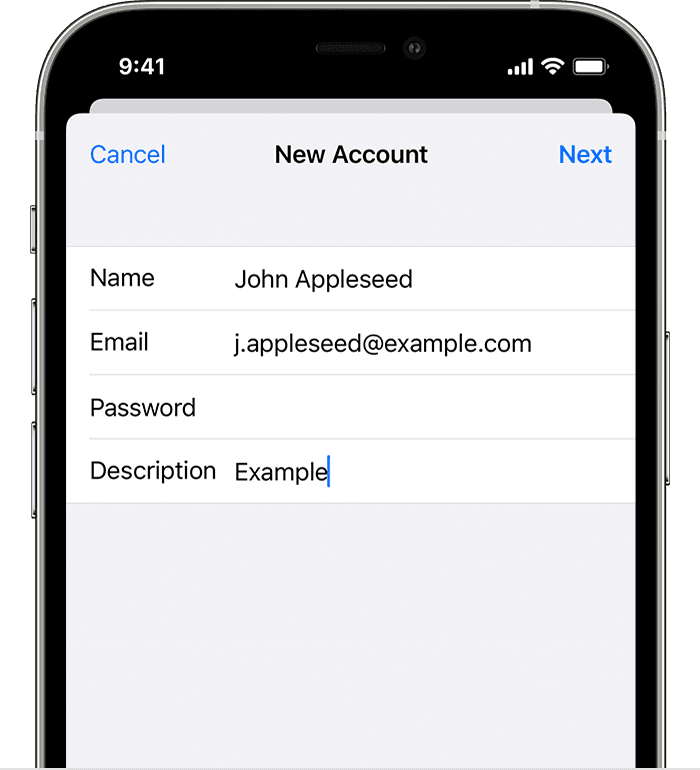
- Tap Next. Mail will try to find the email settings and finish your account setup. If Mail finds your email settings, tap Done to complete your account setup.

Enter account settings manually
If Mail can't find your email settings, then you need to enter them manually. Tap Next, then follow these steps:
- Choose IMAP or POP for your new account. If you aren’t sure which one to choose, contact your email provider.
- Enter the information for Incoming Mail Server and Outgoing Mail Server. Then tap Next. If you don't have this information, try to look it up.

- If your email settings are correct, tap Save to finish. If the email settings are incorrect, you'll be asked to edit them.
If you still can't set up your email account or save your email settings, contact your email provider."
Have you also contacted your company's IT person to see if they can help you set up mail? They're maybe something on their end that is preventing you from adding the account.
Thank you for using Apple Support Communities.
Take care!


