
My beats studio 3 won’t turn on
i got a new pair of beats studio 3 wireless and they will not turn on it show any light.
i got a new pair of beats studio 3 wireless and they will not turn on it show any light.
Hello chadstewart307,
Thank you for reaching out to Apple Support Communities, and we'll be happy to help in any way we can. We understand you're having issues with your Beats not powering on. Try the reset listed here to seee if that resolves the issue: Reset your Beats on-ear or over-ear headphones
"Reset Studio3 Wireless
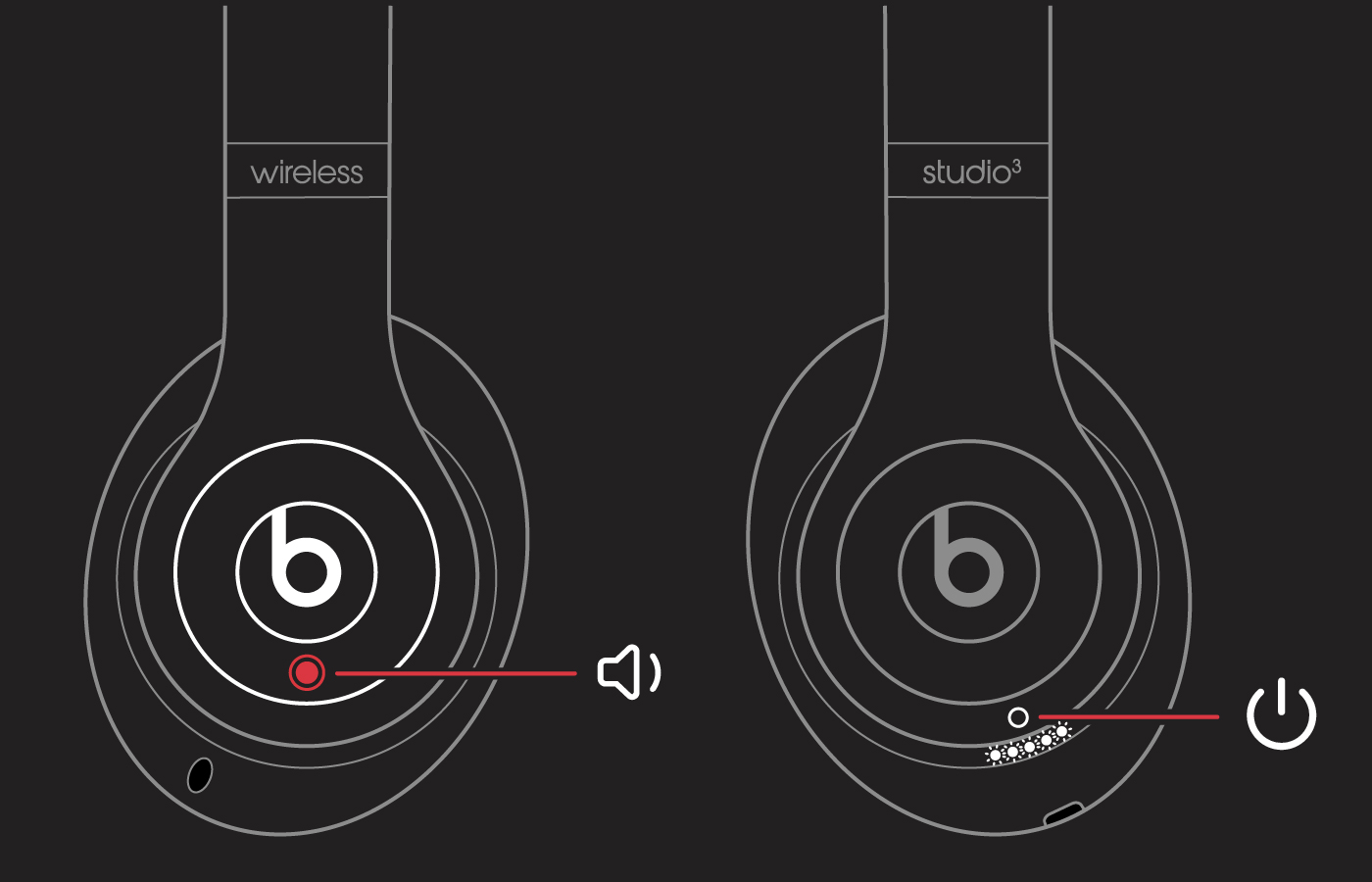
Your headphones are now reset and ready to be set up with your devices again."
We hope this helps.
Cheers!
Hello chadstewart307,
Thank you for reaching out to Apple Support Communities, and we'll be happy to help in any way we can. We understand you're having issues with your Beats not powering on. Try the reset listed here to seee if that resolves the issue: Reset your Beats on-ear or over-ear headphones
"Reset Studio3 Wireless
Your headphones are now reset and ready to be set up with your devices again."
We hope this helps.
Cheers!
Hello chadstewart307,
Since the troubleshooting steps did not resolve your issue, then we'd recommend reaching out to support for further assistance here: Get Support
Have a great day!
Hi!
Thanks for your response. I have tried that and it still won’t work. holding any buttons together or solo for any time has not even gotten a light flash. from the minute i opened the box, i have not seen a light. i’ve tried different chargers, resetting them, everything. any other way?
My beats studio 3 won’t turn on


