Hello jonaston,
Thank you for reaching out to Apple Support Communities, and we'll be happy to help in any way we can. We understand you're having issues with your current location with Home. Try the steps listed here to see if they resolve the issue: Create scenes and automations with the Home app
"Create an automation
If you set up a home hub, you can trigger an accessory or scene based on the time of day, your location, sensor detection, and more. Create an automation that triggers your "I'm Here" scene when someone in your family arrives home. Or have all of the lights in a room turn on when a motion sensor detects movement.
Create an automation based on an accessory's action
When an accessory turns on, off, or detects something, you can automate other accessories and scenes to react and perform actions.
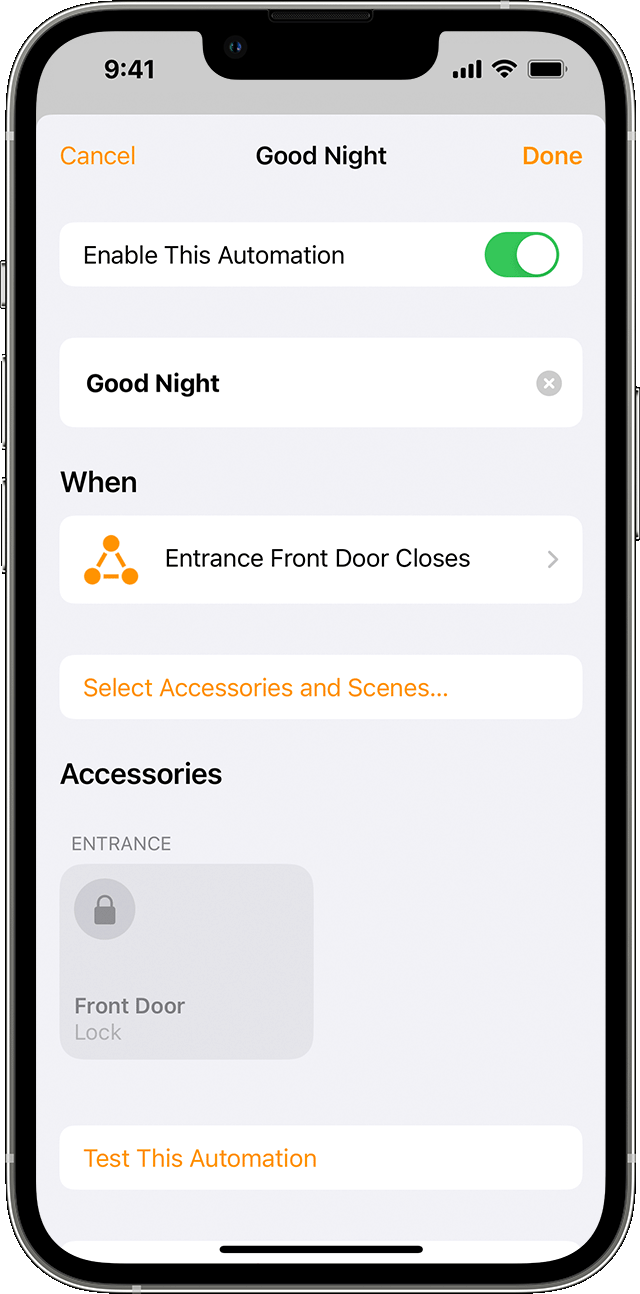
- In the Home app, tap or click the Add button
 , then select Add Automation
  .
. - To start an automation when an accessory turns on or off, choose An Accessory is Controlled. Or choose A Sensor Detects Something.
- Select the accessory that starts the automation, then tap or click Next.
- Choose the action that triggers the automation, like if the accessory turns on or opens, then tap or click Next.
- Select scenes and accessories that react to the action, then tap or click Next.
- To adjust an accessory on iPhone or iPad, touch and hold it. On Mac, click the accessory.
- Tap or click Done.
Want to get an alert when an accessory detects something? Learn how to set up notifications for your accessories."
Make sure the app also has access to your location as outlined here: Turn Location Services and GPS on or off on your iPhone, iPad, or iPod touch
We hope this helps.
Cheers!



