
Why has my USB-C Mac book air power adapter stopped working?
Why would my power adapter stopped charging any of my devices (USB-C)
MacBook Air 13″, macOS 12.6
Why would my power adapter stopped charging any of my devices (USB-C)
MacBook Air 13″, macOS 12.6
Hello sybilfromqueens village,
The steps below will help with a power adapter that has stopped charging.
"Mac laptop computers come with a USB-C power adapter and charge cable. You can learn which power adapter and cable come with your Mac laptop computer, and find troubleshooting tips below. If you're having an issue with a non-Apple power adapter, try using the Apple power adapter and cable that came with your Mac laptop instead.
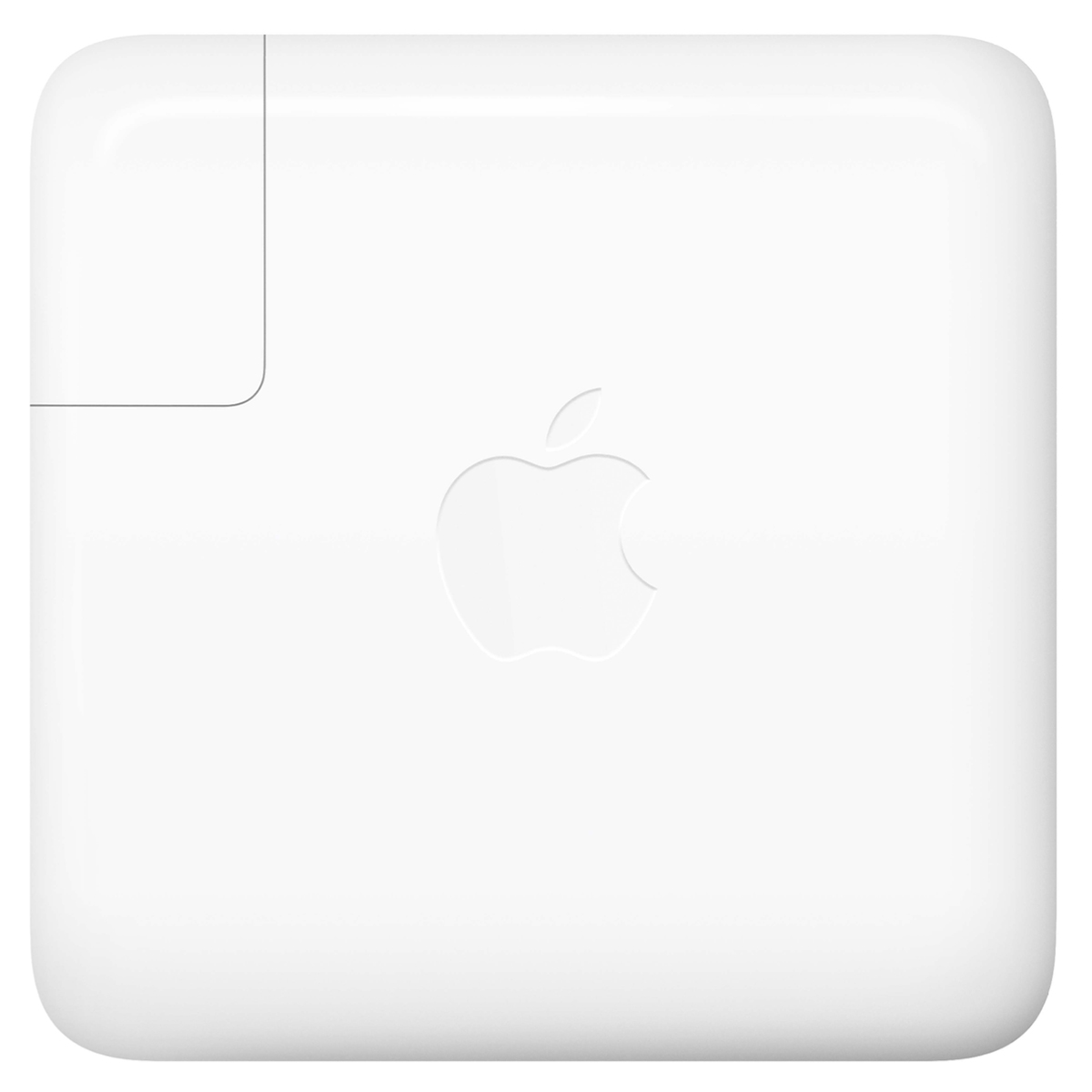
USB-C power adapter
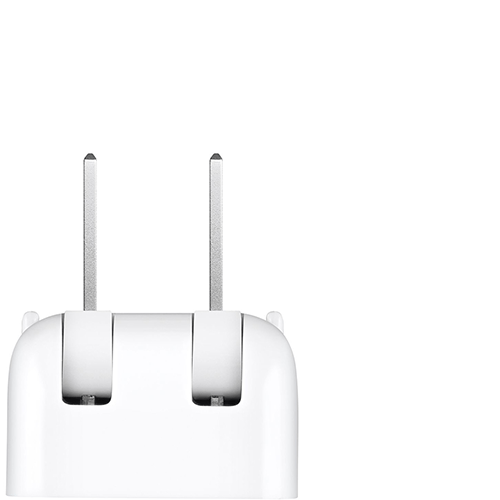
AC plug, or "duckhead"
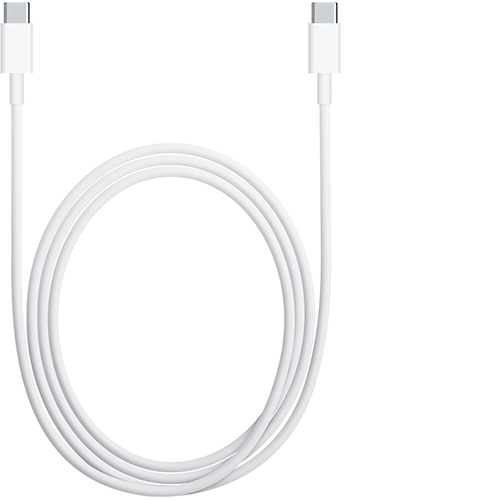
USB-C charging cable

If your Mac laptop with USB-C doesn't charge
If your USB-C power adapter isn't charging your MacBook, MacBook Air, or MacBook Pro, first try unplugging the power adapter from the power outlet, waiting a few seconds, and plugging it back in. If that doesn't help, check these things.
Check power
Learn how to check your power outlet and AC plug.
Check the power outlet
Make sure that you've connected your USB-C power adapter to a working power outlet. Unplug your USB-C power adapter from the power outlet, then plug in a known good device, such as a lamp or clock to confirm it powers on properly. If the power outlet works, connect your USB-C power adapter and try to charge your Mac. If your Mac still won't charge, shut down your Mac and close the display for 30 seconds, then open the display and try to charge your Mac again. If you're not using a Mac with Apple silicon, reset the SMC.
Check for line noise issues
Unplug the power adapter from the wall, wait 30 seconds, then plug the adapter back in:
If your power adapter continues to turn itself off when connected to a known good outlet, take your adapter to an Apple Authorized Service Provider or Apple Store for further evaluation.
Check the AC plug or cable
Your power adapter comes with a removable AC plug that has the blades you insert into an electrical outlet. If your Mac laptop doesn't charge when using the AC plug with the power adapter, try it with another Apple AC plug, or try using an Apple Power Adapter Extension Cable (sold separately).
Check cabling
Your Mac laptop comes with a USB-C cable that charges the computer. You can find out if this cable is causing your charging issue by trying another USB-C cable. Remember, not all USB-C cables can charge your MacBook, MacBook Air, or MacBook Pro, so make sure the cable you try is designed for charging.
If your Mac laptop charges with one USB-C cable but not another, immediately stop using the cable that doesn't work and get your cable and power supply evaluated.
If your Mac laptop begins charging only when you wiggle or move the USB-C cable or Apple Power Adapter Extension Cable (sold separately), immediately stop using the cable and get your cable and power supply evaluated.
Check for updates
In some cases, software or firmware updates might be available for your computer that improve communication with your power adapter. If your MacBook, MacBook Air, or MacBook Pro isn't charging as expected, check for software updates on your Mac."
More information and troubleshooting steps can be found in this article: If your USB-C power adapter isn't charging your Mac laptop
Let us know if you have any questions.
Thank you for using Apple Support Communities.
Take care!
Hello sybilfromqueens village,
The steps below will help with a power adapter that has stopped charging.
"Mac laptop computers come with a USB-C power adapter and charge cable. You can learn which power adapter and cable come with your Mac laptop computer, and find troubleshooting tips below. If you're having an issue with a non-Apple power adapter, try using the Apple power adapter and cable that came with your Mac laptop instead.
USB-C power adapter
AC plug, or "duckhead"
USB-C charging cable
If your Mac laptop with USB-C doesn't charge
If your USB-C power adapter isn't charging your MacBook, MacBook Air, or MacBook Pro, first try unplugging the power adapter from the power outlet, waiting a few seconds, and plugging it back in. If that doesn't help, check these things.
Check power
Learn how to check your power outlet and AC plug.
Check the power outlet
Make sure that you've connected your USB-C power adapter to a working power outlet. Unplug your USB-C power adapter from the power outlet, then plug in a known good device, such as a lamp or clock to confirm it powers on properly. If the power outlet works, connect your USB-C power adapter and try to charge your Mac. If your Mac still won't charge, shut down your Mac and close the display for 30 seconds, then open the display and try to charge your Mac again. If you're not using a Mac with Apple silicon, reset the SMC.
Check for line noise issues
Unplug the power adapter from the wall, wait 30 seconds, then plug the adapter back in:
If your power adapter continues to turn itself off when connected to a known good outlet, take your adapter to an Apple Authorized Service Provider or Apple Store for further evaluation.
Check the AC plug or cable
Your power adapter comes with a removable AC plug that has the blades you insert into an electrical outlet. If your Mac laptop doesn't charge when using the AC plug with the power adapter, try it with another Apple AC plug, or try using an Apple Power Adapter Extension Cable (sold separately).
Check cabling
Your Mac laptop comes with a USB-C cable that charges the computer. You can find out if this cable is causing your charging issue by trying another USB-C cable. Remember, not all USB-C cables can charge your MacBook, MacBook Air, or MacBook Pro, so make sure the cable you try is designed for charging.
If your Mac laptop charges with one USB-C cable but not another, immediately stop using the cable that doesn't work and get your cable and power supply evaluated.
If your Mac laptop begins charging only when you wiggle or move the USB-C cable or Apple Power Adapter Extension Cable (sold separately), immediately stop using the cable and get your cable and power supply evaluated.
Check for updates
In some cases, software or firmware updates might be available for your computer that improve communication with your power adapter. If your MacBook, MacBook Air, or MacBook Pro isn't charging as expected, check for software updates on your Mac."
More information and troubleshooting steps can be found in this article: If your USB-C power adapter isn't charging your Mac laptop
Let us know if you have any questions.
Thank you for using Apple Support Communities.
Take care!
Why has my USB-C Mac book air power adapter stopped working?


