
Can’t use email or phone number
How are you supposed to get into your iCloud account, if you don’t have access to your old phone number or your iCloud email? And your iCloud email is what you used as your Apple ID?
How are you supposed to get into your iCloud account, if you don’t have access to your old phone number or your iCloud email? And your iCloud email is what you used as your Apple ID?
Hello fosteram2,
If you know you Apple ID password, there are other ways to authenticate your account and receive the two-factor code. Get a verification code and sign in with two-factor authentication - Apple Support
"Get a code from Settings on your trusted device
If you can’t receive a verification code on your trusted devices automatically, you can get one from Settings, even if your device is offline.
From your iPhone, iPad, or iPod touch
If your device is online:
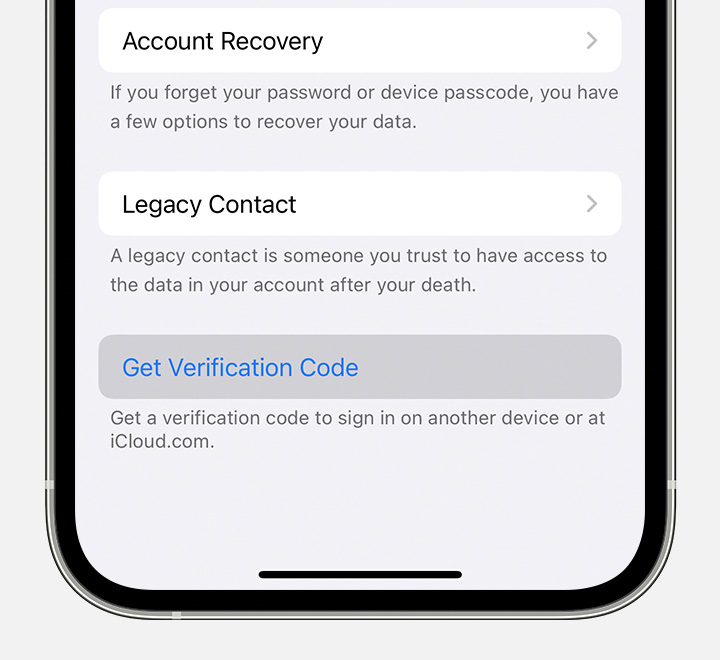
If your device is offline:
If you can’t sign in, reset your password, or receive verification codes, you can request account recovery to regain access to your account. Account recovery might take a few days or longer, depending on the specific account information you can provide to verify your identity."
Take care.
Hello fosteram2,
If you know you Apple ID password, there are other ways to authenticate your account and receive the two-factor code. Get a verification code and sign in with two-factor authentication - Apple Support
"Get a code from Settings on your trusted device
If you can’t receive a verification code on your trusted devices automatically, you can get one from Settings, even if your device is offline.
From your iPhone, iPad, or iPod touch
If your device is online:
If your device is offline:
If you can’t sign in, reset your password, or receive verification codes, you can request account recovery to regain access to your account. Account recovery might take a few days or longer, depending on the specific account information you can provide to verify your identity."
Take care.
Can’t use email or phone number

