
Lockdown mode bypassed
Apple lockdown bypassed expectations added for Amazon prime AppStore Mail Speedtest and TV
iPhone SE, iOS 16
Apple lockdown bypassed expectations added for Amazon prime AppStore Mail Speedtest and TV
iPhone SE, iOS 16
Hi LockdownBypassed ,
If you are saying that Prime bypassed itself when it was added, then that would not be expected.
Use the steps here to turn it off if desired: About Lockdown Mode - Apple Support
"On iPhone or iPad
To exclude a website while browsing: Tap the Page Settings button  , then tap Website Settings. Then turn off Lockdown Mode.
To exclude an app or edit your excluded websites:
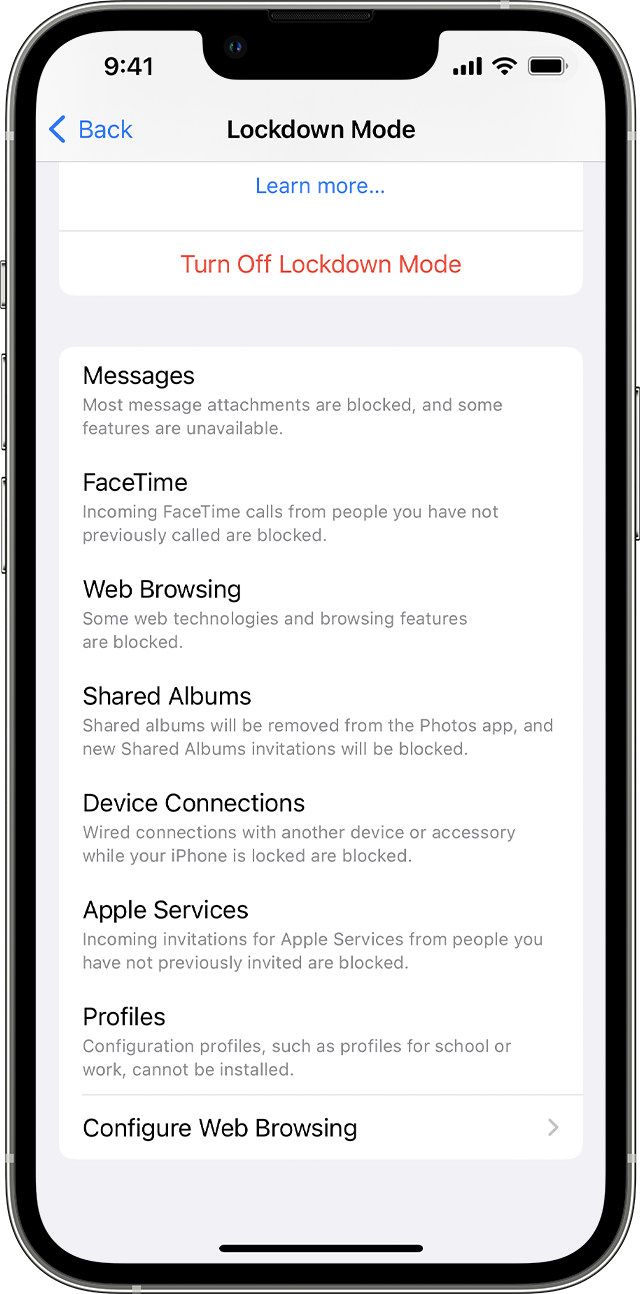
To exclude an app, turn that app off in the menu. Only apps that you have opened since enabling Lockdown Mode and which have limited functionality appear on this list.
To edit your excluded websites, tap Excluded Safari Websites > Edit."
If you have followed the steps correctly and you still have the issue, let us know if you get any specific alerts or error messages when trying, as those may help us determine what might be causing the issue."
We also recommend restarting your device and keeping it updated as those steps assure you have cleared out any minor software issues and are running the most current version.
Restart your iPhone - Apple Support
Update your iPhone or iPad - Apple Support
If you still have questions, reach out to Apple Support directly, as this may require closer guidance: Get Support
Cheers!
Hi LockdownBypassed ,
If you are saying that Prime bypassed itself when it was added, then that would not be expected.
Use the steps here to turn it off if desired: About Lockdown Mode - Apple Support
"On iPhone or iPad
To exclude a website while browsing: Tap the Page Settings button , then tap Website Settings. Then turn off Lockdown Mode.
To exclude an app or edit your excluded websites:
To exclude an app, turn that app off in the menu. Only apps that you have opened since enabling Lockdown Mode and which have limited functionality appear on this list.
To edit your excluded websites, tap Excluded Safari Websites > Edit."
If you have followed the steps correctly and you still have the issue, let us know if you get any specific alerts or error messages when trying, as those may help us determine what might be causing the issue."
We also recommend restarting your device and keeping it updated as those steps assure you have cleared out any minor software issues and are running the most current version.
Restart your iPhone - Apple Support
Update your iPhone or iPad - Apple Support
If you still have questions, reach out to Apple Support directly, as this may require closer guidance: Get Support
Cheers!
Lockdown mode bypassed

