Hi hjk889,
You're seeing your son's phone number where you don't expect and we can help explain the situation.
For your son's iPhone phone number to show up there, you must be signed in with the same Apple ID.
Apple ID is for each person and not for sharing.
If this was primarily your Apple ID, you should have your son create his own Apple ID. If your son is a minor, you can create one for him:
In iOS 16 or iPadOS 16 or later
1. Go to Settings > Family.
2. Tap the Add Member button  .
.
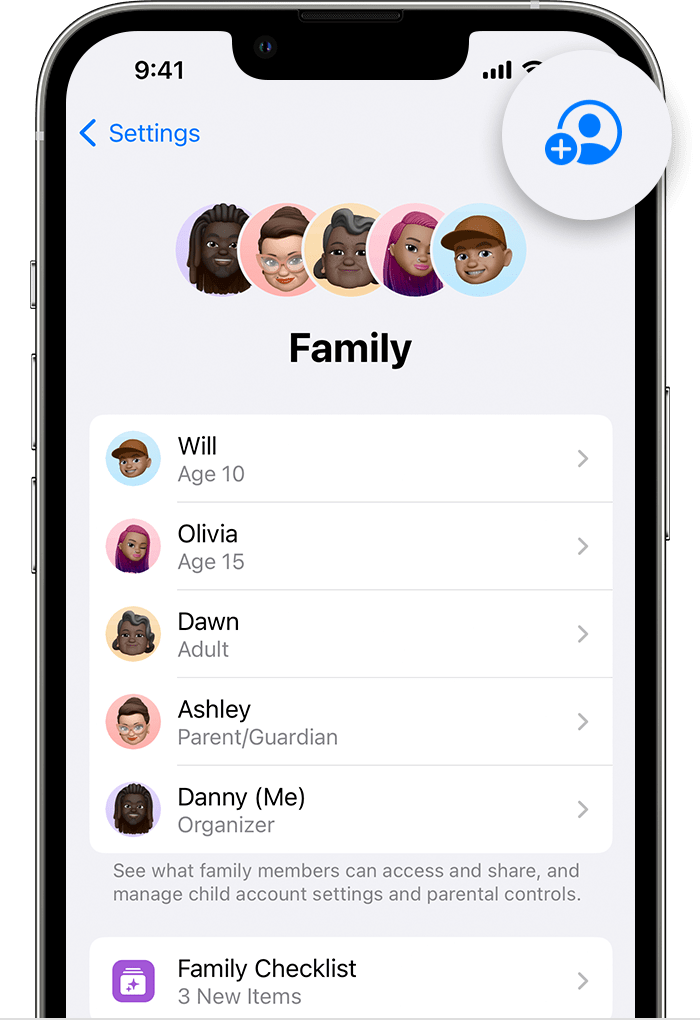
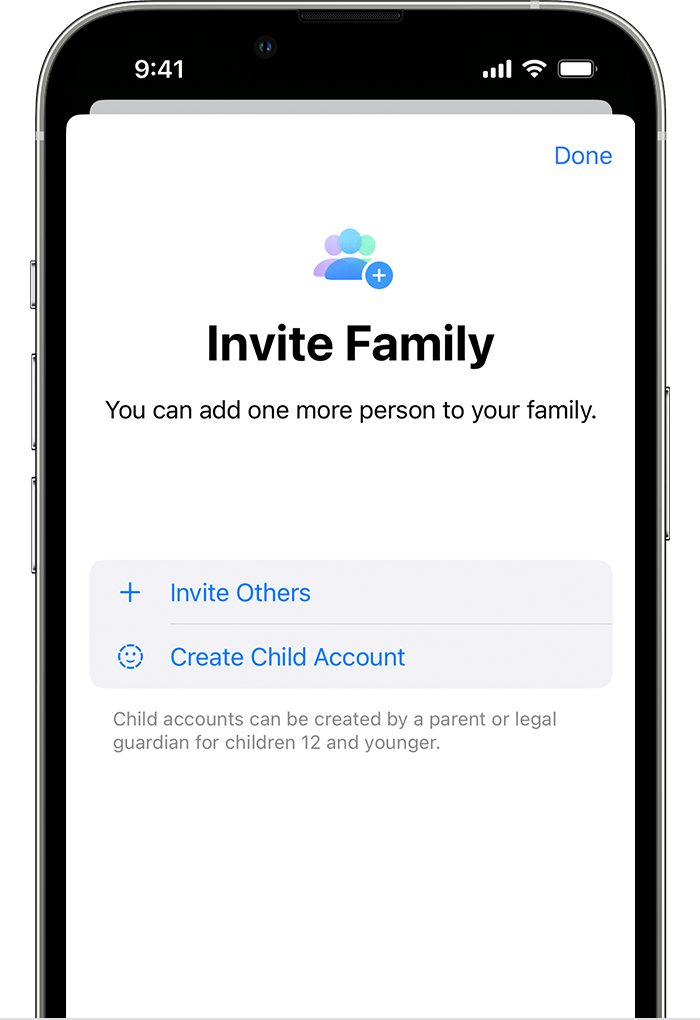
3. Tap Create Child Account, then tap Continue.
4. Enter the child's name and birth date. Be sure to enter the correct birth date — you can't change it later.
5. Follow the onscreen instructions to finish setting up the account. For your child's Apple ID, you can use their email address, the suggested @icloud.com address, or their Game Center nickname.
Create an Apple ID for your child
Please be aware, if your son stops syncing with your Apple ID, any of his contacts that were saved and other information that synced to your account will now go missing. He'll want to make sure he chooses the options to keep on his device when signing out of your Apple ID.
You'll still be able to share some purchased content through Family Sharing this way.
This should resolve the issue with his messages and numbers appearing on your devices.
Thanks for using the Apple Support Communities.


