Hello Daxie_Belle,
We'd like to get you some assistance with this issue. Please review the link below to ensure the Focus is set up correctly, and help rule out any issues there: Use Focus on Apple Watch
Turn a Focus on or off
1) Touch and hold the bottom of the screen, then swipe up to open Control Center.
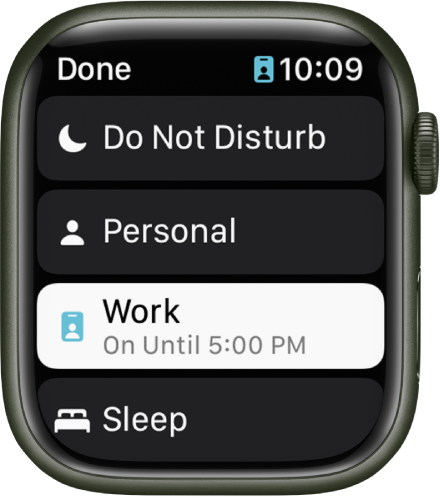
2) Touch and hold the current Focus button, then tap a Focus.
If no Focus is on, Control Center shows the Do Not Disturb button  .
.
3) Choose a Focus option—On, On for 1 hour, On until this evening/On until tomorrow morning, or On until I leave.
To turn off a Focus, just tap its button in Control Center.
When a Focus is active, its icon appears at the top of the watch face, next to the time in apps, and in Control Center.
Create a Focus schedule
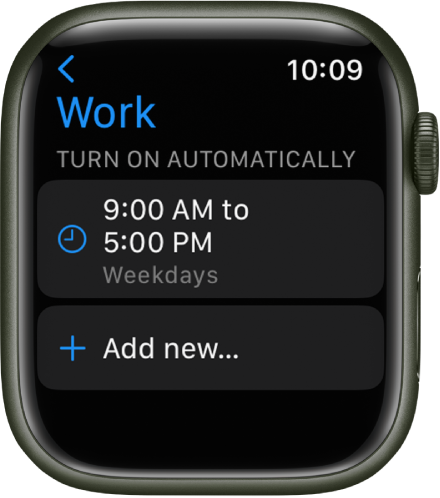
On Apple Watch you can schedule when each Focus occurs—you can even choose to have a Focus start at different times of the day. For example, you could schedule the Work Focus to start at 9 AM and end at noon, Monday through Friday. From noon to 1 PM you may have no Focus or have a Personal Focus take over. Then, start the Work Focus again from 1 PM until 5 PM, Monday through Thursday.
1) Open the Settings app  on your Apple Watch.
2) Tap Focus, tap a Focus—Work, for example—then tap “Add new.”
3) Tap the From and To fields and enter the times you want the Focus to begin and end.
4) Scroll down, then choose days when the Focus will be active.
5) Tap < in the top-left corner to save the Focus.
6) Repeat this process to add other events to the Focus.
We recommend the steps above because they will show you how to customize Focus settings on your Apple Watch.
If the original problem persists after trying the previous steps, please provide us with specifics on what you see for more help, and we will continue from there.
Thanks for using the Apple Support Communities.
Cheers!



