Hi SeaBass139,
Thanks for posting in Apple Support Communities.
We understand that Focus is disabling on its own. If you haven't done so already, restart your iPhone and make sure that it's running the latest software for the most recent performance fixes.
When you set up your Focus, did you follow the steps for the Smart Activation, and choose the Fitness app, as shown here? Use Focus on your iPhone or iPad - Apple Support
In the section titled:
Add a schedule or automation
You can schedule a Focus to activate at certain times, when you're at a particular location, or when you open specific apps.
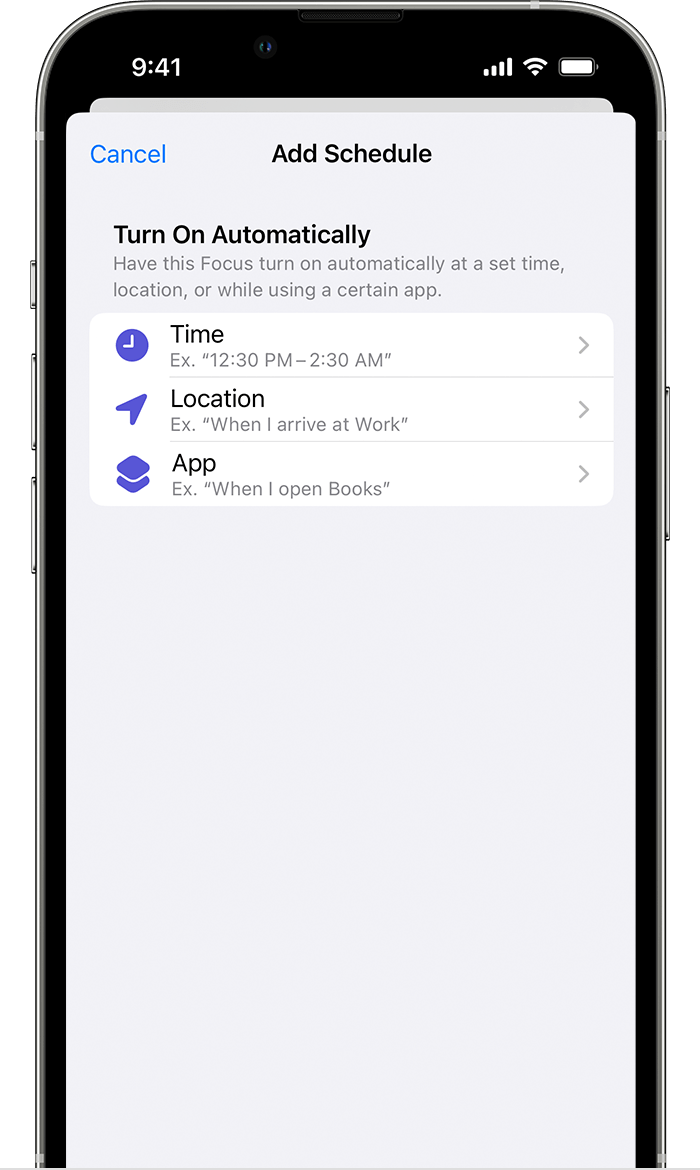
To set a schedule based on certain times, locations, or apps:
1. Go to Settings > Focus, then tap the Focus that you want to schedule.
2. Under Turn on Automatically, tap Add Schedule.
3. Choose when you want the automation to happen, then follow the onscreen steps.
To use Smart Activation, which will automatically apply your Focus at relevant times throughout the day:
1. Go to Settings > Focus, then tap the Focus that you want to activate automatically.
2. Tap Smart Activation.
3. Turn on Smart Activation.
When you turn on Smart Activation, it automatically turns on the Focus at relevant times throughout the day based on location, time, or app usage.
You'll also want to:
Note: To have your Focus settings shared across all your devices where you’re signed in with the same Apple ID, open Settings on your iPhone, tap Focus, then turn on Share Across Devices.
As shown in: Use Focus on Apple Watch - Apple Support
Regards.



