Wake and Sleep my apple TV via Homekit/Automation?

I really want to set up an automation in Homekit (not using Shortcuts) to wake and sleep my Apple TV. I'm using a Hue dimmer switch as the trigger, but it appears there's no way to wake/sleep the Apple TV even when converting to a shortcut.


Is the Apple TV wake/sleep command not exposed to homekit? Or am I just missing it?

Apple TV HD, tvOS 15

Posted on Jan 9, 2023 12:11 PM

Reply
Question marked as Top-ranking reply

Posted on Jan 25, 2023 9:33 AM

Miche11e_P did not actually answer the question.


Currently, there is no way to sleep or wake the Apple TV from the Home app or HomeKit scenes or automations. (Only play/pause). If you use the Pushcuts app, you can set up an automation server on an iPad or extra iPhone, then use a webhook in your HomeKit automation that triggers a shortcut on the automation server to sleep or wake the Apple TV. I've done this successfully, but don't like having to have the Pushcuts app perpetually open on the iPad.


There have been solutions through HomeBridge and/or Home Assistant, but those keep breaking when Apple updates the tvOS software. Currently there is no viable solution on those platforms. I'm sure one will come up again before too long, but will probably break again next time tvOS is updated.


If you have a HomeKit-enabled TV, then you can turn that off through HomeKit, and it can sleep the Apple TV through HDMI.


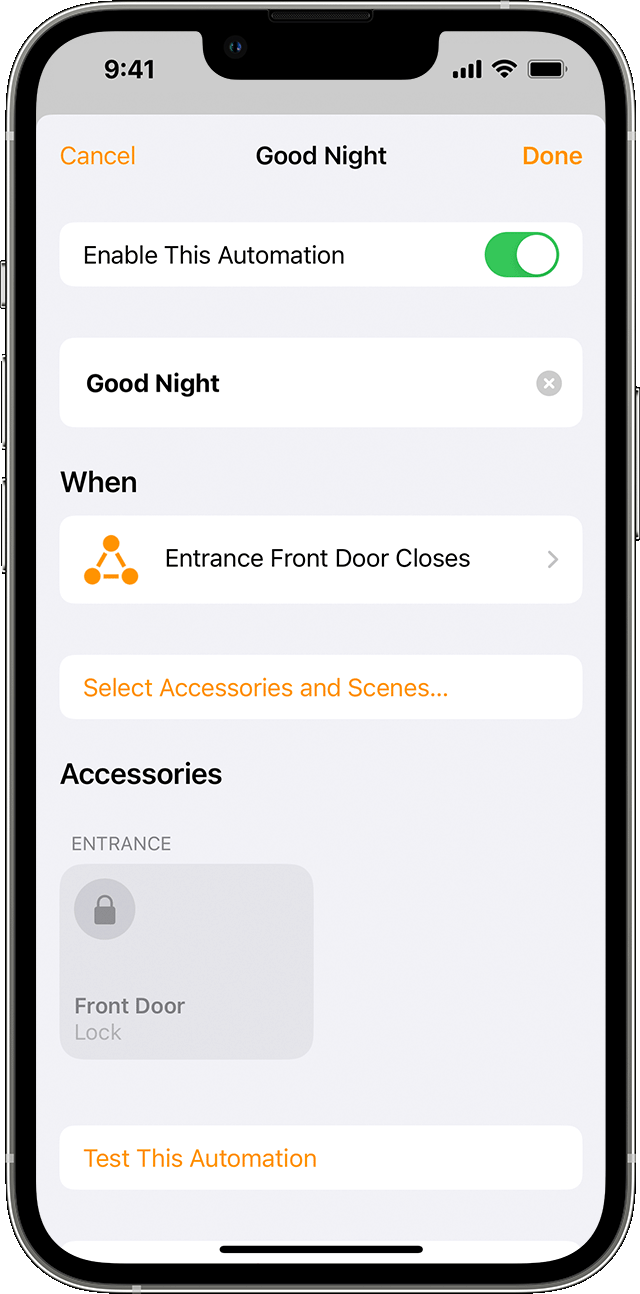
It's frustrating that Apple won't add sleep/wake commands for the Apple TV to HomeKit. Powering down the Apple TV as a part of a "good night" scene or automation makes so much sense. You're going to bed, you want to turn off all the lights, lock the door, turn off the TV/entertainment system. I'm sure tons of people utilize a routine like this. So why not add ATV sleep/wake to HomeKit??

Similar questions

4 replies
Question marked as Top-ranking reply

Jan 25, 2023 9:33 AM in response to Miche11e_P

Miche11e_P did not actually answer the question.


Currently, there is no way to sleep or wake the Apple TV from the Home app or HomeKit scenes or automations. (Only play/pause). If you use the Pushcuts app, you can set up an automation server on an iPad or extra iPhone, then use a webhook in your HomeKit automation that triggers a shortcut on the automation server to sleep or wake the Apple TV. I've done this successfully, but don't like having to have the Pushcuts app perpetually open on the iPad.


There have been solutions through HomeBridge and/or Home Assistant, but those keep breaking when Apple updates the tvOS software. Currently there is no viable solution on those platforms. I'm sure one will come up again before too long, but will probably break again next time tvOS is updated.


If you have a HomeKit-enabled TV, then you can turn that off through HomeKit, and it can sleep the Apple TV through HDMI.


It's frustrating that Apple won't add sleep/wake commands for the Apple TV to HomeKit. Powering down the Apple TV as a part of a "good night" scene or automation makes so much sense. You're going to bed, you want to turn off all the lights, lock the door, turn off the TV/entertainment system. I'm sure tons of people utilize a routine like this. So why not add ATV sleep/wake to HomeKit??

Jan 11, 2023 12:40 PM in response to JoshuaD80

Hi JoshuaD80,


Thanks for contacting Apple Support Communities!


We understand that you'd like to set up an automation to trigger your Apple TV to wake or sleep.


You can start an automation when an accessory is turned off or on as outlined here: Create scenes and automations with the Home app - Apple Support


"Create an automation based on an accessory's action

When an accessory turns on, off, or detects something, you can automate other accessories and scenes to react and perform actions.


  1. In the Home app, tap or click the Add button , then select Add Automation .
  2. To start an automation when an accessory turns on or off, choose An Accessory is Controlled. Or choose A Sensor Detects Something.
  3. Select the accessory that starts the automation, then tap or click Next.
  4. Choose the action that triggers the automation, like if the accessory turns on or opens, then tap or click Next.
  5. Select scenes and accessories that react to the action, then tap or click Next.
  6. To adjust an accessory on iPhone or iPad, touch and hold it. On Mac, click the accessory.
  7. Tap or click Done.

Want to get an alert when an accessory detects something? Learn how to set up notifications for your accessories."


We hope this helps you.


Cheers!


Mar 12, 2023 7:43 AM in response to JoshuaD80

i have several lights and level lock configured in my HomeKit.


inuse the AppleTV as the hub, because I have had one for more than 10 years and it was convenient to use.


I am traveling and I no longer have access to my lughts, their automation timers cannot function, and my expectation to allow people into my house while traveling is now not possible.


Please help me understand the validity of using the AppleTV as a HomeKit hub if it sleeps and becomes unable to serve as a hub?


perhaps I should have thought about this more and done a deeper dive into the functionality, but truly this is a poor plan or a typical Apple marketing plan to get more money from its customers?


i have been a loyal Apple consumer since my fist Mac in 1985. But I feel like the innovation and attention to detail and quality has continued to erode after Steve Jobs passed…like it did while he wasn’t apart of the company.


So, Apple… let’s do a better job at closing the gaps…because I can’t do much now 500 miles away.


and again, this is solely on me because I’m sure there is something in the user manual… but it is pretty simple logic or say “If This Apple TV is serving as a HimeKit Hub, DO NOT SLEEP, or automatically awake every 24 hours for a period of time to allow hub activity , or provide connection to Hub devices and shut off TV function.


a few simple additions in the logic code would fix the issue.


What do you think Apple?

This thread has been closed by the system or the community team. You may vote for any posts you find helpful, or search the Community for additional answers.

Wake and Sleep my apple TV via Homekit/Automation?

Welcome to Apple Support Community
A forum where Apple customers help each other with their products. Get started with your Apple Account.