Hi Geezer3,
For help with checking the battery percentage on your AirPods, be sure the conditions below found in the article here are met. Charge your AirPods and learn about battery life
"Check the battery percentage
You can check the battery percentage of your AirPods with your iPhone, iPad, iPod touch, or Mac.
On your iPhone, iPad, or iPod touch

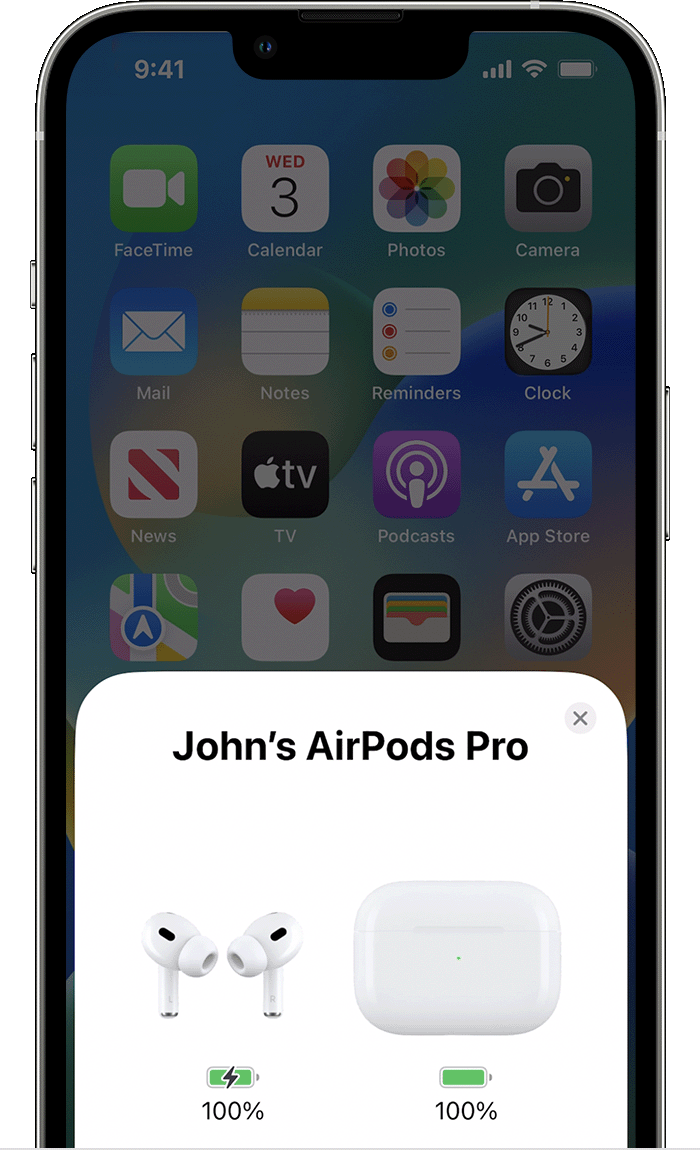
Open your case lid with your AirPods inside and hold your case close to your iPhone, iPad, or iPod touch. Wait a few seconds to see the charge status of your AirPods.

You can also check the charge status of your AirPods with the Batteries widget on your iPhone, iPad, or iPod touch. The charge for your case appears only when at least one AirPod is in the case."
If conditions are met, the information below from the guide here If your AirPods won't connect states:
"If you have AirPods Pro (2nd generation), you need an iPhone or iPod touch with iOS 16 or later; an iPad with iPadOS 16.1 or later; an Apple Watch with watchOS 9 or later; an Apple TV with tvOS 16 or later; or a Mac with macOS Ventura."
You can update your iOS software with the steps in the article below.
Update your iPhone, iPad, or iPod touch with the Finder - Apple Support
Update your iPhone, iPad, or iPod touch with iTunes - Apple Support
Cheers.


