Organizer in family sharing
I made myself the organizer in our family group but for some reason my daughters iCloud pops up on my Apple Watch and shows her organizer on my phone but shows her as a kid in her phone. My name is Alisha not addie
I made myself the organizer in our family group but for some reason my daughters iCloud pops up on my Apple Watch and shows her organizer on my phone but shows her as a kid in her phone. My name is Alisha not addie
Hi there Lish_squad11,
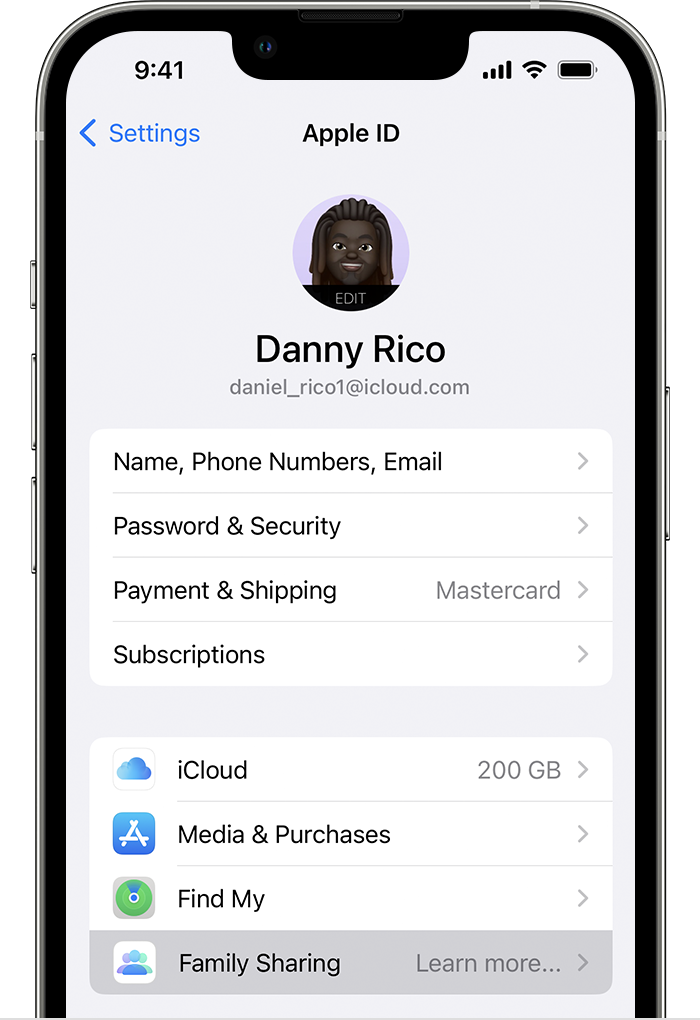
If you set up your Apple ID as the organizer of a family group, first ensure that you are using your Apple ID in iCloud on your device to avoid any confusion between you and your daughter's Apple IDs. On your iPhone, navigate to Settings > [your name] and see if your Apple ID email address and name is accurate.
If it is showing your Apple ID correctly, then next use these steps from Set up Family Sharing to set up a family group with you as the organizer:
Start a family group
One adult in the family — the family organizer — can set up Family Sharing for the group from their iPhone, iPad, iPod touch, or Mac. If purchase sharing is turned on, the family organizer pays for family members' purchases and must have a valid payment method on file.
On your iPhone, iPad, or iPod touch
1. Go to Settings.
2. Tap your name.
3. Tap Family Sharing, then tap Set Up Your Family.
4. Follow the onscreen instructions to set up your family and invite your family members.
If your daughter's Apple ID needs to be moved to this family group, then follow this article next that you've already looked over: Move a child to another group using Family Sharing
If you are trying to accomplish something else, please provide more details so that we can continue to assist.
Cheers!
Hi there Lish_squad11,
If you set up your Apple ID as the organizer of a family group, first ensure that you are using your Apple ID in iCloud on your device to avoid any confusion between you and your daughter's Apple IDs. On your iPhone, navigate to Settings > [your name] and see if your Apple ID email address and name is accurate.
If it is showing your Apple ID correctly, then next use these steps from Set up Family Sharing to set up a family group with you as the organizer:
Start a family group
One adult in the family — the family organizer — can set up Family Sharing for the group from their iPhone, iPad, iPod touch, or Mac. If purchase sharing is turned on, the family organizer pays for family members' purchases and must have a valid payment method on file.
On your iPhone, iPad, or iPod touch
1. Go to Settings.
2. Tap your name.
3. Tap Family Sharing, then tap Set Up Your Family.
4. Follow the onscreen instructions to set up your family and invite your family members.
If your daughter's Apple ID needs to be moved to this family group, then follow this article next that you've already looked over: Move a child to another group using Family Sharing
If you are trying to accomplish something else, please provide more details so that we can continue to assist.
Cheers!
Hi Lish_squad11,
Contacting Apple Support is the best path forward to resolve this issue. They will be best equipped to address this:
Contact - Official Apple Support
Cheers!
Yes I have done all of those already it’s shows me and everything correct on mine as well as here Info is correct in hers but for some reason it shows my phone mirroring my Apple Watch but somehow it comes up her contacts on my watch instead under the names she has them listed
Organizer in family sharing