
Apple ID without SIM
If my SIM card has not came yet, can I get an apple ID?
iPhone SE, iOS 14
If my SIM card has not came yet, can I get an apple ID?
iPhone SE, iOS 14
Hello isneezedlmfao,
There are other ways to create an Apple ID if you don't have network access on your iPhone. The steps here will guide you:
"Create an Apple ID on another device
To create an Apple ID on an Apple TV, Android device, smart TV, or streaming device, you can usually follow the steps provided onscreen and enter your full name, date of birth, an email address or phone number, and a payment method. If you set up the Apple TV app on your smart TV, you might be redirected to activate.apple.com to create your Apple ID. You can also use the steps below to create your Apple ID on the web.
Create an Apple ID on the web
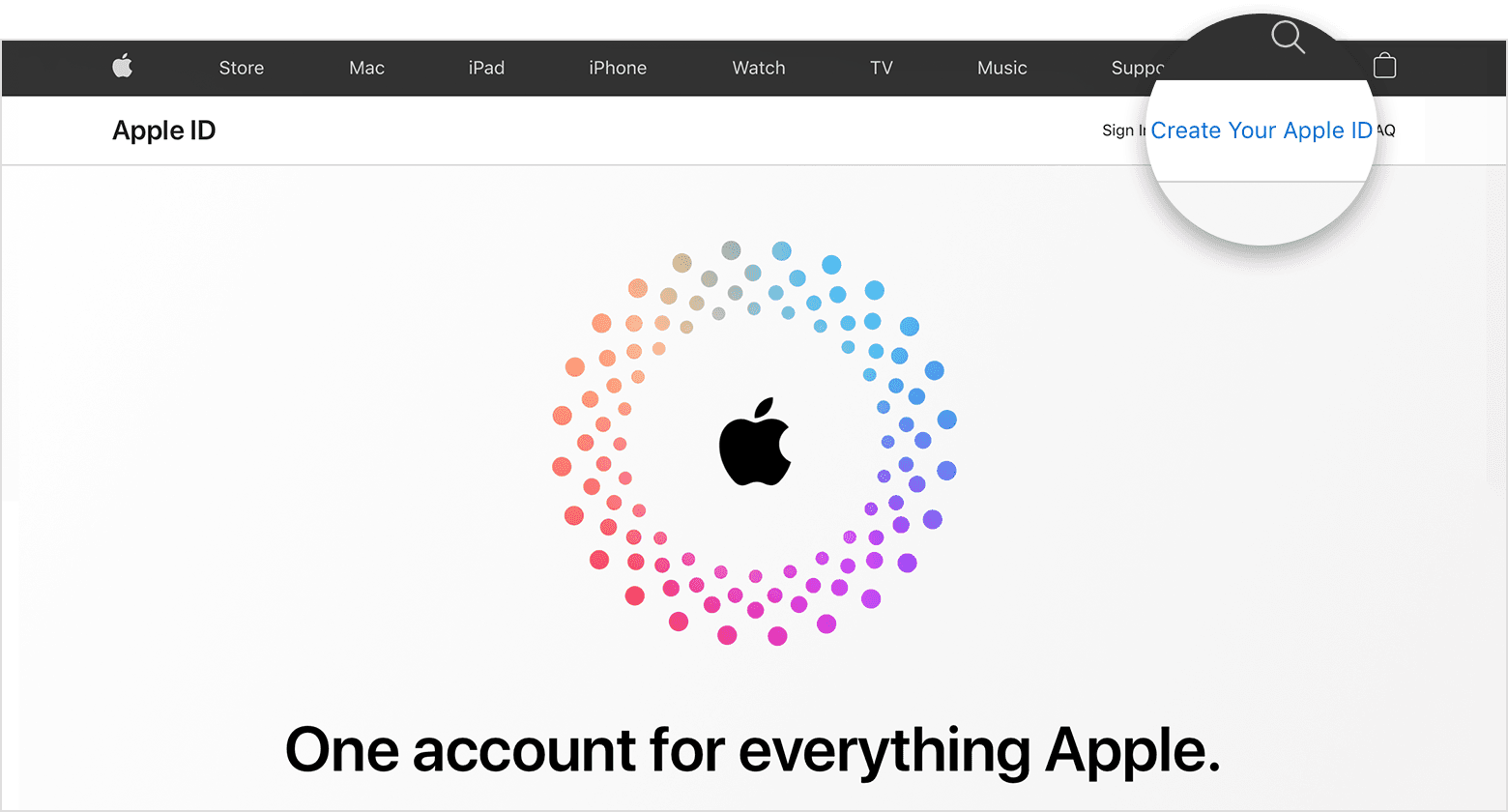
2. Follow the onscreen steps to provide an email address, create a strong password, and set your device region. The email address that you provide will be your new Apple ID.*
3. Enter a phone number that you can always access.
4. Check the boxes to subscribe to Apple Updates if you'd like. This keeps you up to date on the latest news, software, products, and services from Apple.
5. Click Continue.
6. Follow the onscreen steps to verify your email address and phone number.
After you verify your email address, you can use your new Apple ID to sign in to the iTunes Store and other Apple services such as iCloud."
How to create a new Apple ID - Apple Support
We hope this helps.
Cheers!
Hello isneezedlmfao,
There are other ways to create an Apple ID if you don't have network access on your iPhone. The steps here will guide you:
"Create an Apple ID on another device
To create an Apple ID on an Apple TV, Android device, smart TV, or streaming device, you can usually follow the steps provided onscreen and enter your full name, date of birth, an email address or phone number, and a payment method. If you set up the Apple TV app on your smart TV, you might be redirected to activate.apple.com to create your Apple ID. You can also use the steps below to create your Apple ID on the web.
Create an Apple ID on the web
2. Follow the onscreen steps to provide an email address, create a strong password, and set your device region. The email address that you provide will be your new Apple ID.*
3. Enter a phone number that you can always access.
4. Check the boxes to subscribe to Apple Updates if you'd like. This keeps you up to date on the latest news, software, products, and services from Apple.
5. Click Continue.
6. Follow the onscreen steps to verify your email address and phone number.
After you verify your email address, you can use your new Apple ID to sign in to the iTunes Store and other Apple services such as iCloud."
How to create a new Apple ID - Apple Support
We hope this helps.
Cheers!
Apple ID without SIM

