After Ventura update Mail is not working - how do I fix it?
After Ventura update Mail is not working - how do I fix it?
MacBook Air 13″, macOS 13.1
After Ventura update Mail is not working - how do I fix it?
MacBook Air 13″, macOS 13.1
Hello sgsellars,
If you aren't able to send or receive email the steps below may help:
Check for status messages
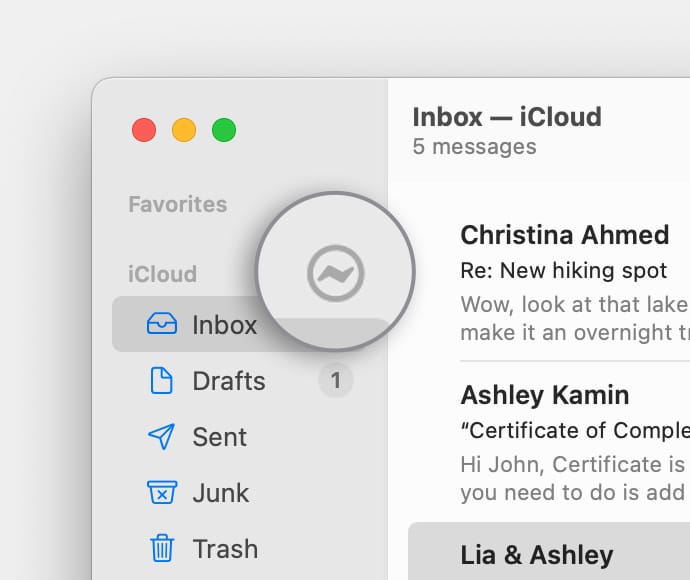
You might see a status icon such as a lightning boltor warning symbol
next to your account's inbox in the Mail sidebar, or in the upper-right corner of the Mail window. Click it to learn more.
• If the status is Network Offline, make sure that your Mac is connected to the internet, then try again.
• If the status is Login Failed, check with your email service provider (ESP) to be sure that your account is set up correctly on your Mac.
• If Mail asks for your password, but entering the password doesn't help, find out why your email provider is rejecting your password.
• If your email service is experiencing a temporary outage, your email provider might have a status message on their website. For example, Apple's system status page shows the status of iCloud Mail. Status pages are also available for other email services, such as Gmail and Outlook. Some brief service outages might not appear on a system status page, so you might want to wait a few hours and try again.
Test using webmail
Many email providers offer webmail, which is a way to use email with a web browser such as Safari, instead of with an email app such as Mail. For example, if you're using an iCloud Mail account, you can use iCloud.com to send and receive email.
Webmail is a good way to verify that your account is valid, but it doesn't mean that your account is set up correctly in Mail. Your email provider can help you verify your email settings and check for other issues that affect sending or receiving email.
Remove your email account, then add it back
If no other solutions work, follow these steps:
1. Remove your email account in Mail.
2. Add your email account in Mail again.
3. Try to send and receive email.
You can also find those steps in this resource: If you can’t send or receive email on your Mac - Apple Support
Should that still persist, do you get any particular errors or prompts?
Is this happening with multiple email accounts?
Let us know, and we'll keep moving forward from there.
Hello sgsellars,
If you aren't able to send or receive email the steps below may help:
Check for status messages
You might see a status icon such as a lightning bolt
• If the status is Network Offline, make sure that your Mac is connected to the internet, then try again.
• If the status is Login Failed, check with your email service provider (ESP) to be sure that your account is set up correctly on your Mac.
• If Mail asks for your password, but entering the password doesn't help, find out why your email provider is rejecting your password.
• If your email service is experiencing a temporary outage, your email provider might have a status message on their website. For example, Apple's system status page shows the status of iCloud Mail. Status pages are also available for other email services, such as Gmail and Outlook. Some brief service outages might not appear on a system status page, so you might want to wait a few hours and try again.
Test using webmail
Many email providers offer webmail, which is a way to use email with a web browser such as Safari, instead of with an email app such as Mail. For example, if you're using an iCloud Mail account, you can use iCloud.com to send and receive email.
Webmail is a good way to verify that your account is valid, but it doesn't mean that your account is set up correctly in Mail. Your email provider can help you verify your email settings and check for other issues that affect sending or receiving email.
Remove your email account, then add it back
If no other solutions work, follow these steps:
1. Remove your email account in Mail.
2. Add your email account in Mail again.
3. Try to send and receive email.
You can also find those steps in this resource: If you can’t send or receive email on your Mac - Apple Support
Should that still persist, do you get any particular errors or prompts?
Is this happening with multiple email accounts?
Let us know, and we'll keep moving forward from there.
After talking to apple support I got a wonderful guy who basically said they are working on some known bugs in the email program that cause some users to have problems. He advised me to use alternate email for now till the next os upgrade and before upgrading, contac them to see if things were resolved. So I asked chatGPT for alternatives, and it recommended Mozilla Thunderbird mail app which set things up correctly within minutes and works like a charm. Not as elegant but definitely has me back in business.
I had the problem where emails don't show in the main screen and also had a problem with replying to emails. I would hit REPLY and the reply window would come up but nothing in the text field and it wouldn't let me enter anything in the text field. Tried to quit mail but it would just freeze, had to force quit. Restarted mail, then it would work sometimes, sometimes it wouldn't and I would have to try again.
Then I noticed the problem would happen sporadically after using the search option in Mail. But to clear the search I would select and delete the text in the search text box. That was the problem. Apparently you have to hit the 'X' to actually clear the search operation, other wise it may cause problems down the road. The next time I couldn't reply I went to the search text box and hit the 'X', although the search text box was already empty. All started working immediately as it should. Hopefully that will fix my issues with mail, but the Mail software should make that more apparent or at least not crash the program but give a warning.
I got a new update yesterday, Ventura 13.3 and that seems to have solved the problem for me.
When the update was installed a new process started that automatically reindex my email accounts.
A few weeks ago I took my laptop in for servicing and upon collecting the laptop the agent helping me asked if there was any other issue and I explained my constant hassle with my Mail program. After looking at it and consulting with others at the Genius Bar, she solved my issue (where Apple techs had failed before after multiple consultations) by removing an old defunct email address that was somehow 'collecting/blocking' receiving and sending emails to and from my correct email address. No problems since.
It only took me a day to stumble across the answer to this problem. Open the MacOS User Guide and go to the >Bridge virtual network interfaces on Mac< page. It tells you how to create a "virtual bridge." Follow the directions and make a virtual bridge for Ethernet. Name it Ethernet Bridge. I thought I would then have to redirect the email account that had been moved to the non-existent Thunder Bolt Bridge to this new bridge, but when I went to do it I found that the action had already taken place. And as I say, it only cost me one wasted day of frustration!
Regards,
Tom Bank
Thank you for response. I resorted to Apple Help and after trying all else, re-installed Ventura. Using Force Quit on Mail then solved the problem.
As I mentioned in an earlier response, re-installing Ventura and force quitting mail resulted in success - I have not had a problem since.
The upgrade to Sonoma fixed the problem for me, so I'm back to working again, but I had to go several months with a backup mail program which was a real challenge.
I have the same issue with Apple mail not working after installing add and update version to Ventura. I have also spent countless hours with my email server provider and to Apple and none of their suggestions worked. There is a serious problem with the email that Apple is not even addressing. I even reinstalled the Ventura I’m not a come clean, complete clean install because I don’t want to lose all of my mail and it did nothing still works exactly the same Difficulty. I can’t send mail now and when I erase it, it is not a race in the correct mailboxes. At least the versions that are on the server allows me to access the mail and bypass Apple mail completely. Too bad I love the Apple mail, but I am probably going to switch completely to Google mail and be done with this pile of crap that Apple sent out and it’s not even admitting is an issue. I have spent countless hours trying to repair it, including cutting reinstalling wiping out all of my Apple mail accounts and reinstalling them again, and still not working . I’m really ****** off.
After installing Ventura, I cannot send emails from any of the accounts I have set up. I am using a desktop MAC. I was told to update Outlook but I do not see an "update" only a Microsoft Outlook "install". If I use the "install," will I lose my emails that are saved and/or those in my current inbox? I used my email accounts for work and need help!
After upgrading to Ventura the Mac Mail app cannot connect with the Exchange server.
The username and password are correct because I can access the email account through the web portal but somewhere between Apple Mac Mail and Microsoft Exchange the connection goes off the rails and the 2 do not understand each other.
It always ends with the error message on the attached image.
So far the only thing that works for me is to switch to Yahoo mail and avoid the Apple mail. :'-(
Hello sgsellars,
We're so glad to hear that this issue was resolved! If you need anything in the future, please reach back out. Have a good day and thanks again for contacting Apple Support Communities.
I have the same problem. Have tried force quitting mail, restart everything still it takes for ever to download and send. This started with the Ventura update now we need to see an update from Apple that fixes this. Called Apple Support and they could NOT help!
After Ventura update Mail is not working - how do I fix it?