The installer information on the recovery server is damaged

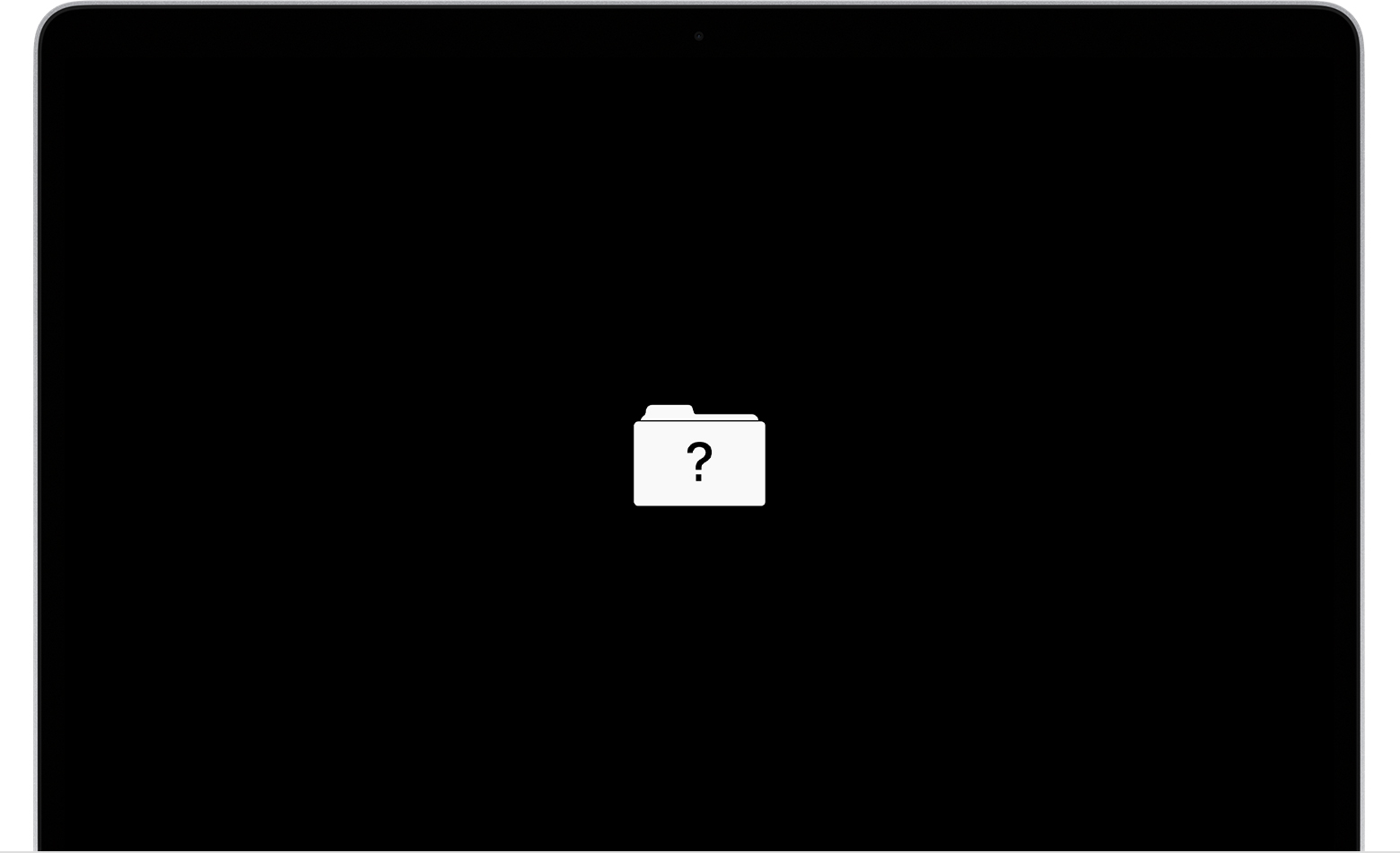
I try to way on YouTube how to reset your Mac and I erase something from the utilities and it’s giving me a file with a question mark. I tried to install the macOS and it’s letting me download it

Posted on Jan 13, 2023 1:17 PM

Reply
Question marked as Top-ranking reply

Posted on Jan 16, 2023 9:58 AM

Hello malek138,


If your Mac is starting up to a folder with a question mark, we suggest you start by working through these steps found at If your Mac starts up to a question mark - Apple Support to get the system to start as expected:


A folder with a flashing question mark means that your startup disk is no longer available or doesn't contain a working Mac operating system.

Flashing question mark screen
If the question mark is persistent, and your Mac does not start up normally:
1. Press and hold the power button on your Mac for up to 10 seconds, until your Mac turns off.
Every Mac has a power button. On notebook computers that have Touch ID, press and hold Touch ID.
2. Use Disk Utility to repair your startup disk. Follow the steps for a Mac with an Intel processor.
3. If Disk Utility found no errors or repaired all errors, reinstall macOS.
4. If you still need help, please contact Apple Support.


Since you mentioned erasing part of the hard drive, step 3 from above is going to be important in getting everything running again.


Cheers.


2 replies
Question marked as Top-ranking reply

Jan 16, 2023 9:58 AM in response to malek138

Hello malek138,


If your Mac is starting up to a folder with a question mark, we suggest you start by working through these steps found at If your Mac starts up to a question mark - Apple Support to get the system to start as expected:


A folder with a flashing question mark means that your startup disk is no longer available or doesn't contain a working Mac operating system.

Flashing question mark screen
If the question mark is persistent, and your Mac does not start up normally:
1. Press and hold the power button on your Mac for up to 10 seconds, until your Mac turns off.
Every Mac has a power button. On notebook computers that have Touch ID, press and hold Touch ID.
2. Use Disk Utility to repair your startup disk. Follow the steps for a Mac with an Intel processor.
3. If Disk Utility found no errors or repaired all errors, reinstall macOS.
4. If you still need help, please contact Apple Support.


Since you mentioned erasing part of the hard drive, step 3 from above is going to be important in getting everything running again.


Cheers.


Jan 16, 2023 3:27 PM in response to malek138

If you get a corrupted message...

Naw, it's not damaged, it's just that you have an old copy already in Applications, there are 2 cures...


If you’re short of bandwidth or data… Disconnect from the Internet & set the Date back to 2014, then you can run the Install MacsOS ******* App in Applications, so expired Certificates are not expired.

Or...

Trash the Install MacsOS *******.app in Applications then restart, a new copy more recent version can be downloaded.

This thread has been closed by the system or the community team. You may vote for any posts you find helpful, or search the Community for additional answers.

The installer information on the recovery server is damaged

Welcome to Apple Support Community
A forum where Apple customers help each other with their products. Get started with your Apple Account.