How to find out how many Apple ID’s I have

is there a way to find out how many IDs I have? Having bn a Microsoft user prior to purchasing my iMac, I may have set up 2 or more when I first got the iMac. Pls make ur reply as plain and simple as possible as , believe it or not, this Senior is still in the process of learning how to use some of the features of this very complicated Apple device. Thank you.

iMac 21.5″, 10.13

Posted on Jan 13, 2023 8:17 PM

Reply
1 reply

Jan 16, 2023 12:26 PM in response to Chick 72

Hi Chick 72,


Thank you for using the Apple Support Communities! If you forgot you Apple ID's the guidance from the article below can help:


If you forgot your Apple ID email address or phone number

Other ways to find your Apple ID
You can check if you're signed in to the App Store, FaceTime, or Messages on your iPhone, iPad, or Mac, or check if you're signed in to iTunes for Windows on a PC. You can also go to iCloud.com or appleid.apple.com and see if your Apple ID prefills on the sign-in screen. 
FaceTime isn't available in all countries or regions.
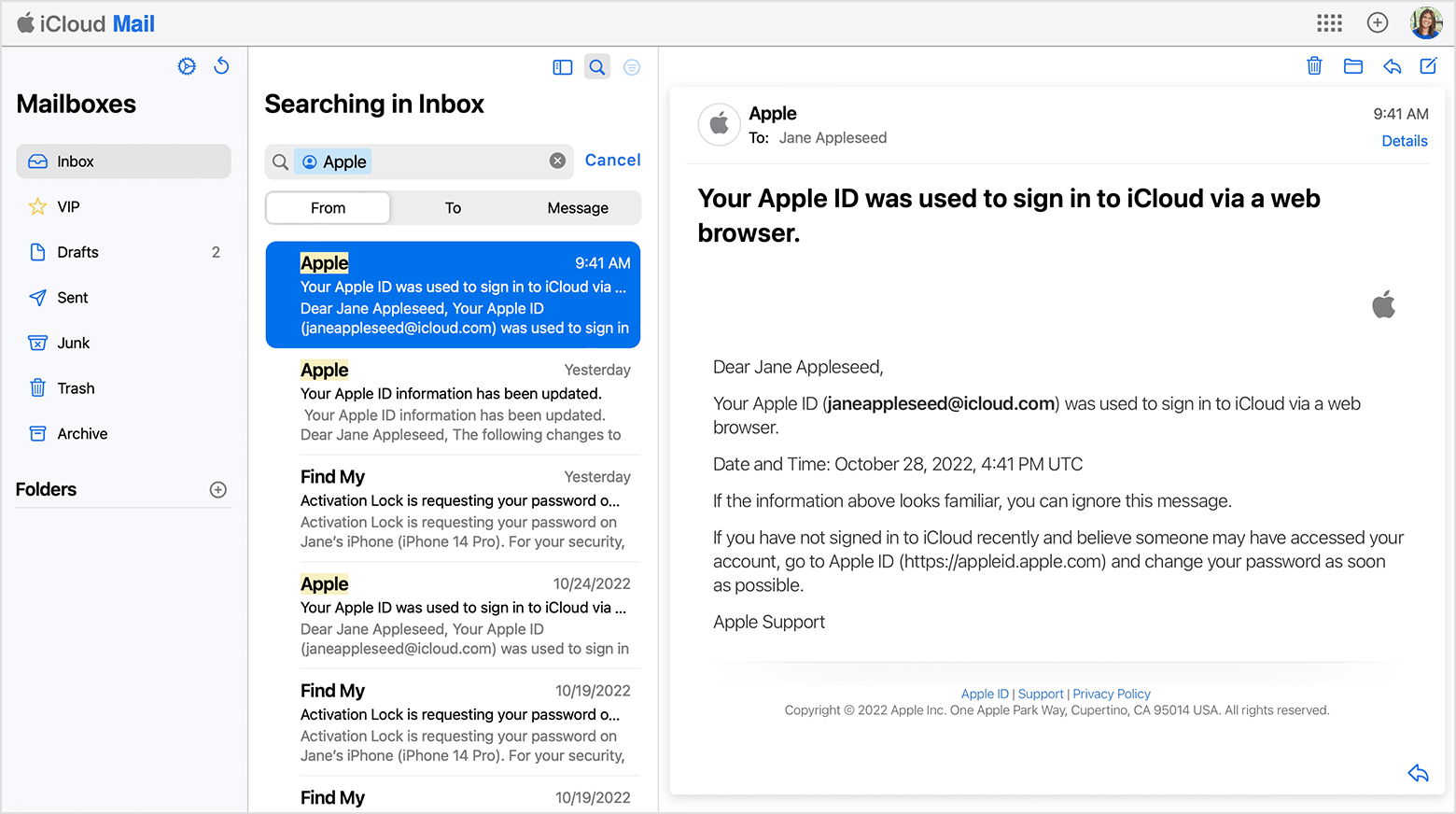
Check your inbox for emails from Apple
Find your Apple ID email address by searching for emails from Apple
Your Apple ID might be included in some emails from Apple. Search your inbox for receipts as well as repair, support, or billing emails from Apple.
If your email address is masked (j*****@icloud.com), the number of asterisks might not match the number of characters in your email address. 


Hope this helps!

Have a great day.


This thread has been closed by the system or the community team. You may vote for any posts you find helpful, or search the Community for additional answers.

How to find out how many Apple ID’s I have

Welcome to Apple Support Community
A forum where Apple customers help each other with their products. Get started with your Apple Account.