We understand your concern, vesta822,
Other than using Focus and adding the contacts that you'd like to receive notifications from, you can mute one contact in Messages, so you don't hear the notification if you'd rather not set up Focus. You can view your list of messages from all contacts and swipe left on the contact you'd like to mute and choose Mute.
Since phone calls don't include an option to mute one contact, another option would be to choose a specific ringtone for that contact. You may also have the option to purchase a silent ringtone so you don't hear their calls as outlined here: Use tones and ringtones with your iPhone or iPad - Apple Support
"Buy ringtones from the iTunes Store
- Open the iTunes Store app.
- Tap
 More.
More. - Tap Tones.
- Find a ringtone that you want to buy, then tap the price.
- Choose an option to automatically set the ringtone. Or tap Done to decide later.
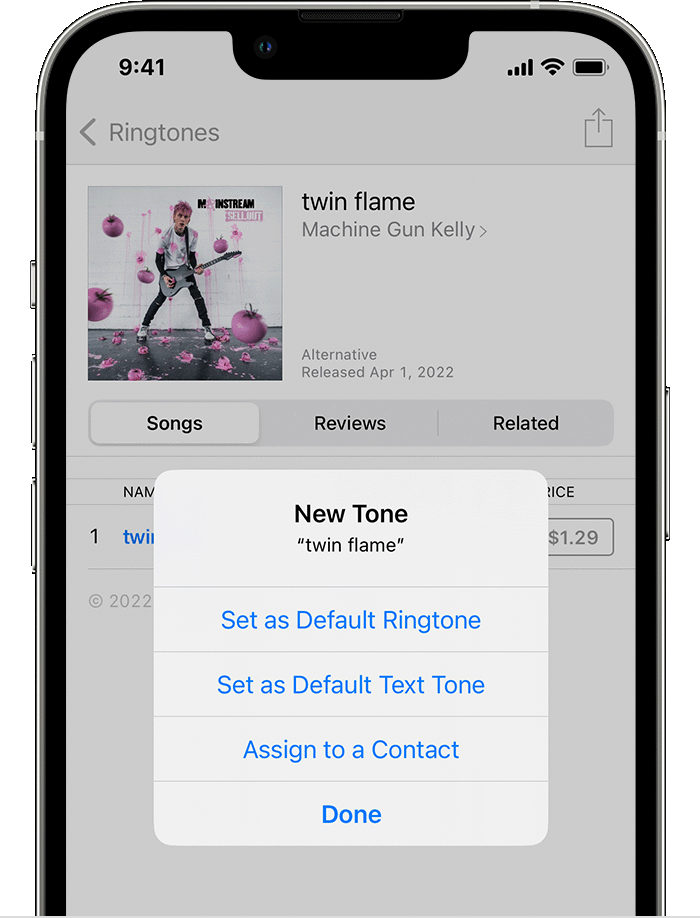
6. You might need to enter your Apple ID password to complete your purchase.
Store availability and features might vary by country or region. Learn what's available in your country or region.
Ringtones on iTunes aren't full songs; they're just snippets."
We hope this helps.
Take care!



 > Focus, then choose a Focus—for example, Do Not Disturb, Personal, Sleep, or Work.
 , then select from your contacts.