Transfer apple cash power button doesn't work
I need to transfer my apple cash to my bank account but my power button doesn't work.
I need to transfer my apple cash to my bank account but my power button doesn't work.
Hello Gronk_rulz,
According to the resource you came from, there are no steps that including the power button. To transfer Apple Cash to your bank, follow these steps: Transfer money in Apple Cash to your bank account or debit card
Transfer money in Apple Cash to your bank account or debit card
You can transfer money from your Apple Cash card instantly or within 1 to 3 business days.
How to transfer money to your bank or eligible debit card
When you transfer money from your Apple Cash card, you can either use a bank transfer to send funds to your bank account in 1 to 3 days or you can use Instant Transfer to send funds instantly to an eligible Mastercard or Visa debit card.
You can also send money to an individual in Messages or Wallet.
Transfer instantly to an eligible debit card
First, make sure that your iPhone or iPad has the latest version of iOS or iPadOS and add an eligible debit card in the Wallet app.
Then, make an Instant Transfer:
1. Go to your card info:
- On iPhone: open the Wallet app, tap your Apple Cash card, tap the More button, then tap Transfer to Bank
.
- On iPad: open the Settings app, tap Wallet & Apple Pay, tap your Apple Cash card, then tap Transfer to Bank
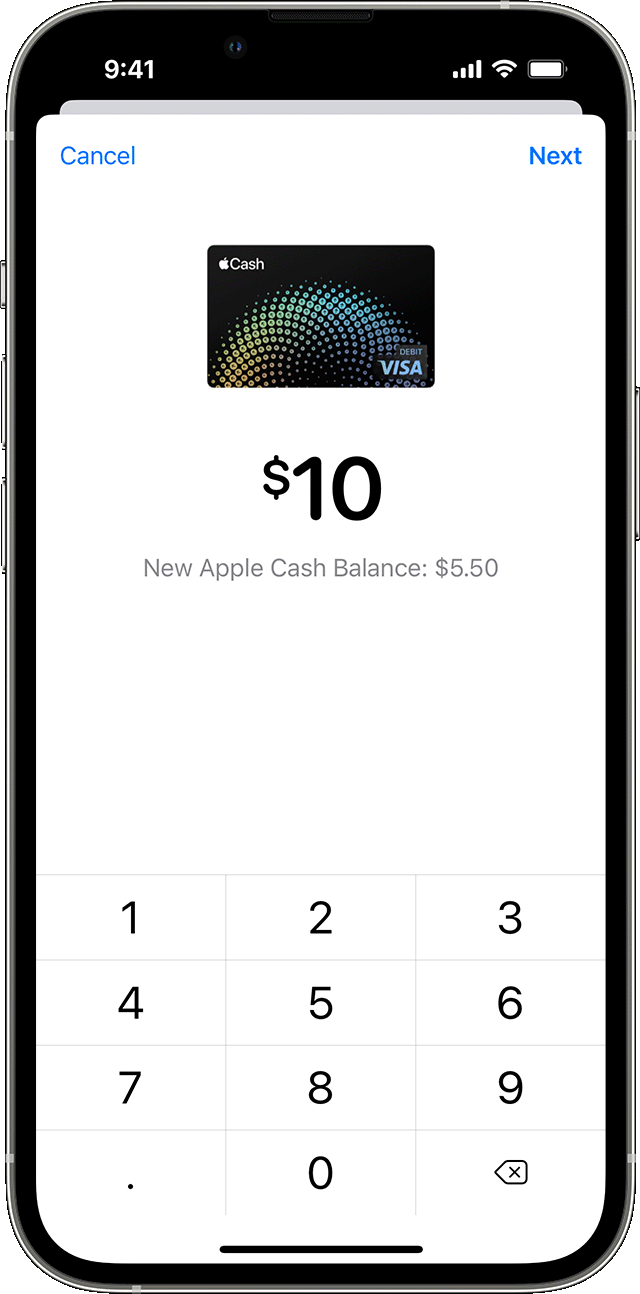
2. Enter an amount and tap Next.
3. Tap Instant Transfer.
4. If you haven't added an eligible debit card, tap Add Card and follow the instructions on your screen to add a Mastercard or Visa debit card.
5. Tap Transfer. Then tap > to select the debit card that you want to transfer funds to and select the billing information for your chosen debit card.
Your funds should transfer within 30 minutes.
If those steps don't work, try section 'If you can't transfer money' instead:
If you can't transfer money
1. Check for iOS, iPadOS, or watchOS updates.
2. Make sure that your device is eligible to use with Apple Pay.
3. Make sure that you have a Wi-Fi or cellular connection.
4. If you're transferring money to a debit card, make sure that it's an eligible debit card.
After each step, try to transfer money again:
1. For 1 to 3 business day transactions, make sure that you added an eligible United States bank account and that you entered the correct account and routing numbers. If you enter the wrong numbers, the transfer might go to the wrong account.
2. Instant Transfers require you to use the billing address that matches your selected debit card.
Check the limits. The minimum amount that you can transfer to your bank account is $1. If your balance is less than $1, you can transfer your total balance as an exception to the minimum. The maximum amount that you can transfer per transaction is $10,000.
4. Make sure you aren't using accents when you enter your name.
If you still can't transfer money to your bank, you might need to verify your identity.
Let us know if you were able to transfer the funds.
Cheers!
Hello Gronk_rulz,
According to the resource you came from, there are no steps that including the power button. To transfer Apple Cash to your bank, follow these steps: Transfer money in Apple Cash to your bank account or debit card
Transfer money in Apple Cash to your bank account or debit card
You can transfer money from your Apple Cash card instantly or within 1 to 3 business days.
How to transfer money to your bank or eligible debit card
When you transfer money from your Apple Cash card, you can either use a bank transfer to send funds to your bank account in 1 to 3 days or you can use Instant Transfer to send funds instantly to an eligible Mastercard or Visa debit card.
You can also send money to an individual in Messages or Wallet.
Transfer instantly to an eligible debit card
First, make sure that your iPhone or iPad has the latest version of iOS or iPadOS and add an eligible debit card in the Wallet app.
Then, make an Instant Transfer:
1. Go to your card info:
- On iPhone: open the Wallet app, tap your Apple Cash card, tap the More button
- On iPad: open the Settings app, tap Wallet & Apple Pay, tap your Apple Cash card, then tap Transfer to Bank
2. Enter an amount and tap Next.
3. Tap Instant Transfer.
4. If you haven't added an eligible debit card, tap Add Card and follow the instructions on your screen to add a Mastercard or Visa debit card.
5. Tap Transfer. Then tap > to select the debit card that you want to transfer funds to and select the billing information for your chosen debit card.
Your funds should transfer within 30 minutes.
If those steps don't work, try section 'If you can't transfer money' instead:
If you can't transfer money
1. Check for iOS, iPadOS, or watchOS updates.
2. Make sure that your device is eligible to use with Apple Pay.
3. Make sure that you have a Wi-Fi or cellular connection.
4. If you're transferring money to a debit card, make sure that it's an eligible debit card.
After each step, try to transfer money again:
1. For 1 to 3 business day transactions, make sure that you added an eligible United States bank account and that you entered the correct account and routing numbers. If you enter the wrong numbers, the transfer might go to the wrong account.
2. Instant Transfers require you to use the billing address that matches your selected debit card.
Check the limits. The minimum amount that you can transfer to your bank account is $1. If your balance is less than $1, you can transfer your total balance as an exception to the minimum. The maximum amount that you can transfer per transaction is $10,000.
4. Make sure you aren't using accents when you enter your name.
If you still can't transfer money to your bank, you might need to verify your identity.
Let us know if you were able to transfer the funds.
Cheers!
Transfer apple cash power button doesn't work