
Wireless charging your iPhone or watch

Wireless charging

will the Apple Watch be able to use the iPhone wireless charger?


iPhone 8 Plus, iOS 16

Posted on Jan 17, 2023 7:27 PM

Reply
Question marked as Top-ranking reply

Posted on Jan 19, 2023 10:17 AM

Hello Sshirvine,


Thank you for reaching out to Apple Support Communities, and we'll be happy to help in any way we can. We understand you have questions about charging your watch wirelessly. It would need to be a compatible wireless charger for the watch. You can find information about wireless charging for the watch here: How to use MagSafe Duo Charger with your iPhone and Apple Watch - Apple Support


"How to charge Apple Watch

You can charge your Apple Watch in a flat position with its band open, or on its side, by lifting the inductive charging connector.

Place the back of your Apple Watch on the charging connector, with the connector upright or flat. When your Apple Watch starts to charge, you'll see the charge indicator on the display.
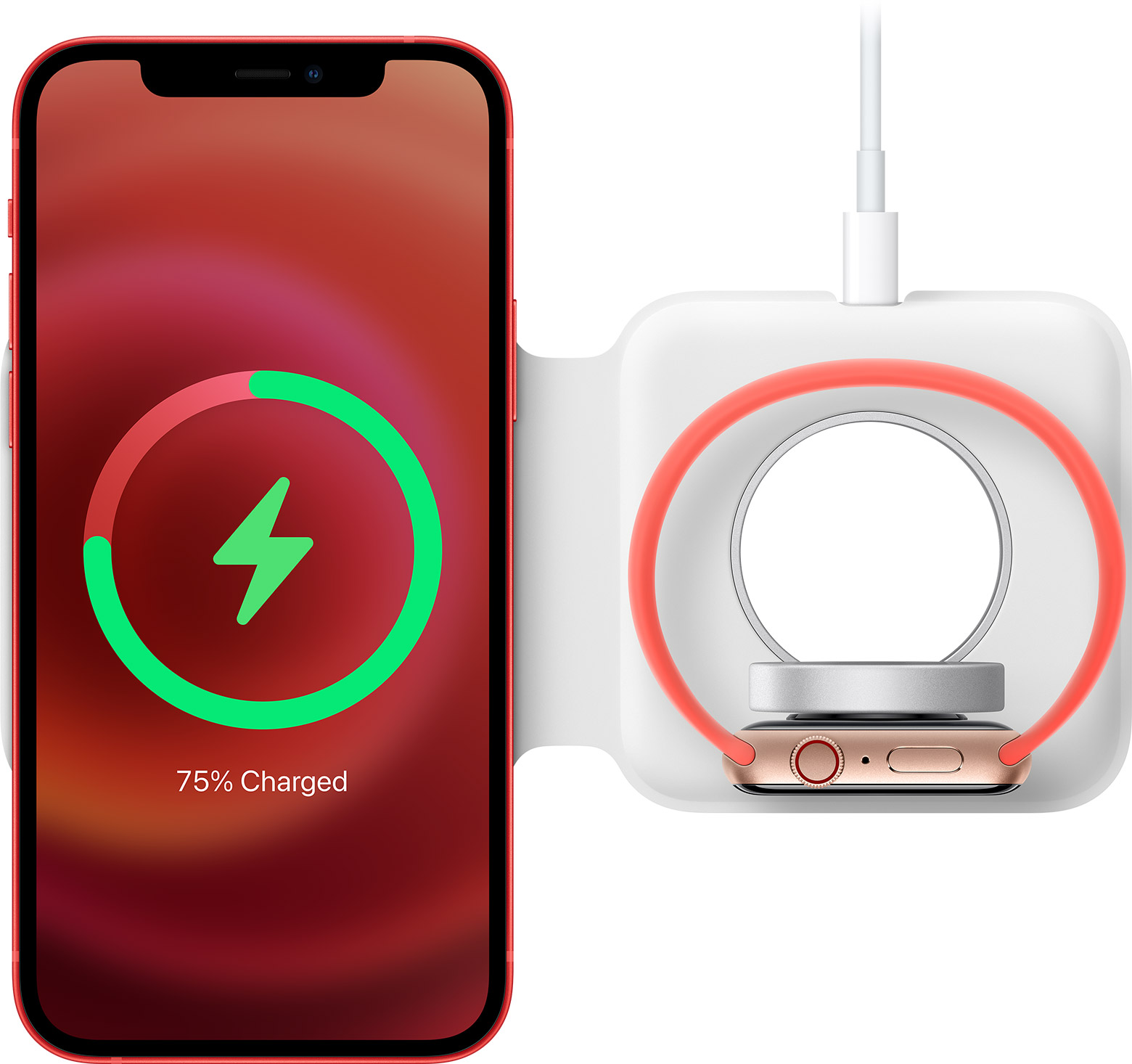
MagSafe Duo Charger lying face up with iPhone and Apple Watch charging

If you use Apple MagSafe Duo Charger with a larger Apple Watch model (44mm, 45mm, or 49mm), you might need to adjust the charger's position. Adjust the charger to a different angle or lay it completely flat to make sure that its magnets align with the magnets in your watch. If you don't see the charge indicator on your Apple Watch Ultra display even when it's lying flat, try removing its band before placing the watch on the charger."


We hope this helps.


Cheers!


1 reply
Question marked as Top-ranking reply

Jan 19, 2023 10:17 AM in response to Sshirvine

Hello Sshirvine,


Thank you for reaching out to Apple Support Communities, and we'll be happy to help in any way we can. We understand you have questions about charging your watch wirelessly. It would need to be a compatible wireless charger for the watch. You can find information about wireless charging for the watch here: How to use MagSafe Duo Charger with your iPhone and Apple Watch - Apple Support


"How to charge Apple Watch

You can charge your Apple Watch in a flat position with its band open, or on its side, by lifting the inductive charging connector.

Place the back of your Apple Watch on the charging connector, with the connector upright or flat. When your Apple Watch starts to charge, you'll see the charge indicator on the display.

MagSafe Duo Charger lying face up with iPhone and Apple Watch charging

If you use Apple MagSafe Duo Charger with a larger Apple Watch model (44mm, 45mm, or 49mm), you might need to adjust the charger's position. Adjust the charger to a different angle or lay it completely flat to make sure that its magnets align with the magnets in your watch. If you don't see the charge indicator on your Apple Watch Ultra display even when it's lying flat, try removing its band before placing the watch on the charger."


We hope this helps.


Cheers!


This thread has been closed by the system or the community team. You may vote for any posts you find helpful, or search the Community for additional answers.

Wireless charging your iPhone or watch

Welcome to Apple Support Community
A forum where Apple customers help each other with their products. Get started with your Apple Account.