
Sent as text message
If i send another iphone user a text and it shows up as “sent as text message”, am i blocked
iPhone 11, iOS 15
If i send another iphone user a text and it shows up as “sent as text message”, am i blocked
iPhone 11, iOS 15
Hello Ebcrazy,
Thank you for reaching out to Apple Support Communities, and we'll be happy to help in any way we can. We understand you're having issues with a message indicating that your message was sent as a text. This indicates it was sent as an SMS message and not an iMessage. It does not indicate you are blocked. You can find information about sending SMS messages here: If you can't send or receive messages on your iPhone or iPad - Apple Support
"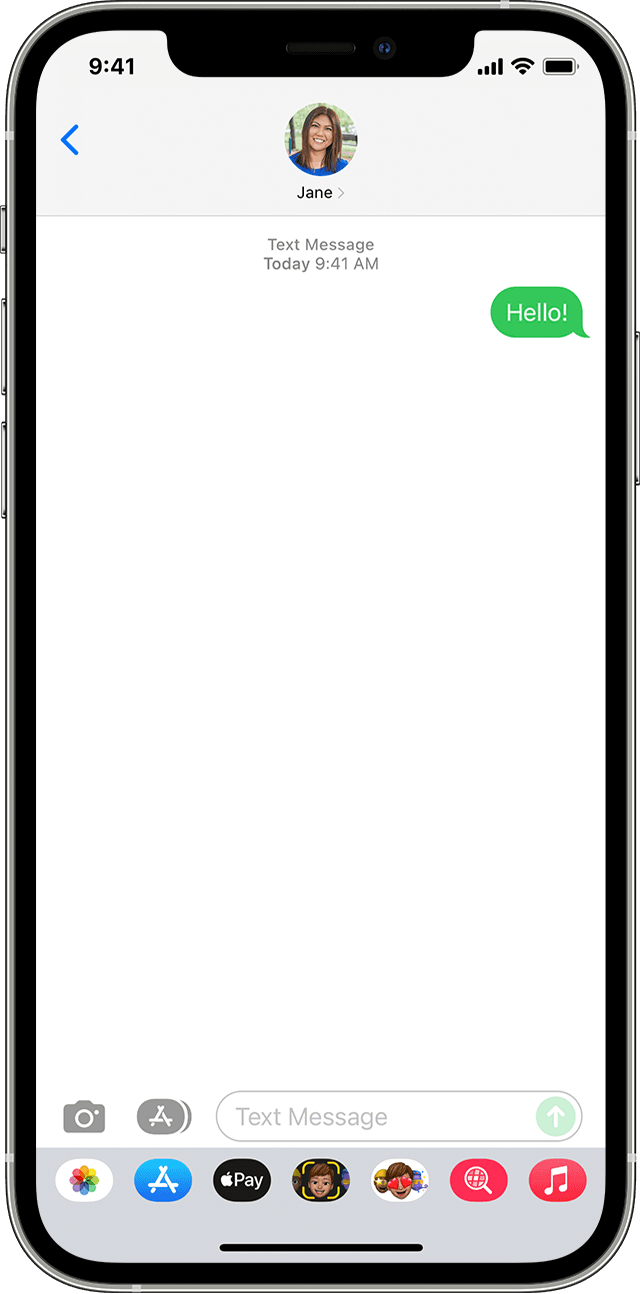
If you see a green message bubble
If you see a green message bubble instead of a blue one, then that message was sent using MMS/SMS instead of iMessage. There are several reasons for this:
Learn the difference between iMessage and MMS/SMS messages"

We hope this helps.
Cheers!
Hello Ebcrazy,
Thank you for reaching out to Apple Support Communities, and we'll be happy to help in any way we can. We understand you're having issues with a message indicating that your message was sent as a text. This indicates it was sent as an SMS message and not an iMessage. It does not indicate you are blocked. You can find information about sending SMS messages here: If you can't send or receive messages on your iPhone or iPad - Apple Support
"
If you see a green message bubble
If you see a green message bubble instead of a blue one, then that message was sent using MMS/SMS instead of iMessage. There are several reasons for this:
Learn the difference between iMessage and MMS/SMS messages"
We hope this helps.
Cheers!
Sent as text message

