
how to open sd card with macbook pro 2015
Im putting my SD card in and im not seeing anything pop up to get into my photos, its like my mac isnt reading it, i have a macbook pro mid 2015, MJLQ2LL/A
MacBook Pro
Im putting my SD card in and im not seeing anything pop up to get into my photos, its like my mac isnt reading it, i have a macbook pro mid 2015, MJLQ2LL/A
MacBook Pro
Hi melg2015A,
Thanks for contacting Apple Support Communities!
We understand that your MacBook Pro doesn't see that your SD card is being used.
In order for your MacBook to see your SD card, it would need to be a supported SD card as outlined here: Use the SD and SDXC card slot on your Mac - Apple Support
"Supported cards
Your SDXC card slot supports the following cards:
To use smaller cards such as MiniSD and MicroSD, use an adapter:
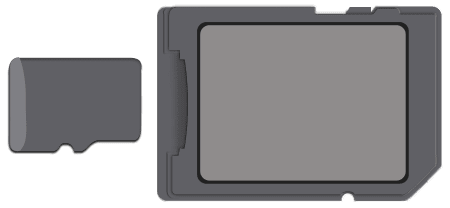
Secure Digital Input Output (SDIO) cards are not supported. Avoid using cards that are thicker than 2.1mm, as they might damage the SD card slot if you try to insert them."
We hope this helps you.
Cheers!
Wow I didn’t know “some” SD cards are not supported, how can I tell which sd is correct is it written on the card?
how to open sd card with macbook pro 2015

