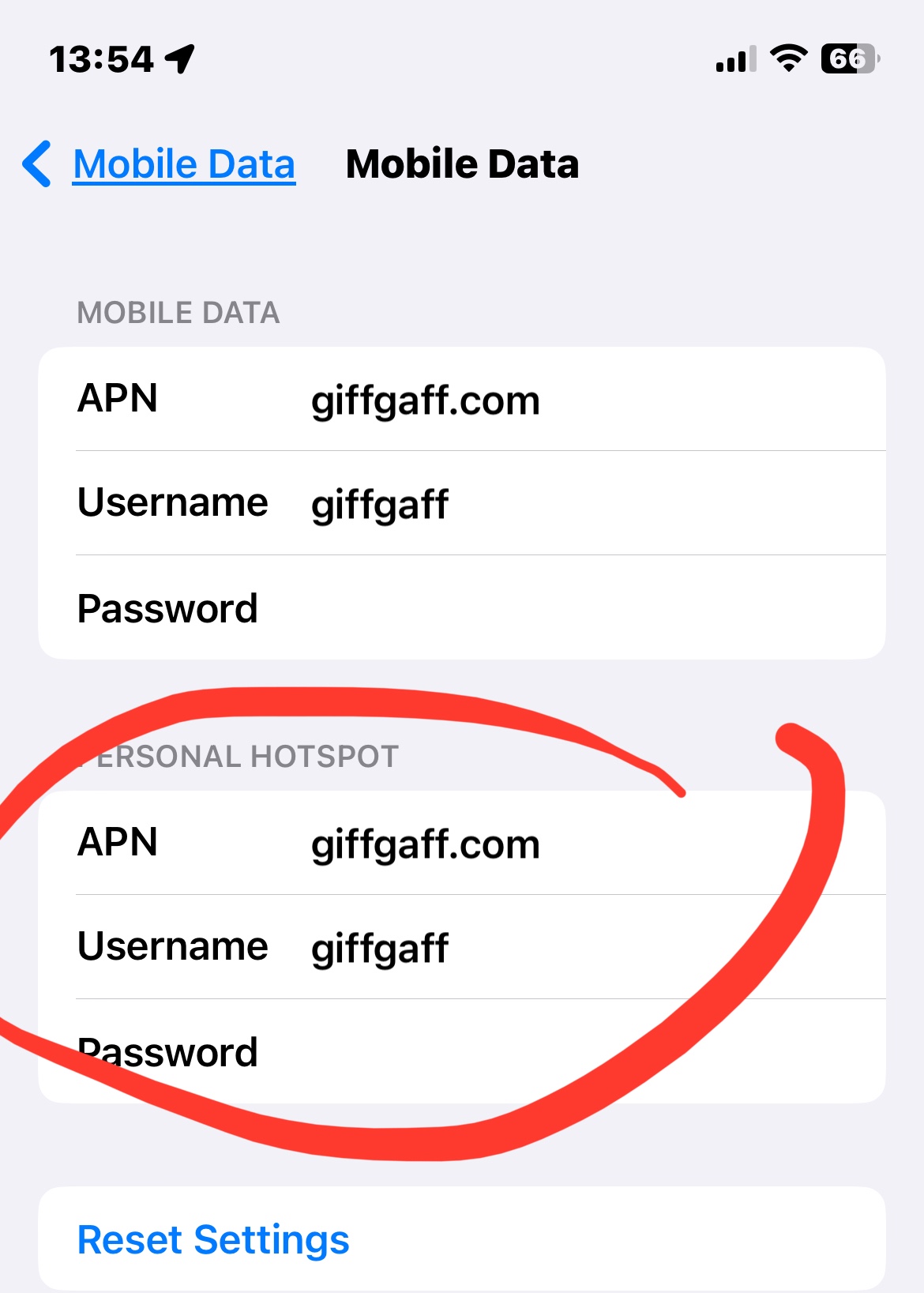
Check cellular settings ("Mobile" in search me countries like UK) - on your IPhone setting, choose “Cellular”. On the “sims” section, choose your SIM that you use cellular data.
Then you will see the “cellular/mobile data network” section.
You will see a entry called APN for alongside with Username and password ( maybe blank). Then you scroll down to check for the “Personal hotspot” APN. If it is blank then just copy the “cellular” apn and any password if it has one to the “personal hotspot” entry.
see also
How to set up a Personal Hotspot on your iPhone or iPad - Apple Support
and
If Personal Hotspot is not working on your iPhone or iPad (Wi-Fi + Cellular) - Apple Support

