Any solutions for Slow, dropping or no WIFI after Ventura upgrade post all usual incl DNS wipe?

Many people with the same miserable complaint and no answers. I was forced gto upgrade to install a printer but otherwise I would have waited longer to install a new OS but it is ruining my life at this point. All Mac devices ok except 2019 MBP and Ventura . So we just life without being able to work ? Anybody? Just started using for first time and Time machine not configured but have backups on external drives but no clue about how to reinstall Ventura or or regress to earlier OS without losing all data. I am shocked no one has helped any of us! Remember to never update OS for a few months without good reason. Help!

Posted on Jan 24, 2023 11:25 AM

Reply

Similar questions

6 replies

Jan 25, 2023 6:50 PM in response to mctd

Hello mctd,


Thank you for reaching out to Apple Support Communities, and we'll be happy to help in any way we can. We understand you're having issues with Wi-Fi on your Mac. Try the steps here to see if they resolve the issue: If your Mac isn't connecting to the internet over Wi-Fi - Apple Support


"To connect to the internet over Wi-Fi, your Mac must first be connected to a Wi-Fi network, and that network must provide a connection to the internet. To connect to a Wi-Fi network, click Wi-Fi  in Control Center or the menu bar, then choose a network from the menu. If websites, email, and all other internet services remain unavailable after connecting to Wi-Fi, try the following solutions.


Restart your Mac

Restarting might help because your Mac then automatically renews the internet address it was assigned when joining the Wi-Fi network. Or you can renew the IP address manually. This is known as renewing the DHCP lease. If the lease expired and the address is already in use by another device, your Mac is assigned a new address.


Update your Mac

Update the software on your Mac, and make sure that the date and time are set correctly.


Check VPN or other security software

If you installed VPN or other software that monitors or interacts with your network connections, that software could be affecting access to the internet. Learn about network issues related to VPN and other software


Use the built-in diagnostic tools

Wi-Fi Recommendations. Click Wi-Fi  in Control Center or the menu bar and check for a menu item named Wi-Fi Recommendations. If you see it, your Mac has detected an issue and has recommendations. Choose Wi-Fi Recommendations to learn more.*

Wireless Diagnostics. Press and hold the Option key on your keyboard while clicking Wi-Fi  in Control Center or the menu bar, then choose Open Wireless Diagnostics from the menu. Learn more about using Wireless Diagnostics to analyze your wireless environment.
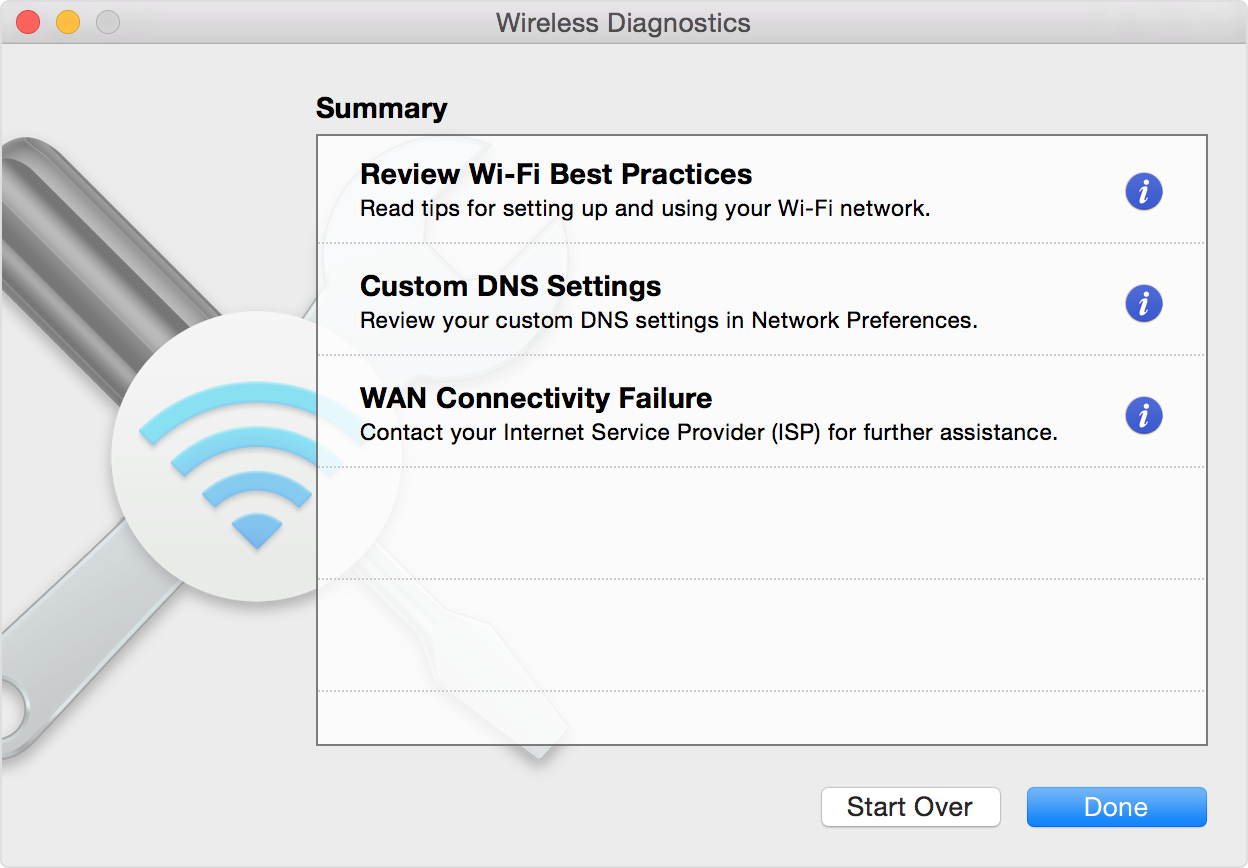
Wireless Diagnostics window, showing diaganostic results

Update the Wi-Fi router

If you manage the network's Wi-Fi router, install the latest firmware updates for the router, as recommended by its manufacturer. It might also help to simply restart the router and use Apple's recommended settings for Wi-Fi routers and access points.


Try a different network or contact your ISP

If you can access the internet when connected to a different network, or you're not sure, check with your network administrator or Internet Service Provider (ISP) to make sure that your network is working properly."


Even though your Mac connects, they still may be helpful.


We hope this helps.


Cheers!


Feb 5, 2023 7:57 AM in response to mctd

It's good that you worked through the suggested steps.


For most folks, their network is not operating by itself, but exists in a "network neighborhood' that may be very complex.


Readers can sometimes get additional insights by examining the snapshot you can obtain by holding Option and clicking on the Wi-Fi icon on the menubar. looks like this older version:


.

Feb 1, 2023 9:49 AM in response to karina184

Indeed, I needed live voice support and after two hours on the phone doing and redoing the same things you all helpfull suggested above, the problem is "being escalated" as I write this. About 2 hours of phone time. I think there might be a preponderance of 2019 MBP models out there as severely affected as mine. Apple says they cover software issues so no need for Apple care or a big bill. Being escalated means they will hand hold you during the process of a total computer wipe to factory settings, after you've secure sufficient back up, and then a reinstall, with a hope that an older one (than Ventura) is available, which it may or may not be.....

Feb 5, 2023 7:19 AM in response to karina184

Thanks....we are working on the case which was eventually escalated .... full wipe and reinstall of anOS. I hope others don't have to spend that much time . . . but your advice got me out of trying to fix it on my own which after reading K_Faith's helpful instructions I could see I could no longer venture forth into the tech of it.

Jan 26, 2023 7:58 AM in response to K_Faith

Thanks so much! This page should be marked for the many people who are looking for things they can do to get around the damage of Ventura...


But i am way beyond all that.


I have been through all the steps, more than once, in different orders sometimes.... And then I tried other ways to work around the problems in Terminal. Etc. Re-installed Ventura once of course but won't again.


I have purchased a USB-c adapter to backup my MBP 2019 which was just used for the first time in Dec 2022 and will reset to factory setting and install Monterey. No other Mac device has this problem, not imac, other mcpro, ipad, iphone. I cannot help but think it is the OS that disagreed with whatever hardware makes up my model. I'd like to copy your answer to someone in the same horrible situation who reached out to me and you'll be able to see it on another page. If I find it.


Do you see any other way out, given that I know it is not the ISP (who could not be less helpful in most cases) ?

Why doesn4't Apple provide us with an uninstall tool to get out of this ridiculous situation. I have always benn (excessively) cautious w/upgrades but I needed to do this to suit the installation of an Epson ET and what a mistake.


Do you approve of a re-install of Monterey ? I couldn't be more furious; making backups is never a certain affair and my documents are urgently needed at this time. I don't know how to do it, so after a wipe of the HD I will be winging it.


All reactions, opinions welcome.


MD


This thread has been closed by the system or the community team. You may vote for any posts you find helpful, or search the Community for additional answers.

Any solutions for Slow, dropping or no WIFI after Ventura upgrade post all usual incl DNS wipe?

Welcome to Apple Support Community
A forum where Apple customers help each other with their products. Get started with your Apple Account.